Home / Digital Menu Maker
Digital + print in one menu

Design a Menu Online with MenuFly’s Digital Menu Maker

Create a professional restaurant menu from a customizable template. Add your dishes, descriptions, prices and food photos, then publish a digital menu customers open with a QR code, and download a print-ready PDF when you need physical menus.

Design once. Show your food beautifully. Publish digitally. Print whenever you need.

No sign-up needed to try it: the menu maker opens a sample menu you can edit right away.

Built from real restaurant menu design and printing experience.

Make people hungry

Your restaurant menu should make people hungry

A restaurant menu shouldn’t be just a list of dishes and prices. It should help customers discover your food, imagine the taste and feel excited about ordering.

  • ✓Food photos and short videos of signature dishes
  • ✓Today’s specials and offers inside the menu
  • ✓Shared by QR code or a menu link, no app needed
  • ✓The same menu exported as a print-ready PDF
Try Menu Maker Free
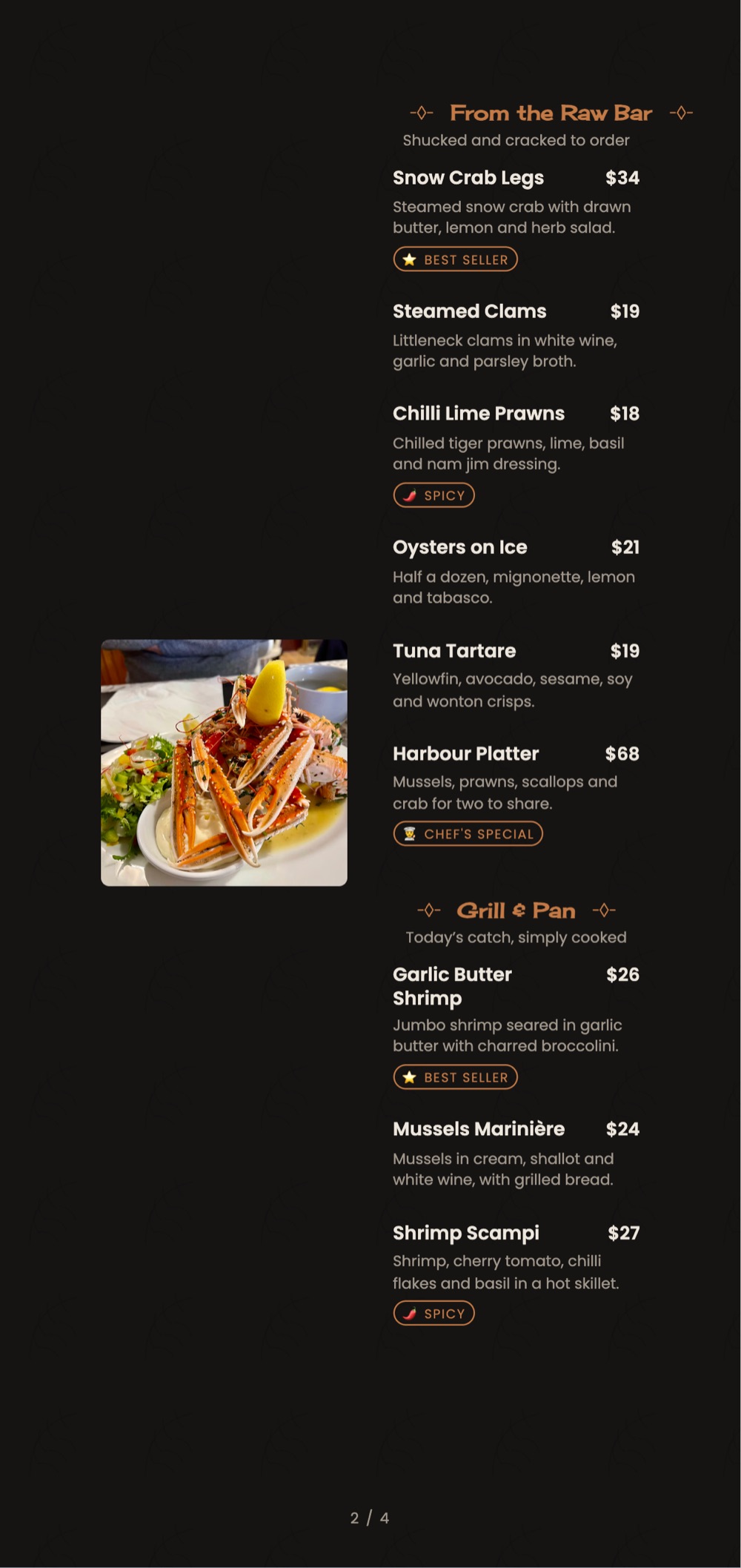
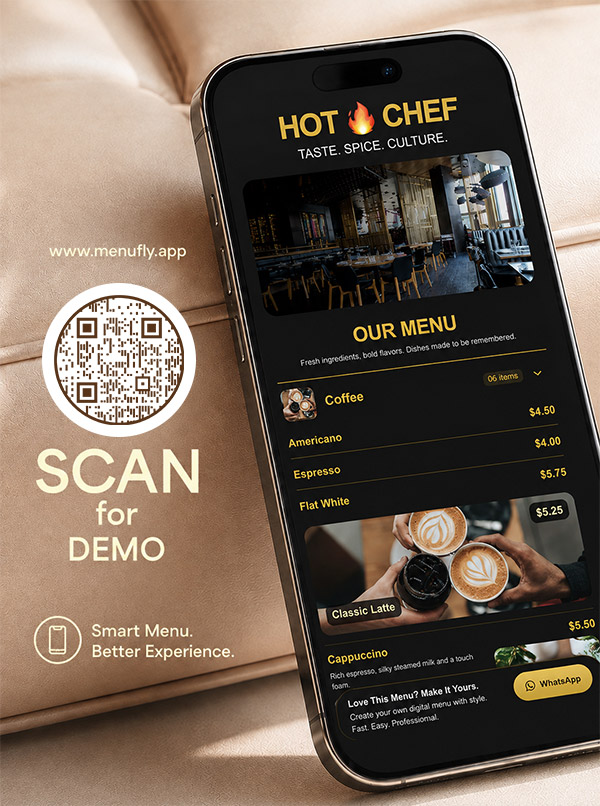
Hot Chef digital menu made with MenuFly open on a phone, beside a Scan for Demo QR code
Free menu card maker

Design a menu in your browser before you sign up

MenuFly’s free menu card maker opens straight onto a sample restaurant menu, so you can try designing a menu first and create an account only when you want to keep it.

  1. Open the menu maker. A sample menu loads in your browser, with no account and no card.
  2. Edit it your way. Switch between Menu Data, Print and Digital menu, turn on Click to edit and change dishes, prices, categories and layout blocks.
  3. Save it when you like it. Click Create my menu to make a free account (no card required) and keep your menu.
Try Menu Maker Free
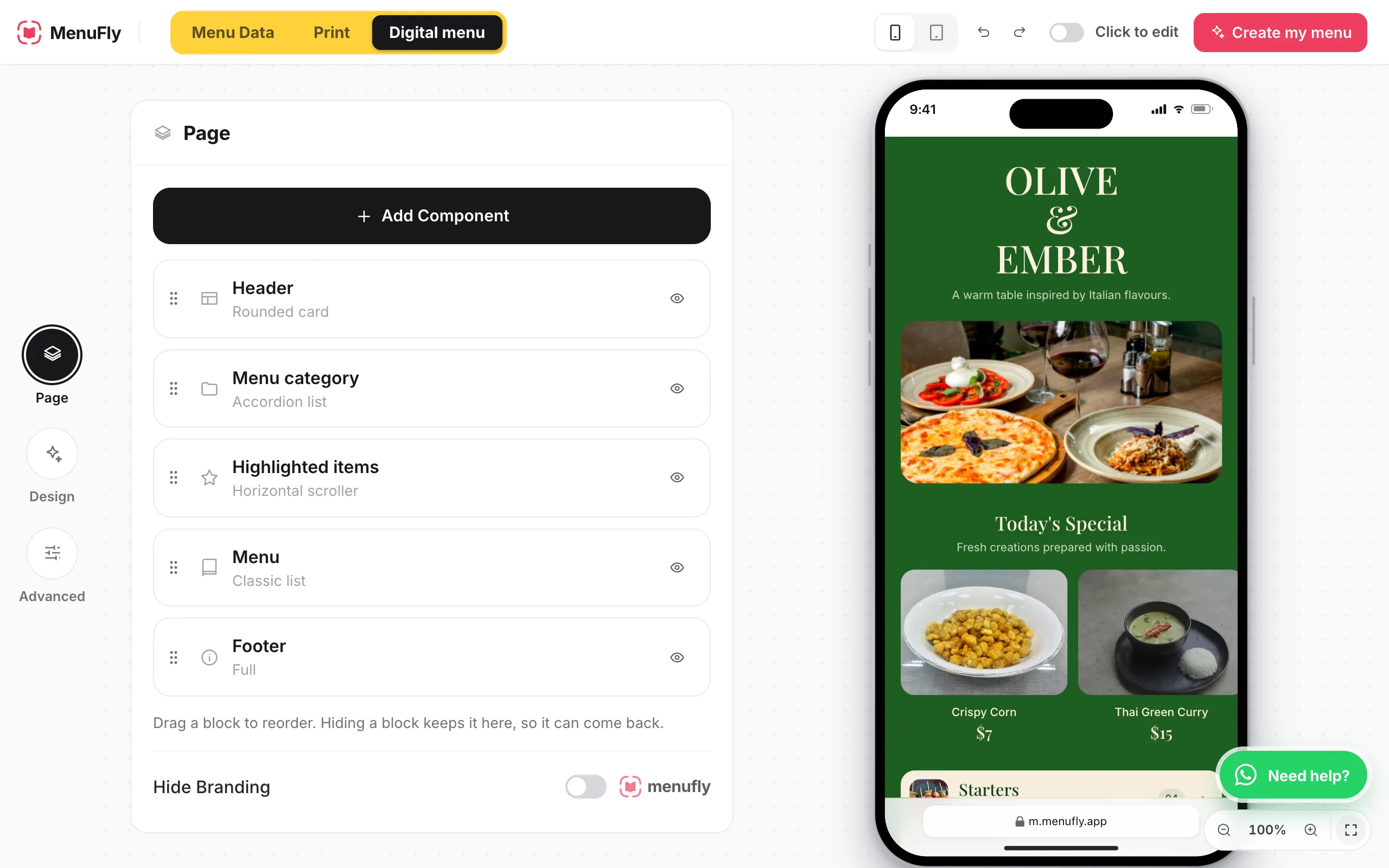
MenuFly menu maker in the browser: page blocks for header, menu category, highlighted items, menu and footer on the left, and a live phone preview of the Olive & Ember digital menu with Today’s Special on the right
The real MenuFly menu maker: edit the blocks on the left, see the digital menu update on the right.
The basics

What is a digital menu?

A digital menu is an online version of your restaurant’s menu that customers open on their phones, usually by scanning a QR code or visiting a menu link.

Unlike a menu that only displays plain text, a well-designed digital menu combines dish names, descriptions, prices, food photography, videos, featured items and promotional sections in a mobile-friendly layout.

It helps customers explore your offerings before ordering, and gives you a flexible way to present new dishes, highlight specials and keep menu information current. With MenuFly, the same menu also becomes a print-ready PDF, so you have options for both online viewing and physical printing. If you mostly want a printed menu card, our online menu maker page covers the print design studio in more detail.

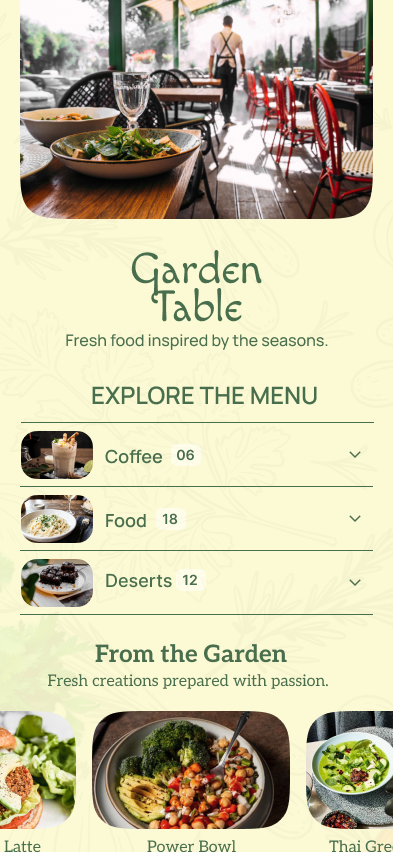
Garden Table digital menu made with MenuFly, with a restaurant photo, menu categories and a From the Garden row of dishes
Our story

Why we built MenuFly: a better way to design restaurant menus

Our team has more than 15 years of experience in the design industry, and a year ago we started a design agency dedicated to restaurants. Designing and printing over 2,000 restaurant menus, we saw a recurring challenge.

Restaurant owners wanted a professionally designed menu that reflected their brand and made their food look appealing, and were happy to invest in one when opening or refreshing their restaurant. But when they needed to reprint menus, introduce new dishes or update designs, they wanted a more affordable and flexible solution.

That experience inspired MenuFly: professional menu creation made more accessible, with a way to present dishes digitally and still prepare menus for printing.

15+years in the design industry
2,000+restaurant menus designed and printed

Our idea is simple: one menu, two ways to use it.

📱

Digital menu

Give customers a mobile-friendly way to explore your dishes through a QR code or menu link.

🖨

Print-ready PDF

Prepare a properly formatted menu file when you need physical copies.

You shouldn’t have to treat your digital menu and printed menu as two separate design projects.

Show, don’t list

Why a digital menu should be more than text

Imagine a customer scanning your restaurant’s QR code. They see a long list of dish names, descriptions and prices. The information is there, but they may not know what your signature dish actually looks like.

Now imagine the same customer sees a beautiful food photograph, a short video of a freshly prepared dish, a chef’s special or an offer worth exploring. These visual elements make the menu more engaging and help customers understand what you serve.

A photograph cannot guarantee an order, and a video cannot guarantee higher sales. But thoughtful food presentation gives customers more information and can help them discover dishes they might otherwise overlook.

Don’t just list what you sell. Show customers what makes it worth ordering.

Features

Digital menu features built for restaurants

Ten tools for presenting your food, your specials and your brand, on the phone and on paper.

01

Today’s Specials: put featured dishes where customers see them

Many restaurants write the day’s special on a whiteboard near the entrance. Customers may walk past it, forget the dish by the time they sit down or never see it at all.

MenuFly’s Today’s Specials component gives you another way to present featured dishes inside your digital menu. When customers scan the restaurant’s QR code, they can see your selected specials as part of the menu experience, subject to your menu layout.

Use the section to showcase:

  • ✓Today’s chef’s special
  • ✓A freshly prepared signature dish
  • ✓A seasonal beverage
  • ✓A limited-time dessert
  • ✓A featured lunch or dinner item

Your specials shouldn’t be visible only on a whiteboard. Give customers a way to discover them while browsing the menu at their table.
02

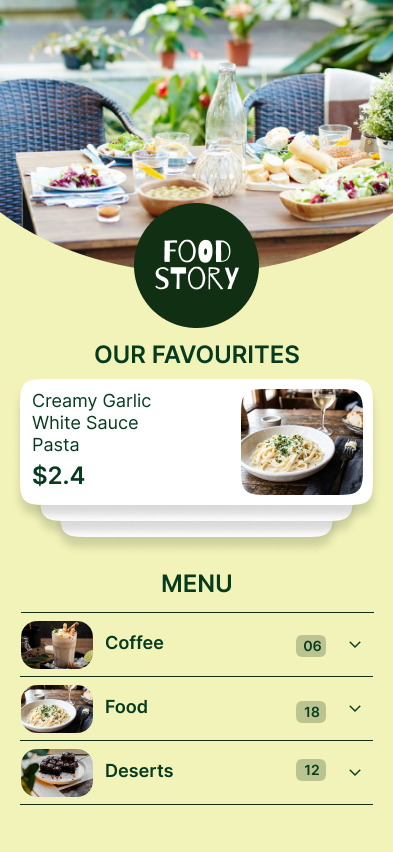
Food photos that help customers visualize your dishes

Customers cannot taste a dish through their phone, but a good photograph can help them understand its presentation, portion and ingredients.

Use food photos to showcase signature dishes, popular meals, desserts, beverages and items that are difficult to describe with words alone. MenuFly’s digital menu supports food imagery, so you can build a more visual menu instead of presenting every item as plain text.

Best practice: use clear, appetizing photographs that accurately represent the food you serve, and keep image quality consistent throughout the menu.

Food Story digital menu with a photo of a featured pasta dish and photo thumbnails for each menu category
03

Food videos for a more engaging menu

Some dishes are particularly suited to short video: cheese stretching over a pizza, chocolate sauce poured over a dessert, coffee being prepared or a sizzling dish arriving at the table.

Where your MenuFly setup supports video content, use it selectively to bring attention to signature dishes and featured items. A short, well-produced clip can communicate texture, preparation and presentation in ways a dish name alone cannot.

You don’t need a video for every item. Start with a few dishes you most want customers to discover, and make sure the videos load and display well on mobile devices.

Hover or tap to play. Short clips of real menus made with MenuFly.

04

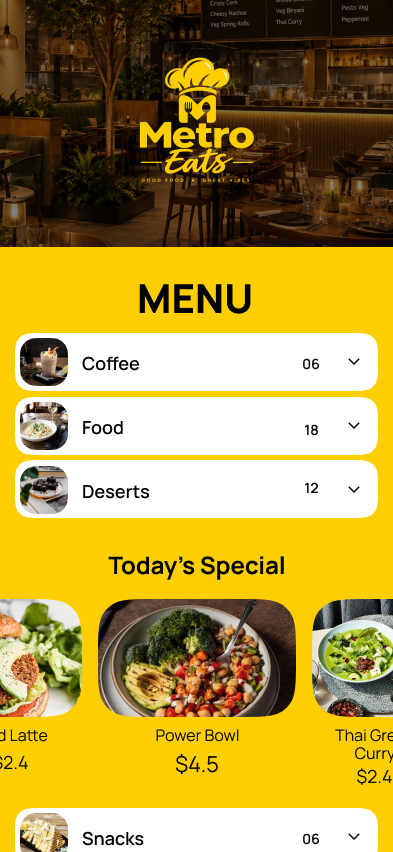
Offer highlights: make promotions easy to discover

Restaurants regularly run weekday offers, combo meals, happy hours, seasonal promotions and special meal deals. An offer can be easy to miss when it is buried in a long list of dishes.

MenuFly’s offer-highlight components help you give selected promotions a more prominent place in the digital menu: a lunch combo, a beverage deal, a dessert pairing or another promotion you currently run.

Use clear terms, accurate prices and valid dates. If an offer has restrictions, explain them before the customer orders.

Metro Eats digital menu with a bright yellow theme and a featured row of dishes with prices
05

Schedule menus around your service

A restaurant’s menu may change throughout the day. Breakfast, lunch, dinner, happy hours and special events can all require different offerings.

MenuFly supports menu scheduling, so you can plan menu availability around your operating hours, using the scheduling options available in your setup.

Before relying on scheduled menus, set the correct time zone, service hours and schedule rules, then test what customers see.

Breakfast7:00 – 11:00Poha, idli, eggs, filter coffee
Lunch12:00 – 15:30Thalis, combos, fresh juices
Happy hour17:00 – 19:00Mocktails and small plates
Dinner19:00 – 23:00Full menu with chef’s specials
06

Customizable components for your menu layout

A coffee shop, pizzeria, bar, fine-dining restaurant and family restaurant may all need different ways to present their offerings.

MenuFly’s component-based menu builder lets you organize content into sections and use visual elements for featured items, specials, offers and dish presentation, in a layout that fits your business.

Don’t add every available component simply because it exists. The best menu is one customers can browse without confusion.

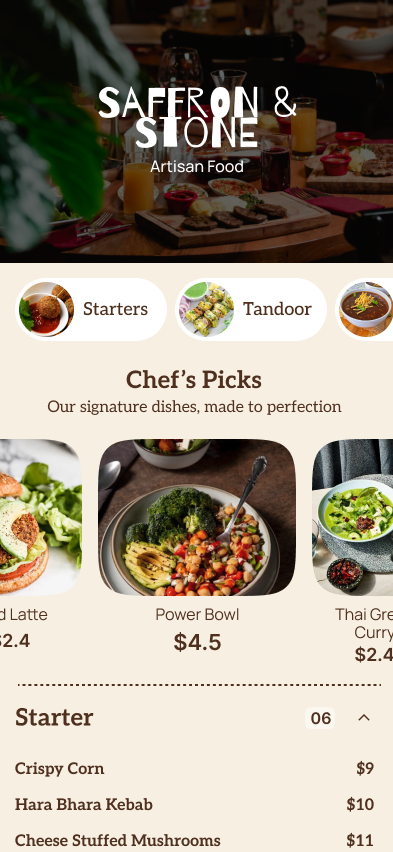
Saffron & Stone digital menu built from MenuFly components: header, chef’s picks and menu categories
07

Color themes and design customization

Your digital menu should feel like part of your restaurant’s brand, not a generic page that could belong to any business.

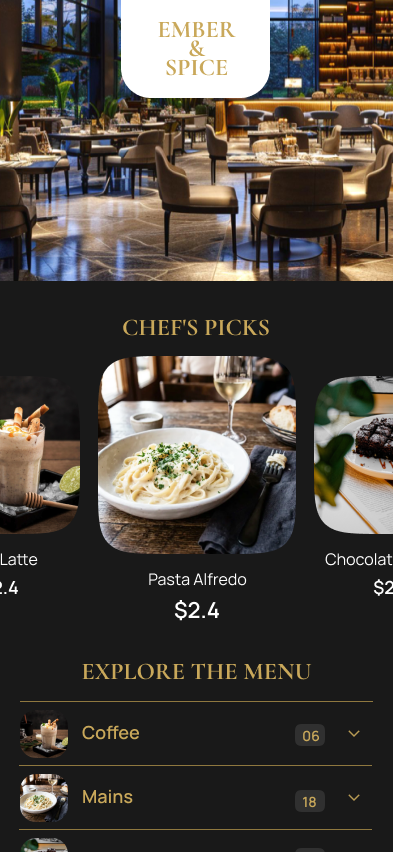
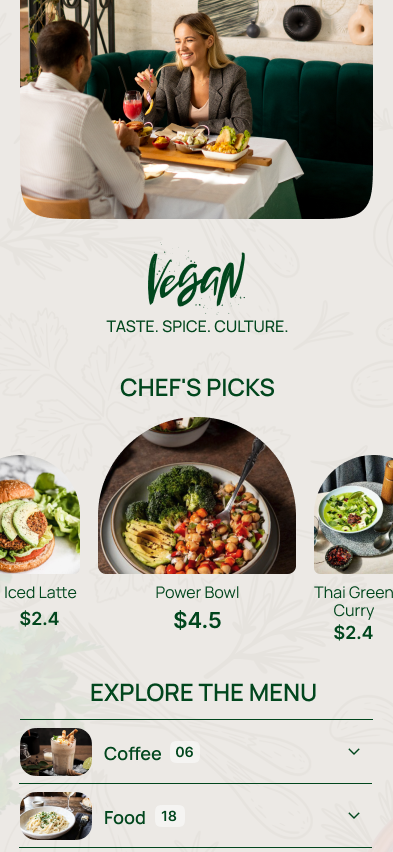
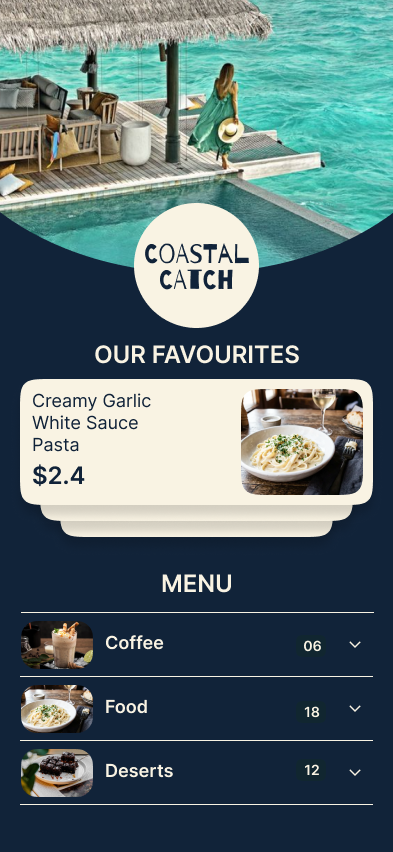
Customize the design with themes, colors and styling options, and keep it consistent with your logo, interior, printed materials and social media. A premium restaurant might prefer restrained colors and elegant type; a casual cafe a brighter palette; a family restaurant clear, easy navigation.

Whatever your style, prioritize readability, contrast and a layout that works on phone screens.

Ember & Spice digital menu theme in dark and goldVegan cafe digital menu theme in soft greenCoastal Catch seafood digital menu theme in blue
08

QR code menu access

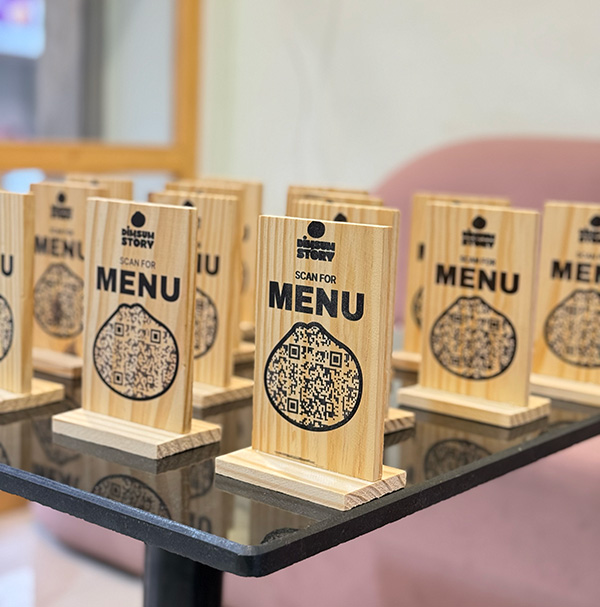
Give customers a convenient way to open your digital menu by scanning a QR code on table stands, printed menus, counter displays or other customer-facing materials.

Customers don’t need to install an app to view a standard web-based digital menu. See how MenuFly’s QR code menu handles branded table codes and per-table scan tracking.

A QR code should lead directly to the intended menu. Test it on common smartphones before you print stands or display it in the restaurant.

Wooden Scan for Menu QR code table stands for Dimsum Story, made with MenuFly, lined up on a restaurant table
09

A mobile-friendly menu for your customers

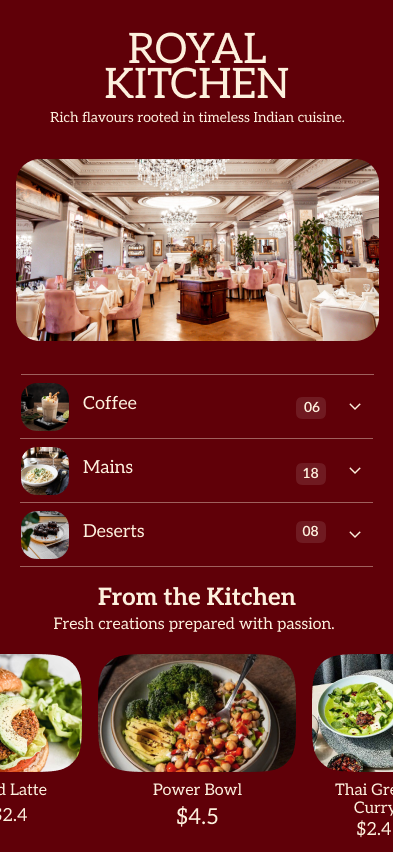
Your customers may scan the menu while seated at a small table, standing at a counter or waiting for takeaway. A digital menu should be easy to read without excessive zooming, horizontal scrolling or searching through a complicated layout.

Organize categories clearly, keep dish names and prices readable, use appropriately sized images and avoid visual clutter. MenuFly is designed to support a mobile-friendly restaurant menu experience.

Royal Kitchen digital menu on a phone screen with clear categories and readable prices
10

One menu that can also become a print-ready PDF

Going digital does not mean giving up printed menus. Some customers prefer physical menus, and restaurants need them for tables, counters, takeaway, events and premium dining.

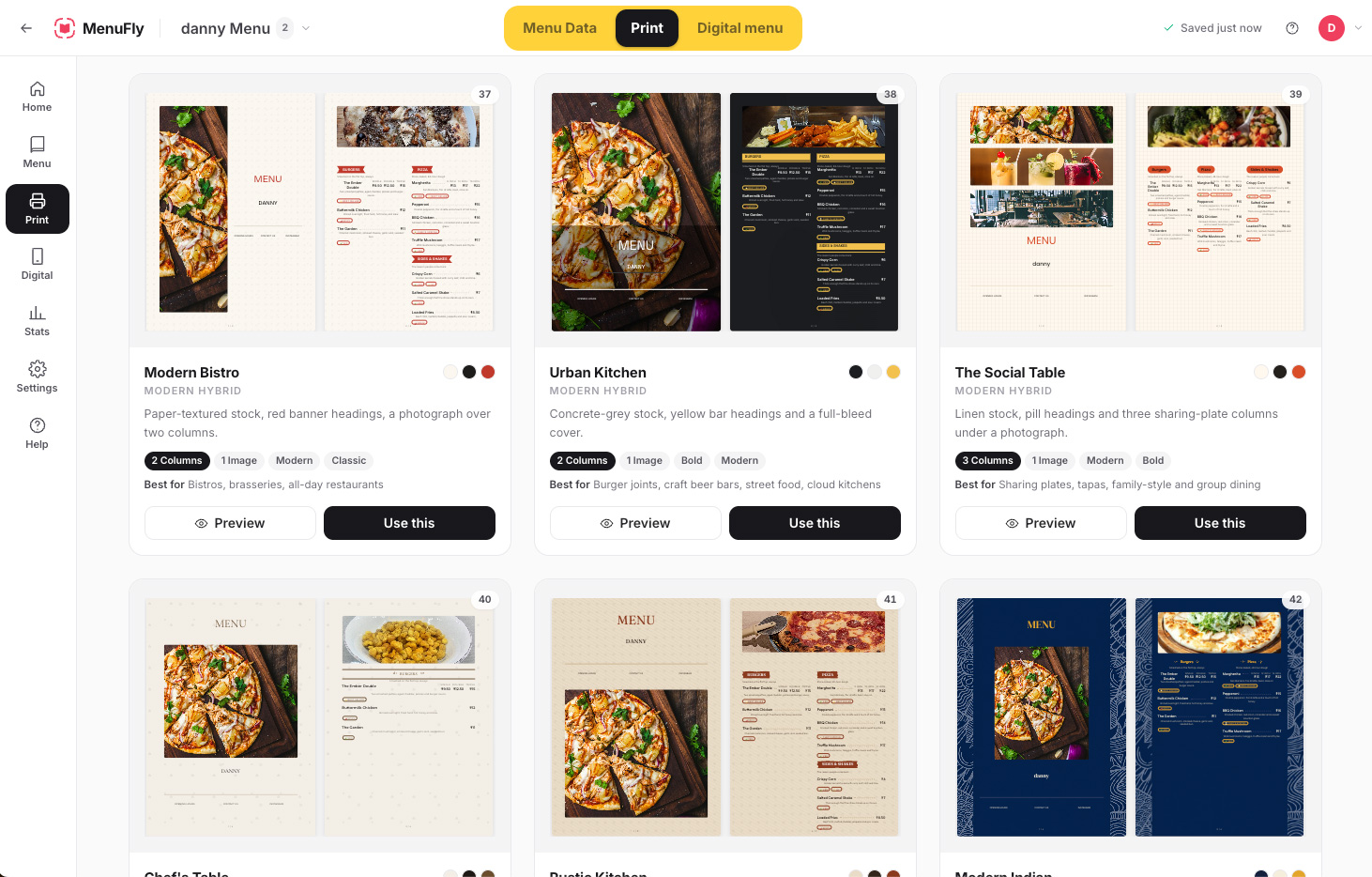
With MenuFly you can create a digital menu and prepare a print-ready PDF from the same menu workflow, using the export formats and settings supported by your plan, without treating every format as a separate project.

Create your menu once. Use it digitally. Prepare a PDF when you need to print.

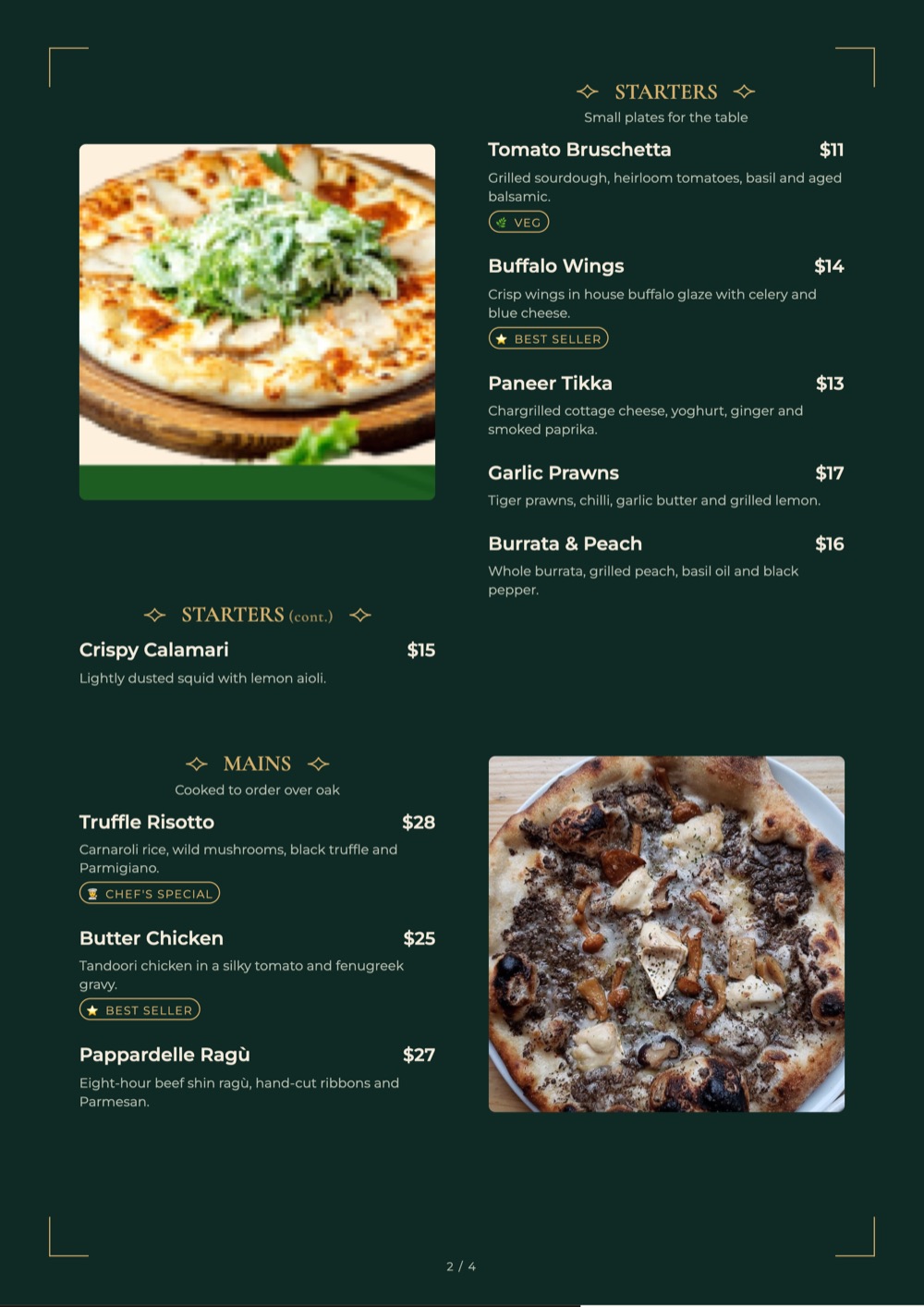
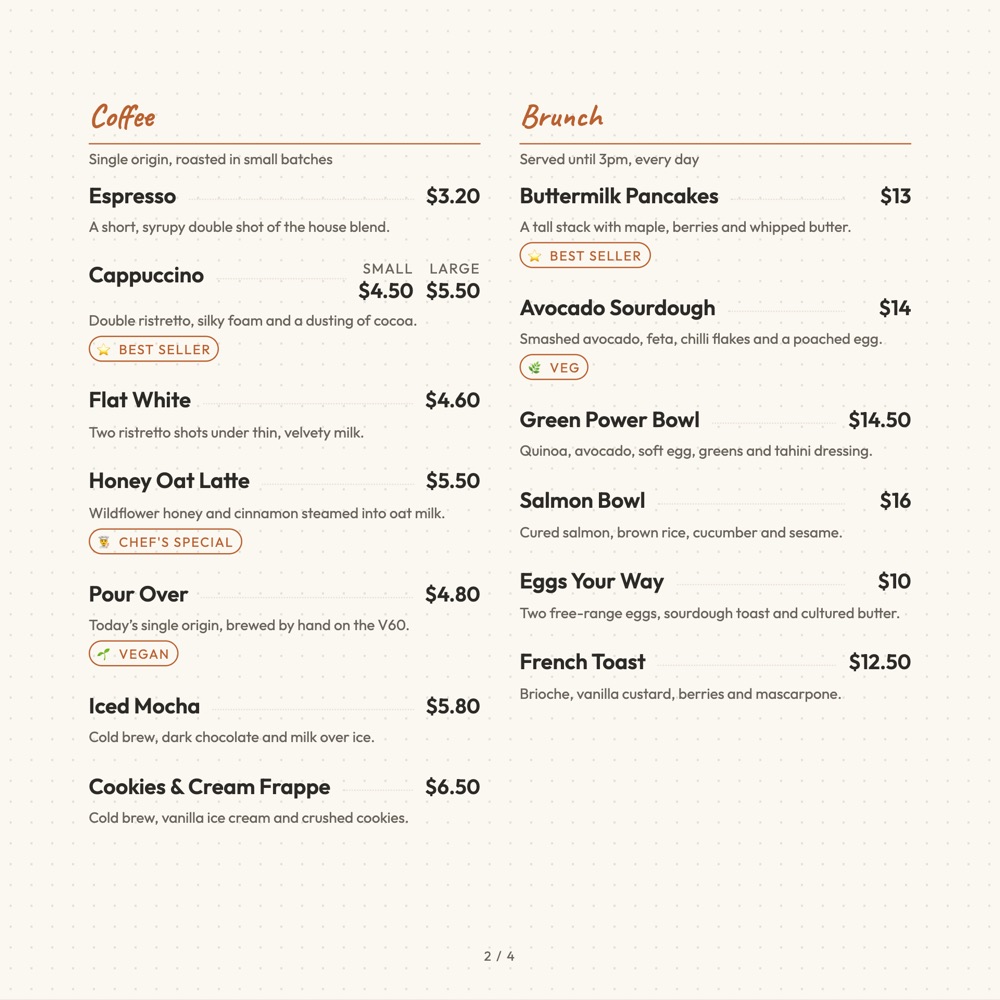
MenuFly studio Print tab showing print-ready restaurant menu templates such as Modern Bistro, Urban Kitchen and The Social Table
Templates

Digital menu templates to start from

Pick a design, then make it yours with your dishes, photos, logo and colors.

Ember & Spice restaurant menu template: a dark fine-dining digital menu with a gold serif wordmark and chef’s picks Use this template
Ember & SpiceFine dining · dark & gold
Vegan cafe digital menu template with a soft green theme and dish photos Use this template
Green BowlVegan cafe · fresh green
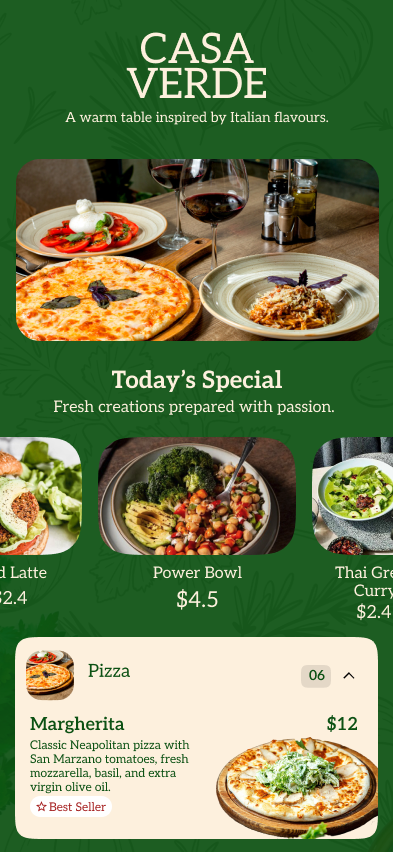
Casa Verde digital menu template with a deep green header and menu categories Use this template
Casa VerdeCasual dining · green
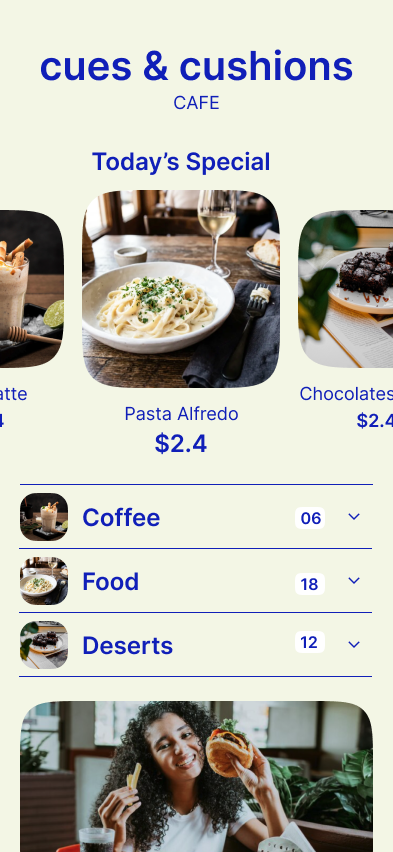
Cues & Cushions cafe digital menu template in black and cream Use this template
Cues & CushionsCafe & lounge · black & cream
Coastal Catch seafood restaurant digital menu template in ocean blue Use this template
Coastal CatchSeafood · ocean blue
Menu examples

Printed menus and QR menus made with MenuFly

Each example pairs a printed menu with a QR menu that opens the same dishes and prices on a guest’s phone.

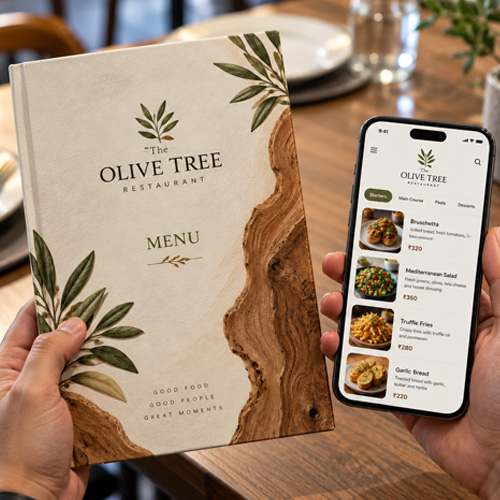
The Olive Tree restaurant menu shown two ways: a printed menu cover and the same menu open as a MenuFly digital menu on a phone
The Olive TreePrinted menu + digital menu
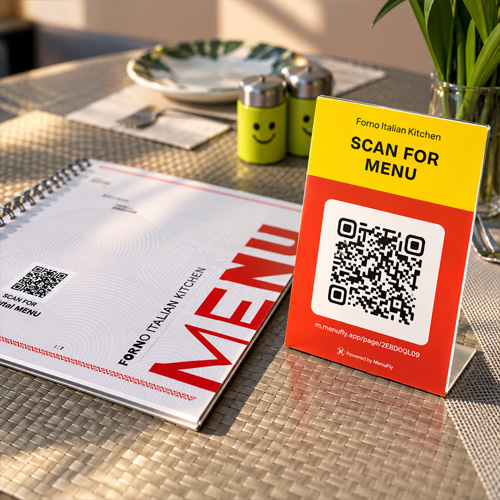
Forno Italian Kitchen Scan for Menu QR table tent beside a spiral-bound printed menu with its own QR code
Forno Italian KitchenQR table tent + spiral-bound menu
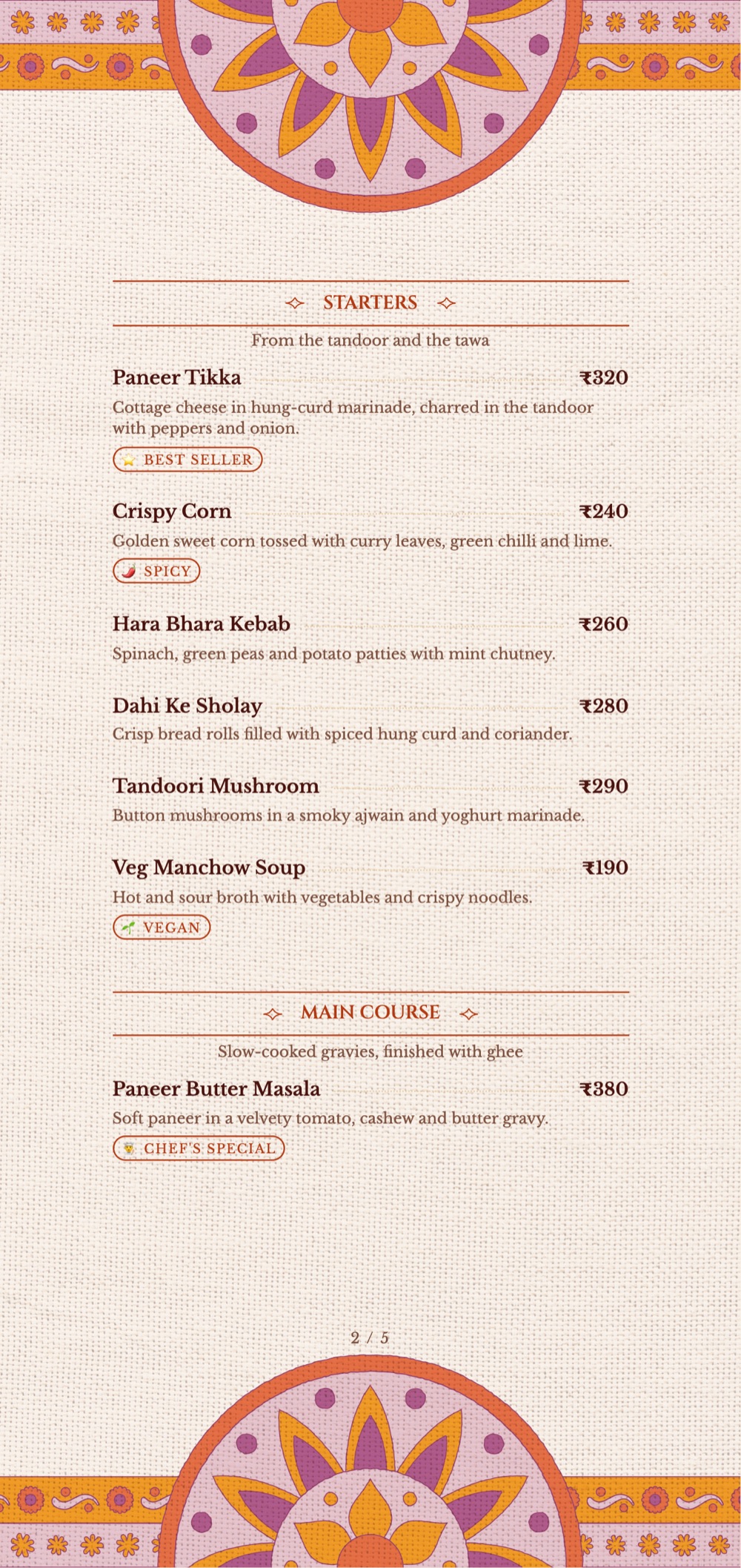
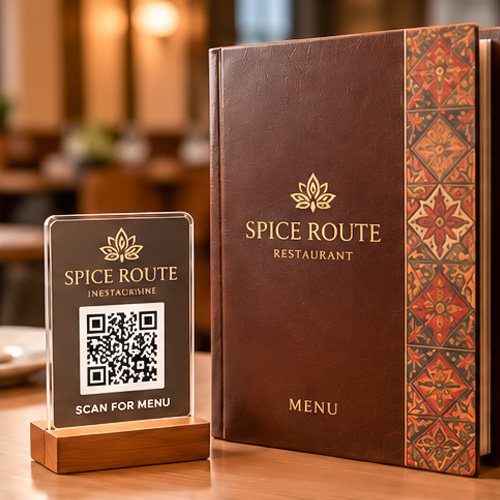
Spice Route Scan for Menu QR stand next to a brown leather-bound restaurant menu
Spice RouteQR stand + leather-bound menu
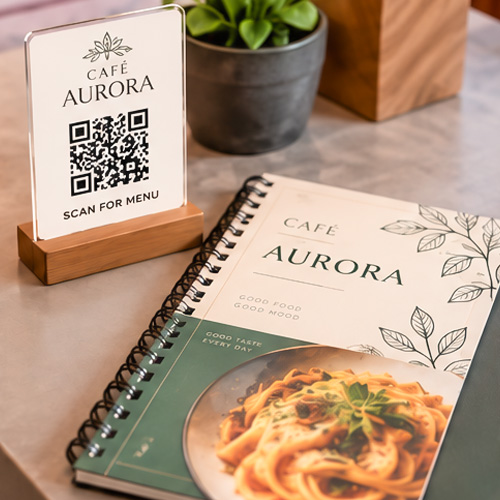
Cafe Aurora Scan for Menu QR stand beside a green and cream spiral-bound cafe menu
Cafe AuroraQR stand + cafe menu
Compare

Digital menu vs traditional printed menu

A digital menu and a printed menu serve different purposes. Many restaurants benefit from offering both.

FeatureDigital menuPrinted menu
Customers browse on a phoneYesNot by itself
QR code accessYesCan include a QR code
Food images and videosYes, where supportedStatic images
Physical copy at the tableNoYes
Printing requiredNo, for digital accessYes
Ready for professional printingNeeds a PDF exportThe physical menu is the final output
For customers who prefer paperComplements paper menusYes

MenuFly brings both workflows together, so you can choose the formats that suit your customers.

Who it’s for

Who can use MenuFly’s digital menu maker?

How it works

How to design a menu online with MenuFly

Six steps from a blank idea to a menu customers can scan and a file your printer can use. You can do steps 1 to 5 in the menu maker before you create an account.

1

Choose a menu template

Pick a design that suits your cuisine and style. You can change it later without retyping your menu.

2

Add categories and menu items

Set up sections such as starters, mains, desserts and drinks, then add your dishes, or organize the menu you already have.

3

Enter descriptions and prices

Write short, specific descriptions and add prices, sizes and tags such as veg, spicy or best seller.

4

Add food photos and branding

Upload dish photos and your logo, choose colors and fonts, and use Today’s Specials or offer highlights for featured items.

5

Preview and adjust

Check the menu in the phone preview and the print view. Fix long dish names, item order and spacing before you share it.

6

Publish or print

Publish your digital menu and share it with a QR code or menu link. Export a print-ready PDF when you need physical menus.

Real work

Menus our team has designed and printed

A few of the 2,000+ restaurant menus behind MenuFly. Hover or tap a clip to play it.

Print + QR menu

Forno Italian Kitchen: printed menu and QR stand

A spiral-bound printed menu and a Scan for Menu QR stand that opens the same menu on a guest’s phone.

Printed menu book

Spiral-bound menu book with dish photos

Two-page spreads with food photography and clear rupee prices, exported as a print-ready PDF.

Indian restaurant menu

Veg and non-veg thali menu pages

Thali menu pages listing what comes in each thali, with prices, food photos and add-ons.

Bar menu

Bar menu with cocktails and whisky pours

Signature cocktails and whisky priced per 30 ml and 60 ml pour, with the bar’s logo on the page.

Experience

Why restaurant menu design experience matters

A digital menu builder is only as useful as the menu you create with it. Menu design requires more than putting dish names into boxes: it involves information hierarchy, category organization, typography, spacing, food photography, brand consistency and understanding how customers browse a menu.

Our background in designing and printing more than 2,000 restaurant menus informs the way we approach MenuFly. We understand why a printed menu needs a different layout from a mobile screen, why long dish names can disrupt a template, why photos need appropriate space and why restaurant owners need a practical way to prepare menus for both formats.

MenuFly brings that menu-design experience into a digital workflow, so you can build a menu that is more than a list of text. Read more in our restaurant menu design guide.

Helpful guides before you design your menu

FAQ

Frequently asked questions about digital menus

What is the best digital menu maker for restaurants?

The right digital menu maker depends on your restaurant’s needs. Look for mobile-friendly menu layouts, QR code access, menu customization, food images, straightforward updates and an option to prepare printed menus if you need them. MenuFly combines digital menu creation with print-ready PDF export.

Can I try the menu maker without signing up?

Yes. The MenuFly menu maker opens a sample menu in your browser that you can edit without an account. When you want to keep your menu, click Create my menu to sign up. Signing up is free to start and no card is required.

How do I design a menu online?

Start from a menu template, add your categories and dishes, enter descriptions and prices, then add food photos, your logo and colors. Preview the menu on a phone and in the print view, then publish it with a QR code or export a print-ready PDF.

How do I create a digital menu for my restaurant?

Organize your menu items and prices, choose a template or design, add images and other supported components, review the layout on a phone, then publish the menu and share it with a QR code or menu link.

Can I add photos and videos to a digital restaurant menu?

MenuFly supports food photos in its digital menu and offers visual presentation options. Video availability depends on the component and product setup. Use high-quality, accurate visuals and test the menu on mobile devices.

What is a Today’s Specials menu component?

A Today’s Specials component gives selected dishes a dedicated place in the digital menu. It helps customers discover chef’s specials or featured items after scanning a restaurant’s QR code, instead of relying only on a whiteboard near the entrance.

Can I highlight offers and promotions on my digital menu?

Yes. MenuFly provides offer highlights for presenting promotions more visibly. Use clear descriptions, accurate prices and applicable terms so customers understand the offer before ordering.

Can I schedule my restaurant menu?

MenuFly supports menu scheduling. The available behavior depends on your configuration and setup, so check your scheduling controls and test the customer-facing menu before relying on time-based changes.

Can I print my digital menu?

Yes. MenuFly can generate a print-ready PDF from the same menu. Available export sizes and settings depend on your plan. Review the exported file and confirm your printer’s specifications before printing.

Do I need a QR code for a digital menu?

A QR code is a convenient way for customers to open a digital menu at a table or counter. You can also share the menu through its direct link.

Will a digital menu increase restaurant sales?

No menu format can guarantee a sales increase. However, clear categories, appealing and accurate food photography, featured dishes, useful descriptions and well-presented offers can help customers discover your dishes and make informed choices.

Can I keep both digital and printed menus?

Yes. MenuFly is designed for a digital menu and a print-ready PDF from one workflow. Offer QR access to customers and prepare physical menus when your restaurant needs them.

Build a restaurant menu that works on screen and on paper

Clear categories, thoughtful design, appealing food visuals and relevant highlights. Share it by QR code, feature your best dishes and prepare a print-ready PDF when you need it.

Try it without signing up · Free account when you save · No card required