Comparison · Updated 2026
MenuFly vs Canva: Which Is Better for Restaurant Menus?
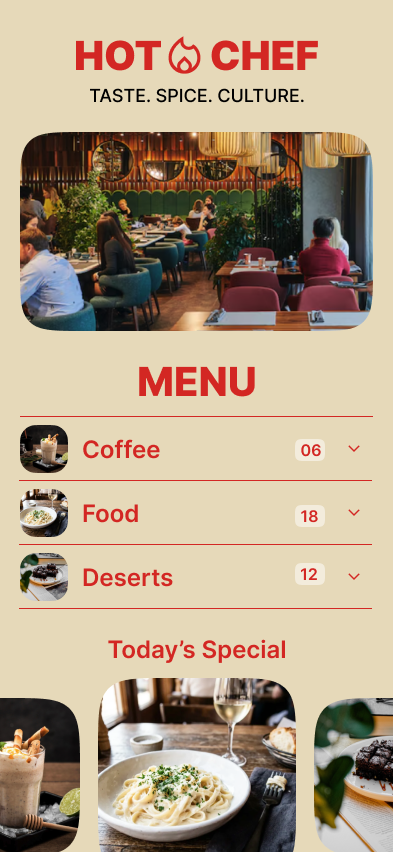
Canva helps you design a menu. MenuFly helps you manage a restaurant menu that keeps changing — digitally every day, and in print whenever you need it.
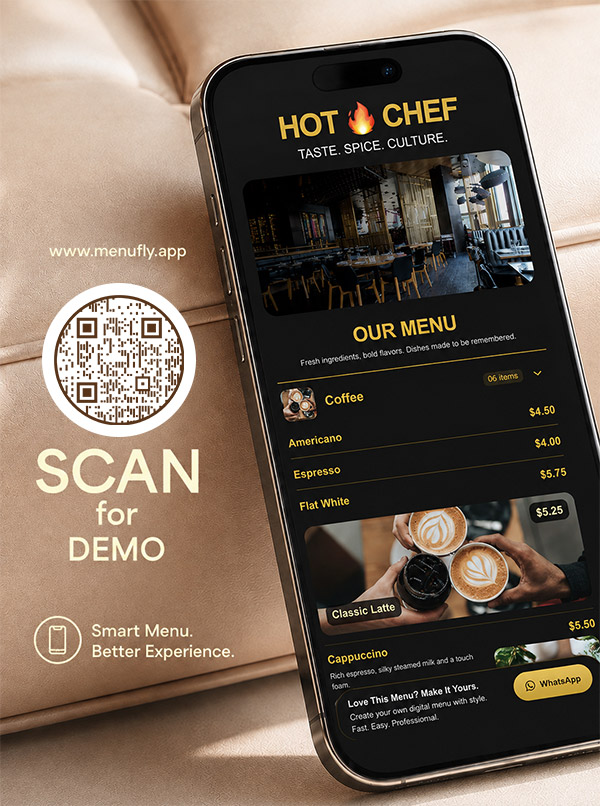
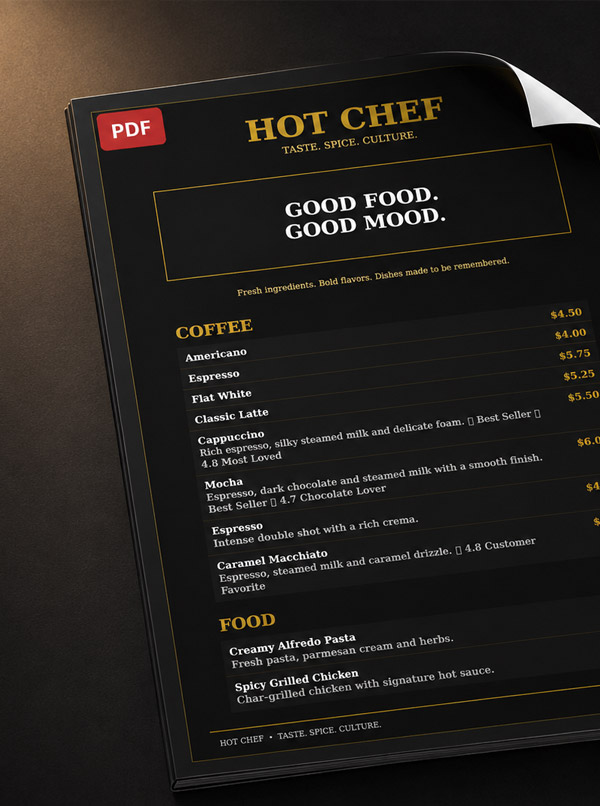
Canva helps you design a menu. MenuFly helps you manage a restaurant menu that keeps changing — digitally every day, and in print whenever you need it.
Creating a restaurant menu looks simple.
Add your dishes. Add prices. Add photos. Choose a design. Print it.
But restaurant owners know the menu rarely stays the same.
And now the menu printed a few months ago doesn’t match what the restaurant is actually selling.
After designing and delivering 1,000+ restaurant menus, we kept hearing the same problems from restaurant owners. That’s why we built MenuFly, around one simple idea:
Create your restaurant menu once. Use it digitally every day. Print it whenever you need it.
But how is that different from using Canva? Let’s compare.
Excellent for visual designs — menus, social media posts, flyers, presentations and many other marketing materials.
Create your restaurant menu, publish it as a digital menu, connect it to QR codes and generate a print-ready PDF whenever you need physical menus.
Canva helps you design a menu. MenuFly helps you manage a restaurant menu that keeps changing.
How the two platforms handle the jobs a restaurant menu actually has to do.
| Feature | MenuFly | Canva |
|---|---|---|
| Built specifically for restaurant menus | Yes | General design platform |
| Digital restaurant menu | Yes | Not the primary workflow |
| QR menu | Yes | Can create QR / design assets |
| Mobile-friendly menu experience | Yes | Design / export focused |
| Restaurant menu templates | 100+ | Large template library |
| Print menu templates | 100+ | Large template library |
| Food image library | Yes | Yes |
| Icon library | Yes | Yes |
| Background library | Yes | Yes |
| Restaurant menu item management | Yes | Design-based |
| Easy menu updates | Update the menu | Edit the design |
| Digital + print from the same menu | Yes | Primarily design / export |
| Print-ready PDF | Yes | Yes |
| Menu analytics | Yes | No menu-level analytics |
| Featured dishes | Yes | Designed manually |
| Bestsellers | Yes | Designed manually |
| Offers / promotions | Yes | Designed manually |
| Digital menu updates without reprinting | Yes | Not the core workflow |
| Physical menu workflow | Yes | Printable designs |
| Restaurant-specific workflow | Yes | General-purpose |
| Best suited for | Restaurant menu management | General graphic design |
Note: Features can vary by plan and product configuration. The comparison focuses on the core workflow of each platform.
Most restaurant owners don’t struggle to create a menu once. The problem starts after it’s created.
Your restaurant launches a new dish. You promote it on Instagram, the Reel performs extremely well, and customers walk in asking for it — but your printed menu doesn’t show it. So you:
None of these are ideal.
And it isn’t just new dishes. Restaurants constantly change:
Your restaurant changes. Your menu should be able to change with it.
MenuFly came from years of working directly with restaurants. Through Aveera Design Solutions and Menu Card Studio, we have designed and delivered 1,000+ restaurant menus — and kept hearing the same requests.
“Can you add this new dish?”
“Can you change this price?”
“Can you remove this item?”
“Can we print only 10 copies?”
“We need a new menu again.”
“The ingredient cost has changed.”
“Can we add this special without reprinting the entire menu?”
The problem wasn’t that restaurants didn’t know how to design a menu. The problem was that the menu kept changing. That’s the problem MenuFly was built to solve.
Your first menu design may be a one-time expense. The real cost can come from everything that happens afterward.
Depending on the country, menu size, pages, materials, finishing, quantity and design requirements, a professional restaurant menu can range from a small design project to hundreds or thousands of dollars. In India, larger menu projects can reach ₹20,000–₹50,000 or more when design, multiple copies, premium paper, lamination, binding and finishing are involved.
The problem isn’t necessarily the initial investment. It’s paying the same cost again every time your menu changes. Our guide to restaurant menu cost breaks this down further.
Your restaurant menu becomes the source of truth. Create it once, update it whenever your restaurant changes, publish it digitally and generate a print-ready PDF whenever you need physical menus.
One Menu. Multiple Outputs.
We don’t believe restaurants need to eliminate printed menus completely.
Some customers prefer physical menus. Some restaurants want menus on every table, use premium leather or wooden menu holders, or keep printed menus as a backup. That’s completely fine.
The difference is that printed menus don’t have to be your only source of truth. Use a QR menu for most customers, keep a smaller number of physical menus, and when you need more, generate the print-ready PDF and print the quantity you need.
You don’t need to maintain separate digital and printed versions of your menu. Manage it once and use it wherever your restaurant needs it.
Imagine you launch a Smoky Peri Peri Paneer Pizza. You post a Reel, it goes viral, and customers start coming in asking for it.
With a traditional printed menu, the dish may not appear until the next redesign. With a digital menu, it becomes part of your live menu — highlighted as:
Your marketing and your menu can work together:
Ingredient prices change. Supplier prices change. Portion sizes and margins change — and your menu prices may need to change too.
With a traditional printed menu, a price change can mean redesigning and reprinting. With MenuFly, your digital menu can be updated without waiting for your next print run — and when you eventually need physical menus, you generate the updated PDF.
You absolutely can. MenuFly isn’t “digital only” — it’s digital first, print when needed.
The important part is that you don’t have to redesign the menu from scratch just because you need another batch of physical menus. Not sure which format to print? See our guide to restaurant menu sizes.
MenuFly printing can start around ₹10–₹30 per page depending on the requirement. Actual prices depend on paper, size, lamination, finishing, quantity and location.
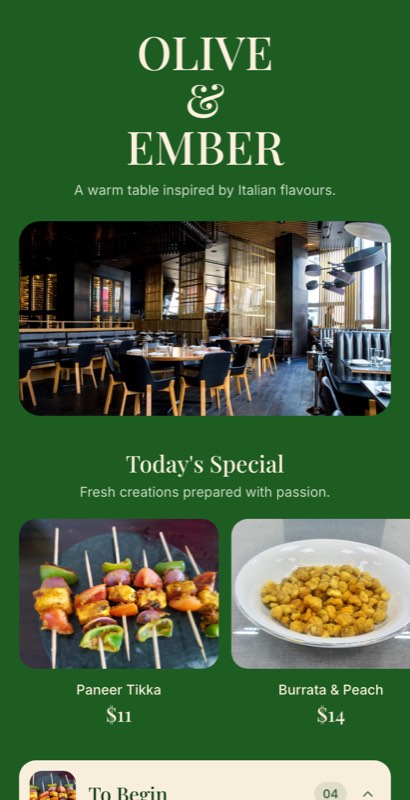
MenuFly includes 100+ restaurant menu templates to help you get started quickly — and every one of them can be customized to match your restaurant.
 Use this template
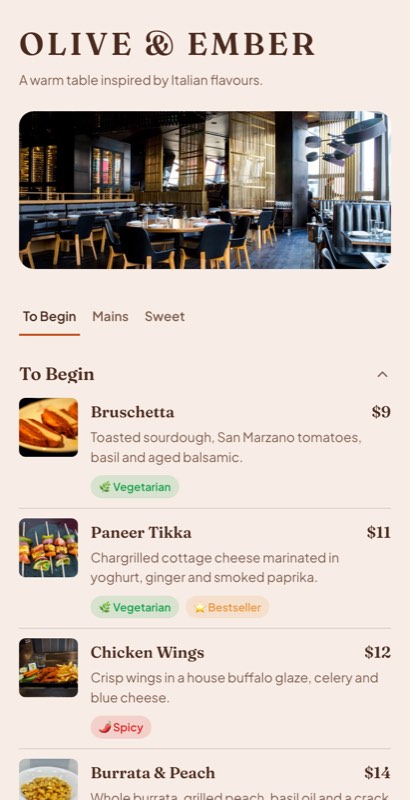 Use this template
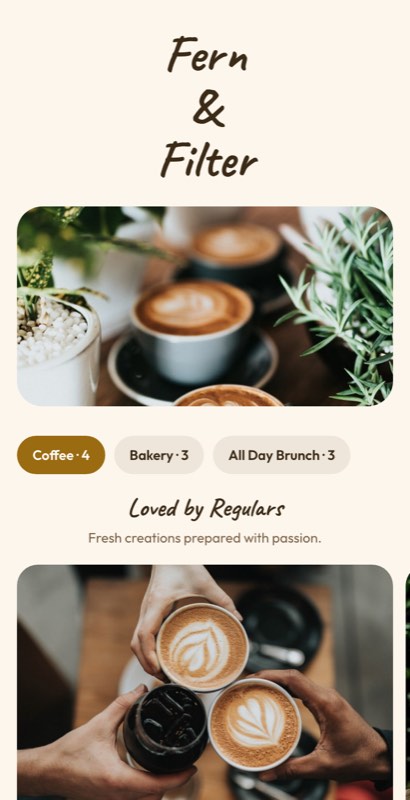 Use this template
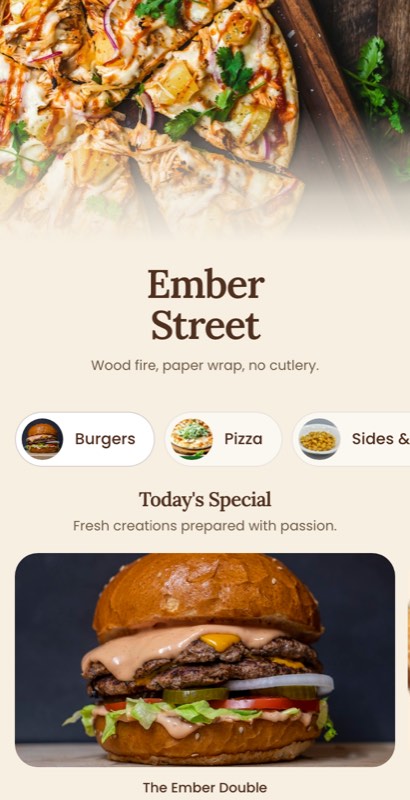 Use this template
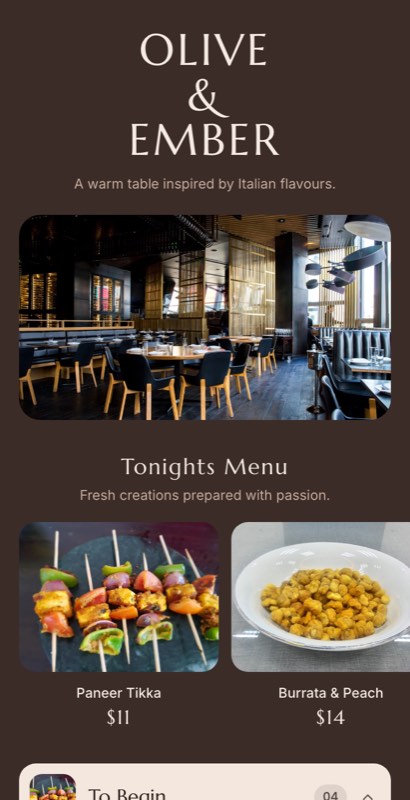 Use this template
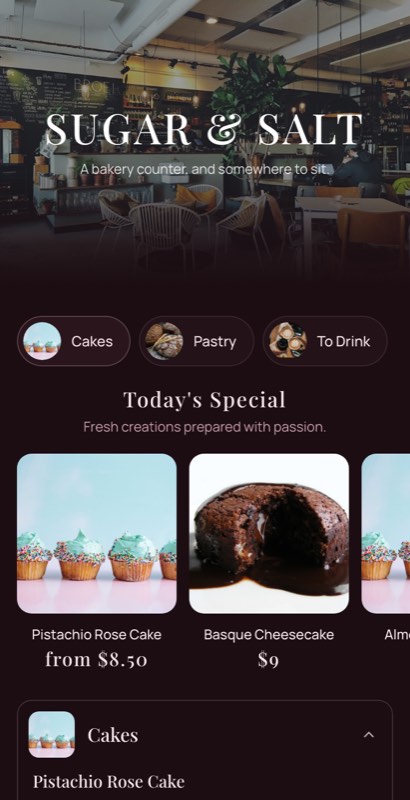 Use this template
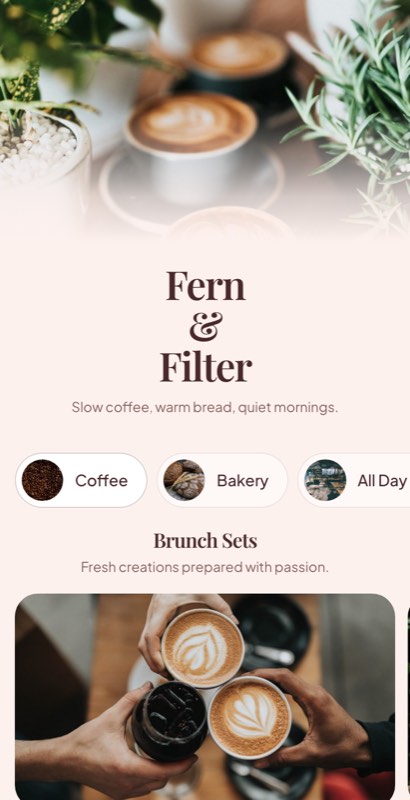 Use this template
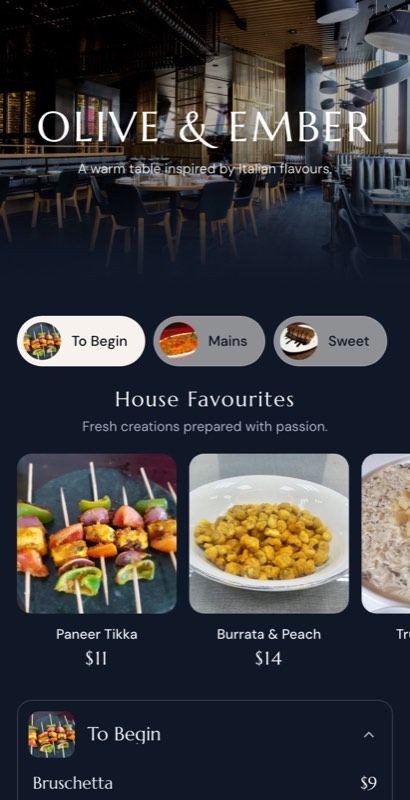 Use this template
When you need a physical menu, MenuFly also provides 100+ print menu templates, so your digital and printed menus don’t need to be completely separate projects.
Create print-ready layouts for formats such as:
Available formats can vary by plan.
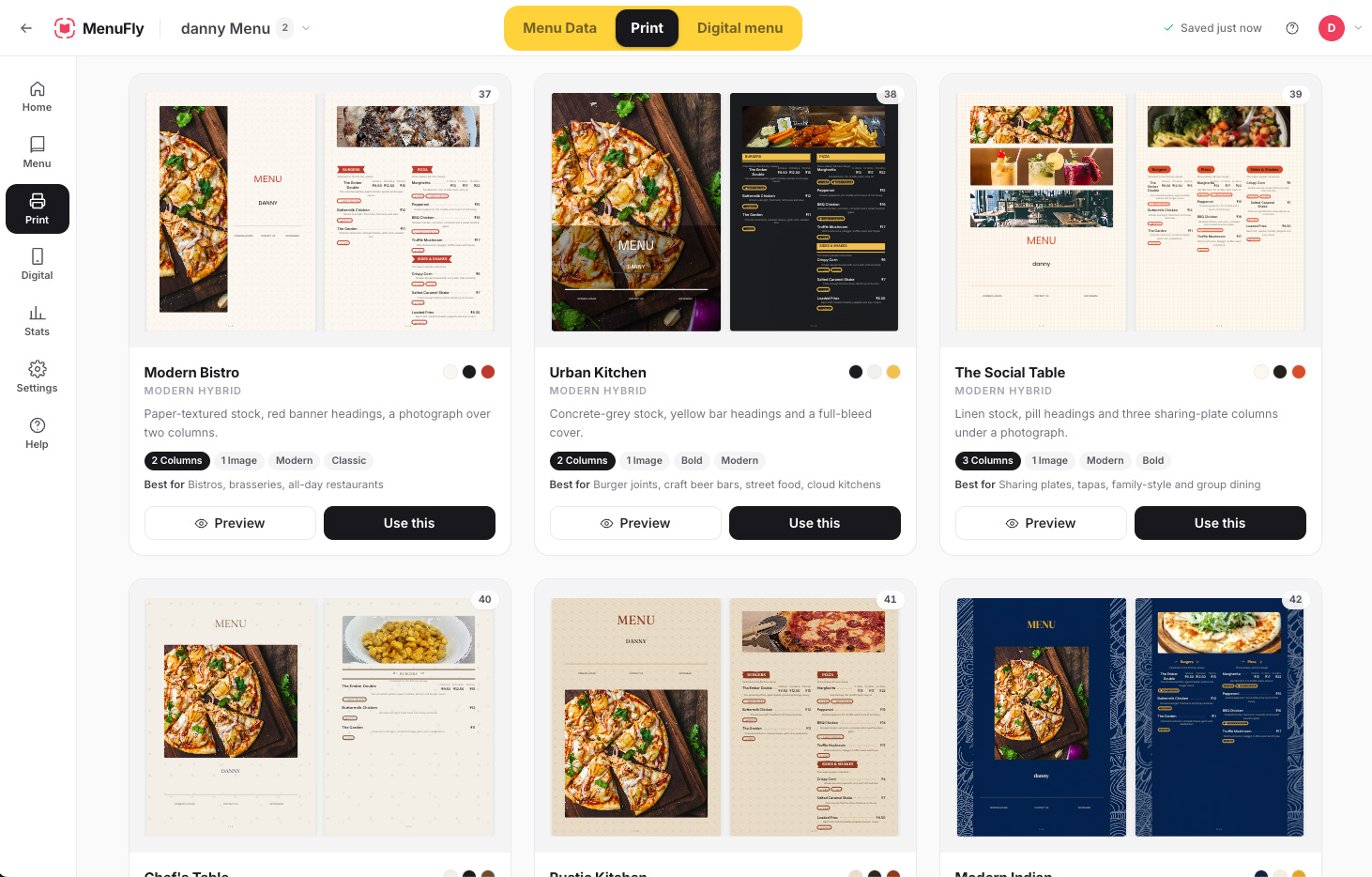
You don’t need to be a professional designer to create a professional-looking restaurant menu.
Find suitable food visuals to make important dishes stand out.
Mark vegetarian, spicy, bestseller, chef’s special and new dishes.
Choose backgrounds that fit your restaurant’s visual identity.
Start with a professionally structured restaurant menu instead of a blank page.
Canva’s strength is design. MenuFly’s strength is the restaurant menu workflow. With Canva, you create a design. With MenuFly, you create a restaurant menu that can become:
Your menu can keep changing after it’s created — because restaurants aren’t static businesses.
The first menu design isn’t necessarily the biggest expense. Think about the complete lifecycle.
A restaurant may spend hundreds or thousands of dollars on its menu over time, depending on its market, menu format and printing requirements. In India, a larger redesign and reprint can become a ₹20,000–₹50,000+ project depending on pages, copies, paper, lamination, binding and finishing.
MenuFly changes the economics by separating the digital menu from the need to repeatedly reprint everything.
Plans start at ₹499 per month — around ₹6,000 a year on monthly billing, and less when you pay yearly.
The plan gives restaurants a way to maintain their menu digitally and use print-ready output when needed. Physical printing is separate and depends on your requirements — so instead of printing large quantities every time something changes, you print what you actually need.
≈ ₹6,000/year on monthly billing
Features and pricing can vary by plan.
Restaurants using or working with MenuFly are already located across:
Cuisines, currencies, languages and formats vary from market to market.
Prices change, new dishes launch, old ones disappear, promotions and food costs shift.
MenuFly is built around that workflow — create, update, publish and print.
MenuFly is backed by the experience of Aveera Design Solutions and Menu Card Studio. After designing and delivering 1,000+ restaurant menus, we understood something important:
Restaurants don’t need to redesign their menu every time their business changes. They need a menu that can change with them.
That’s why we started building MenuFly — not simply as another design tool, but as a system for creating, managing, publishing and printing restaurant menus. Read more about restaurant menu design ideas on our blog.
Your dishes, prices, promotions and food costs change. Customers discover new dishes through social media. Create once, update anytime, publish digitally and print when needed.
Digital Menu + QR Menu + Print-Ready PDF
One Menu. Multiple Outputs. · 14-day free trial · No credit card required
MenuFly and Canva are designed for different purposes. Canva is a general-purpose design platform, while MenuFly is built specifically around the restaurant menu workflow, including digital menus, QR menus, menu updates and print-ready output.
Yes. MenuFly provides restaurant-focused templates, food images, icons, backgrounds and menu-building tools.
Yes. MenuFly can generate print-ready PDFs so restaurants can print physical menus whenever needed.
Yes. Restaurants can use MenuFly as their primary digital menu and keep printed menus as a backup or physical option.
Yes. MenuFly is designed to make restaurant menu updates easier, including changing dishes, prices and menu content.
Yes. MenuFly has 100+ restaurant menu templates and 100+ print menu templates.
Yes. Templates are starting points. Restaurants can customize their menu to match their brand, content and style.
MenuFly plans start at ₹499 per month — around ₹6,000 a year on monthly billing, with a lower rate on yearly billing. Every plan starts with a 14-day free trial. Pricing and features can vary by plan.
Printing depends on page size, paper, quantity, lamination and finishing. MenuFly printing can start around ₹10–₹30 per page for applicable printing requirements.
Yes. MenuFly is designed for restaurants globally and already works with clients across the United States, Canada, United Kingdom, Germany, Dubai, UAE and India.
Tell us two numbers. We’ll estimate the opportunity for your restaurant.
Estimates based on your inputs. Actual results vary.