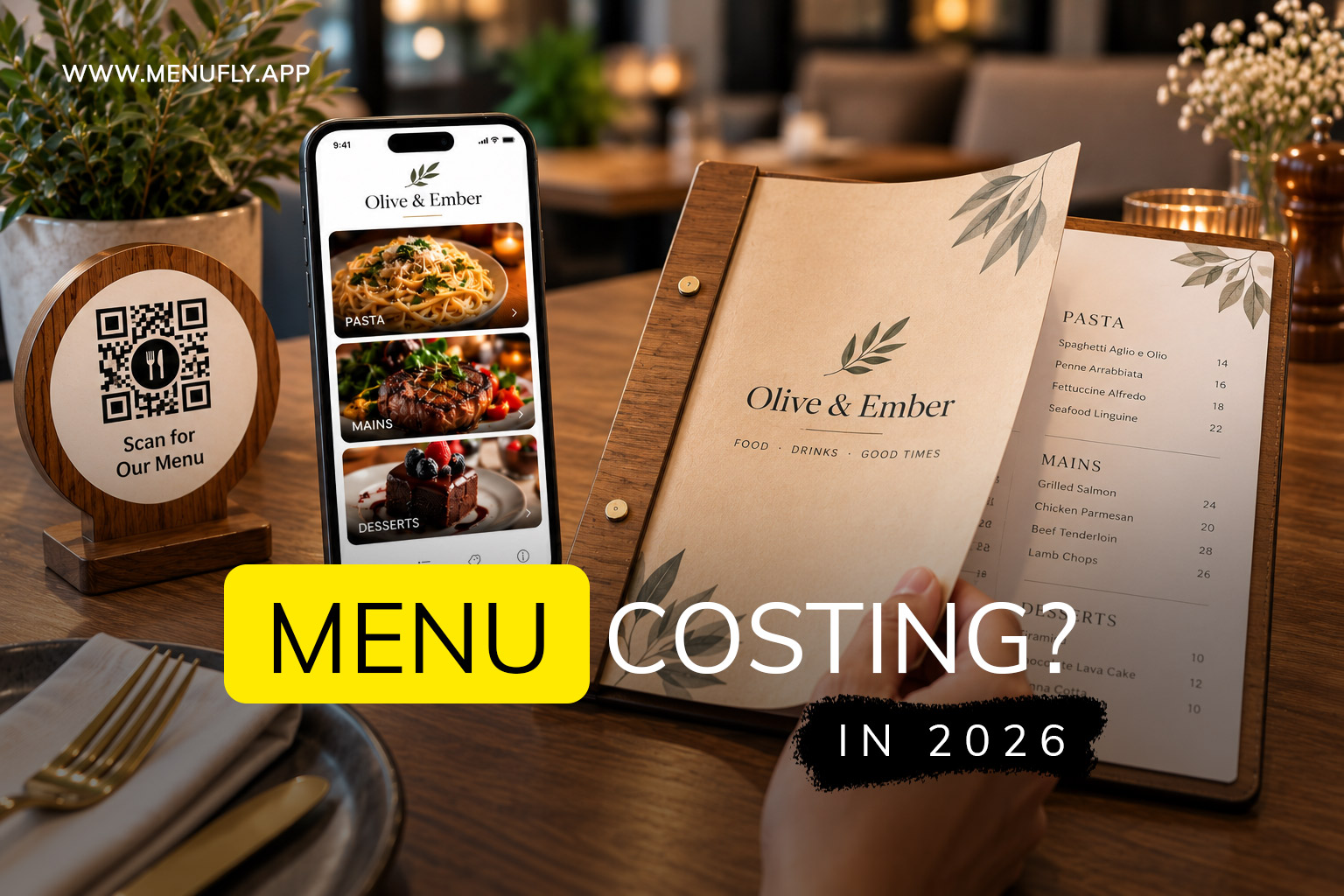
If you’re opening a restaurant, café, bar, bakery, food truck, or cloud kitchen, there’s a good chance you’ve asked:
“How much does a restaurant menu cost?”
At first, the answer seems simple.
You might think about the cost of designing the menu, printing it, and putting it into a nice folder.
But that’s only the beginning.
A restaurant menu changes.
Prices change.
Dishes come and go.
New specials are introduced.
Ingredients become expensive.
Seasonal items appear.
Your chef wants to add something new.
And every time your printed menu changes, you potentially have to redesign and reprint it.
That’s why in 2026, restaurant owners should think about menu cost differently.
Instead of asking:
“How much will my menu cost today?”
ask:
“How much will it cost me to create, maintain, update, and print my menu over the next few years?”
For many restaurants, the answer is to make digital the primary menu and keep a smaller number of printed menus for customers who prefer physical copies.
That doesn’t mean getting rid of printed menus.
It means using them more intelligently.
The Simple Restaurant Menu Strategy for 2026
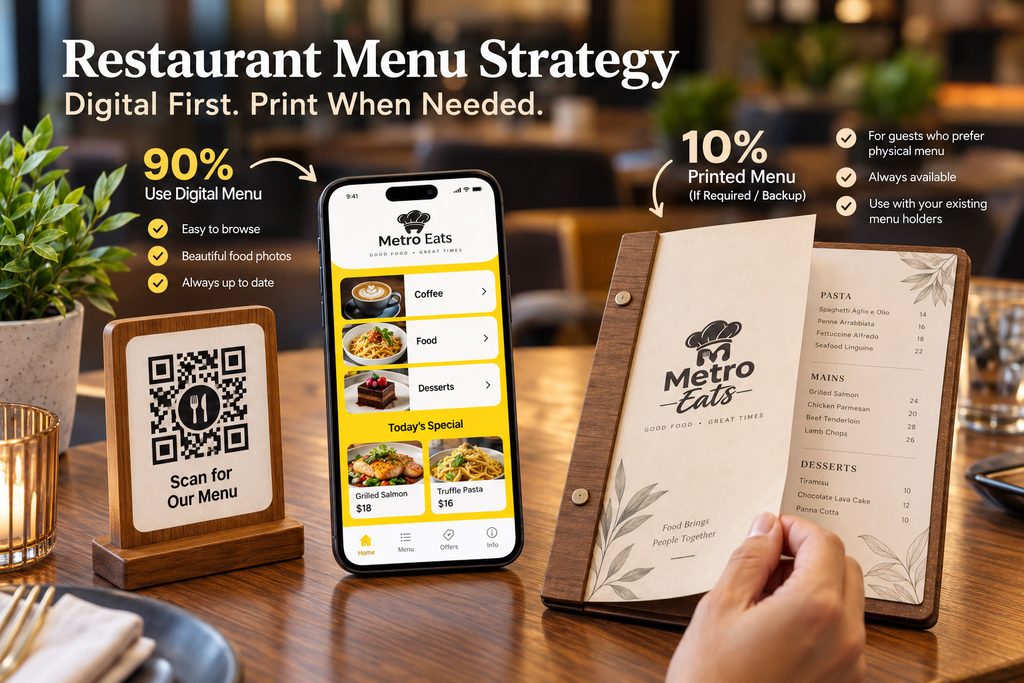
Here’s the idea:
Digital menu → everyday use
Printed menu → available when customers need it
Most customers can scan a QR code and browse the menu on their phones.
If someone asks:
“Do you have a physical menu?”
Of course you can give them one.
You keep a few printed copies in your restaurant.
And when you need more, you download the latest print-ready PDF and print additional copies.
You don’t have to print 50 or 100 menus every time one price changes.
You don’t have to hire a designer every time you add a dish.
You don’t have to maintain completely separate digital and printed menus.
That’s the real opportunity with a digital-first menu.
What Does a Restaurant Menu Actually Cost?
There isn’t one fixed price.
The total cost depends on what you’re creating and how you plan to use it.
A restaurant menu can involve:
- Menu design
- Templates
- Photography
- Copywriting
- Branding
- Printing
- Paper
- Lamination
- Binding
- Menu covers
- Digital menu software
- QR codes
- Updates
- Revisions
- Reprinting
But these costs don’t all have to happen at the same time.
For example, you might invest more in creating a beautiful menu initially, but then use a digital menu to avoid repeatedly paying for design and printing whenever your menu changes.
That’s an important distinction.
The Old Way of Managing a Restaurant Menu
Let’s imagine you own a restaurant.
You have 40 tables.
You decide to print 80 menus.
You spend money on:
Design → Printing → Lamination → Menu Covers
Everything looks great.
Then three months later, your food costs increase.
You change 10 prices.
What happens?
Your printed menus are now outdated.
You have two choices.
Option 1: Keep using the old menus
Customers see incorrect prices.
Not ideal.
Option 2: Update and reprint
Now you have to:
- Update the design
- Check every page
- Export the PDF
- Send it to the printer
- Pay for printing
- Replace the old menus
And the cycle starts again.
The menu wasn’t a one-time cost.
It became an ongoing cost.
The Digital-First Way
Now imagine the same restaurant uses a digital menu as its primary menu.
Customers scan a QR code at the table.
They open the menu on their phones.
Three months later, you change 10 prices.
You update the digital menu.
That’s it.
Customers opening the QR menu see the new prices.
No new printing.
No replacing dozens of menus.
No throwing away perfectly good physical menus.
And if you still want physical menus?
Keep a few.
When you need additional copies, download the latest print-ready PDF and print them.
That’s the difference.
Digital doesn’t have to replace printed menus.
Digital can simply become the menu you update every day, while print becomes the physical format you produce when necessary.
Why Restaurants Benefit From a Digital Menu
A digital menu isn’t just a QR code.
The QR code is simply how customers access it.
The real benefit is having a menu that can change as your restaurant changes.
Change Prices Easily
Restaurant prices don’t stay the same forever.
Your supplier may increase prices.
Your portion sizes may change.
You may decide to increase your margin.
You may introduce a premium version of a dish.
With a digital menu, you can update the price without printing the entire menu again.
Add New Dishes Without Waiting for Printing
Your chef creates a new signature dish.
You want customers to try it this weekend.
You don’t need to wait for the next print run.
Add it to the digital menu.
Add the description.
Add a photograph.
Set the price.
Publish it.
Your menu is ready.
Remove Sold-Out Items
Imagine your most popular seafood dish sells out on Saturday evening.
Customers continue seeing it on your printed menu.
Your staff has to tell every customer:
“Sorry, we’re sold out.”
A digital menu gives you the option to mark the dish unavailable or remove it temporarily.
Your menu can better reflect what’s actually available.
Highlight Your Best Dishes
Your menu shouldn’t simply list food.
It should help customers decide what to order.
A digital menu can make it easier to highlight:
- Bestsellers
- Chef’s specials
- Recommended dishes
- New dishes
- Combos
- Add-ons
- Seasonal items
- Offers
This gives your restaurant more flexibility to guide customers toward dishes you want them to notice.
Digital Menus Are Especially Useful for Changing Restaurants
Some restaurants change their menus more often than others.
Cafés
Seasonal drinks and new pastries.
Bars
New cocktails and specials.
Bakeries
Daily or seasonal products.
Cloud kitchens
Items can change based on availability.
Hotels
Breakfast, lunch, dinner, room service, and special menus.
Restaurants
New dishes, changing food costs, seasonal menus and special offers.
If your menu changes regularly, a digital-first system becomes particularly useful.
But Some Customers Still Want a Physical Menu
And that’s okay.
This is where restaurants sometimes make the mistake of thinking:
Digital menu = no printed menu.
It doesn’t have to work that way.
Some customers prefer physical menus.
They may simply enjoy holding a menu.
They may not want to use their phone while eating.
They may have a low phone battery.
They may have connectivity problems.
They may not be comfortable with QR codes.
Or they may simply say:
“Can I have a printed menu?”
The answer doesn’t have to be:
“Sorry, we only have QR.”
You can simply give them a physical menu.
Keep a Few Printed Menus for Customers Who Ask
This is where the digital-first approach becomes practical.
You don’t necessarily need to print one menu for every possible customer.
Instead, keep a smaller number of physical copies.
For example, a restaurant might decide to keep:
- 5 printed menus
- 10 printed menus
- 20 printed menus
The right number depends entirely on the restaurant.
A small café may need only a few.
A large family restaurant may need more.
A premium restaurant may want a physical menu at every table.
There is no universal rule.
The important idea is:
Print according to actual need rather than printing everything just in case.
Your Printed Menu Can Still Look Premium
Going digital doesn’t mean your physical menu needs to look cheap.
You can still create a beautiful physical experience.
Put your printed menu inside:
- Leather folders
- Wooden menu holders
- Premium covers
- Acrylic holders
- Laminated menu covers
- Table folders
- Booklet covers
If your restaurant has already invested in beautiful menu holders, keep using them.
You don’t need to throw them away.
Your printed PDF simply becomes the content that goes inside them.
This Is Where MenuFly Fits In
MenuFly is built around a simple idea:
Create your restaurant menu once and use it in both digital and print formats.
You create your menu.
Publish the digital version.
Customers scan your QR code and browse the menu on their phones.
Then, whenever you need physical copies, you can download a print-ready PDF.
You don’t need to create an entirely separate printed menu from scratch.
You can explore Restaurant Menu Templates and choose a design that fits your restaurant.
MenuFly has 80+ printed menu templates, giving restaurant owners a starting point instead of forcing them to design a menu from a blank page.
Create Your Digital Menu First
Let’s say you’re opening an Italian restaurant.
You have:
Starters
Bruschetta
Garlic Bread
Caprese Salad
Pasta
Carbonara
Arrabbiata
Pesto Pasta
Pizza
Margherita
Pepperoni
Four Cheese
Desserts
Tiramisu
Panna Cotta
Chocolate Cake
You create your menu in MenuFly.
Choose a suitable template.
Add your:
- Restaurant logo
- Colors
- Dishes
- Prices
- Descriptions
- Photos
- Categories
Then publish your digital menu.
Your customers can scan your QR code and browse it on their phones.
That’s your everyday menu.
Then Someone Asks for a Printed Menu
A customer sits down.
They scan the QR code.
Another customer says:
“I’d prefer a physical menu.”
No problem.
You already have printed copies.
And if you need more?
Download the print-ready PDF.
Send it to your local printer.
Print the number of copies you need.
Put them into your existing leather folder, wooden holder, or menu cover.
That’s it.
You don’t need to redesign the menu.
You don’t need to create a second menu.
You don’t need to start from scratch.
What Happens When Your Prices Change?
This is where the system becomes even more useful.
Suppose your pasta price changes from:
$18 → $21
You update the menu.
The digital version now shows:
$21
Your next customer sees the correct price.
You don’t have to immediately print 50 new menus.
Later, when you actually need new physical copies, download the latest print-ready PDF and print them.
The printed menu can then catch up with the latest digital version.
This means you aren’t forced to reprint every physical menu every time your business changes.
What If You Add Five New Dishes?
Same process.
Add the dishes to your menu.
Organize them into the right categories.
Add photos and descriptions.
Publish.
Your digital menu is updated.
When you eventually need physical copies, export the latest print-ready version.
The physical menu gets updated when you need it, not every time the menu changes.
What If a Dish Is Sold Out?
Again, digital is more flexible.
You can mark the dish unavailable.
Your staff doesn’t have to explain the same thing repeatedly.
And you don’t have to change your printed menus because one item isn’t available tonight.
The printed menu can remain as a general physical menu.
The digital menu can reflect the restaurant’s current situation.
One Menu Instead of Two Separate Menus
This is an important concept.
A restaurant shouldn’t have to maintain:
Digital Menu A
and
Printed Menu B
with different information.
That’s how errors happen.
Imagine you change the price of a burger.
You update the digital menu.
But forget the printed menu.
Now:
Digital: $15
Printed: $13
The customer notices.
That’s not a design problem.
It’s a menu management problem.
The better approach is to have one menu that serves as your source of truth.
From that menu, you can use:
Digital menu
and
Print-ready PDF
This makes updates much easier to manage.
The Cost of Printing Everything
Let’s take a simple example.
Imagine you have:
50 printed menus
and your restaurant changes the menu four times a year.
You may not need to replace all 50 every time.
If only three prices change, printing 50 new menus simply because of those three changes may be wasteful.
With a digital-first menu:
Update digital → continue using your existing printed menus → print new copies when actually necessary.
That can reduce unnecessary printing and make your menu budget more predictable.
You Also Save Your Staff’s Time
Money isn’t the only cost.
Think about the work involved in managing printed menus.
Someone needs to:
- Find the menu file
- Make changes
- Check every page
- Export the PDF
- Send it to the printer
- Receive the printed menus
- Replace old copies
- Throw away outdated copies
For a busy restaurant, this is unnecessary administrative work.
A digital menu reduces much of that effort.
Your staff can focus on running the restaurant instead of constantly managing menu files.
You Don’t Need a Designer for Every Price Change
This is another major advantage.
A professional designer can be extremely valuable when you’re creating a restaurant’s visual identity and initial menu.
But do you really want to contact a designer every time you change:
$16 → $18?
Probably not.
If you can update your menu yourself, you have much more control.
You can make small changes when you need them.
And when you need professional help for a larger redesign, you can invest in it then.
When Should You Actually Hire a Designer?
Professional design still has its place.
You may want a designer when:
- You’re opening a premium restaurant
- You’re creating a new brand
- You need custom illustrations
- You need professional food photography
- You have a complex menu
- You are redesigning your entire restaurant identity
- You operate multiple restaurant locations
- You need a highly customized menu experience
But after the design is complete, your everyday menu changes shouldn’t necessarily require another design project.
That’s where an editable menu system can be valuable.
When Is a Restaurant Menu Template a Good Choice?
Templates are particularly useful for restaurant owners who want a professional look without spending weeks designing everything from scratch.
A good template gives you:
- A starting layout
- Professional typography
- Category structure
- Space for prices
- Space for descriptions
- Visual hierarchy
- A consistent design
You then customize it for your restaurant.
MenuFly provides 80+ printed menu templates, so restaurant owners can choose a style rather than starting with a blank document.
Explore the MenuFly restaurant menu templates to see the available designs.
What Should You Look for in a Restaurant Menu Template?
Don’t choose a template simply because it looks beautiful.
Ask:
Can my dishes fit comfortably?
A beautiful template becomes useless if you have 100 dishes and space for only 20.
Are the prices easy to read?
Customers shouldn’t have to search for the price.
Are descriptions readable?
Don’t sacrifice readability for decoration.
Does it match my restaurant?
A luxury template may not work for a casual burger restaurant.
Can I update it easily?
This is perhaps the most important question.
Your menu will change.
Make sure the system makes changes simple.
Can I use it digitally and for print?
This gives you much more flexibility.
Digital Menu Does Not Mean “No More Paper”
This deserves repeating.
A digital-first restaurant doesn’t need to become a completely paperless restaurant.
That’s not the goal.
The goal is to use each format where it works best.
Digital is excellent for:
- Frequent updates
- QR access
- Sharing online
- Photos
- Specials
- Sold-out items
- New dishes
- Mobile browsing
Printed menus are excellent for:
- Customers who prefer paper
- Traditional dining experiences
- Customers with phone issues
- Premium restaurant presentation
- Backup access
Use both.
Just don’t make both equally difficult to maintain.
Think of Your Printed Menu as a Backup, Not Your Database
This is perhaps the simplest way to understand the idea.
Your digital menu is where your current information lives.
Your printed menu is a physical snapshot of that information.
When the menu changes, the digital version can change immediately.
The printed version can be updated the next time you decide to print.
That’s a much more practical relationship between the two formats.
What Makes MenuFly Different?
The idea isn’t simply:
“Here is another QR menu.”
There are plenty of ways to put a QR code on a table.
The bigger question is:
What happens to your menu after you create it?
With MenuFly, the goal is to make that menu useful beyond the QR code.
You can create your digital menu.
Use it every day.
Update it whenever your restaurant changes.
And when you need physical copies, download a print-ready PDF.
MenuFly also provides 80+ printed menu templates, so you have options for creating a physical menu that fits your restaurant’s style.
Your physical menu can then go into the folder or holder you’ve already chosen for your restaurant.
That’s a much more practical system than treating digital and print as two completely separate projects.
A Restaurant Menu Should Adapt to Your Business
Your restaurant won’t stay exactly the same for five years.
Your menu shouldn’t either.
Maybe your first menu has 30 dishes.
A year later you have 45.
Maybe you remove 10.
Maybe you introduce a new seasonal menu.
Maybe you increase prices.
Maybe you open another location.
Maybe your restaurant becomes known for one particular dish.
Your menu needs to evolve with the business.
A digital menu makes those changes much easier.
And a print-ready PDF gives you a simple way to create physical copies whenever they’re actually needed.
A Simple Menu Strategy for a New Restaurant
If you’re opening a restaurant right now, here’s a practical approach.
Before opening
Create your digital menu.
Choose your design.
Add your dishes and prices.
Test it on a phone.
Generate your QR code.
Prepare your print-ready version.
Opening week
Use the digital menu as the primary menu.
Keep a few printed menus available.
Watch how customers use both.
After opening
Look at what customers actually do.
Do most people scan?
Do many customers ask for paper?
Which dishes get attention?
What prices need changing?
What dishes sell?
When the menu changes
Update the digital menu.
Don’t immediately reprint everything.
When you need physical copies
Download the latest PDF.
Print what you need.
Replace the old copies.
That’s it.
The Best Part: You Don’t Have to Choose
This is ultimately what restaurant owners should take away from this article.
You don’t have to choose:
Digital OR printed
You can choose:
Digital FIRST + printed WHEN NEEDED
That gives you flexibility.
Your customers get a choice.
Your restaurant gets easier menu management.
And your printed menus can still look exactly the way you want them to.
So, How Much Should You Spend on Your Restaurant Menu?
Spend money where it creates value.
Invest in a professional design if your restaurant needs one.
Invest in good photography if photographs are important to your menu.
Invest in quality printing if the physical menu is part of your restaurant experience.
But don’t create a system where you have to keep paying for the same work every time your menu changes.
Your restaurant menu should be an asset.
Not an ongoing headache.
Final Takeaway
A restaurant menu isn’t just a piece of paper.
It’s something your restaurant changes, manages, shares, prints, updates, and uses every day.
That’s why the smartest question in 2026 isn’t:
“Should my restaurant have a digital menu or a printed menu?”
It’s:
“How can I make digital my main menu while still giving customers a physical menu when they want one?”
The answer can be surprisingly simple.
Create your menu digitally.
Put a QR code on the table.
Let customers browse it on their phones.
Update it whenever your restaurant changes.
Keep a few printed menus for customers who prefer them.
And when you need more physical copies, download the latest print-ready PDF and print it.
Put it into your leather folder.
Put it into your wooden menu holder.
Put it into whatever physical presentation fits your restaurant.
You don’t have to give up the physical menu experience.
You just don’t have to let printed menus control how you manage your restaurant.
That’s the idea behind MenuFly.
Create your menu once.
Use it digitally every day.
Print it whenever you need it.
Frequently Asked Questions
How much does a restaurant menu cost in 2026?
The cost depends on whether you create the menu yourself, use a template, hire a designer, or invest in a custom menu system. Printing, paper, lamination, binding and future updates can also add to the total cost.
Is a digital menu cheaper than a printed menu?
A digital menu can reduce ongoing costs because you don’t need to reprint the menu every time you change a price, dish or special. The biggest benefit is often the convenience and flexibility rather than simply the initial price.
Do restaurants still need printed menus?
Not necessarily for every customer. A restaurant can use a digital menu as its primary menu and keep a smaller number of printed menus for customers who prefer physical copies.
Can I use a digital and printed menu together?
Yes. This is a practical approach for many restaurants. Use the digital menu for everyday customers and keep printed menus available when someone requests one.
What happens when I change a menu price?
Update the digital menu. When you need new physical menus, download the latest print-ready PDF and print new copies.
Can I put my printed menu in a leather folder?
Yes. You can print your menu and place it into leather folders, wooden holders, acrylic holders, premium covers, or whatever physical presentation fits your restaurant.
How many printed menus should I keep?
There is no fixed number. Keep enough for customers who prefer physical menus based on your restaurant’s size and customer preferences. The advantage of a digital-first approach is that you don’t need to print a large quantity simply because some customers may want paper.
Does MenuFly have printed restaurant menu templates?
Yes. MenuFly offers 80+ printed menu templates that restaurant owners can customize and use to create their print-ready menus.
Can I update my MenuFly menu myself?
Yes. The purpose of an editable menu system is to make everyday menu changes easier, including updating dishes, prices, descriptions and other menu information.
Can I download a print-ready PDF from MenuFly?
Yes. You can create your menu digitally and download the print-ready version when you need physical copies.
Is a QR code the same as a digital menu?
No. A QR code is simply the way customers access your menu. The important part is the digital menu that opens after scanning the QR code.
Should my restaurant use a QR menu or a printed menu?
You don’t have to choose one. A strong approach is to make the digital menu your primary menu and keep printed menus available for customers who prefer them.
Leave a Reply