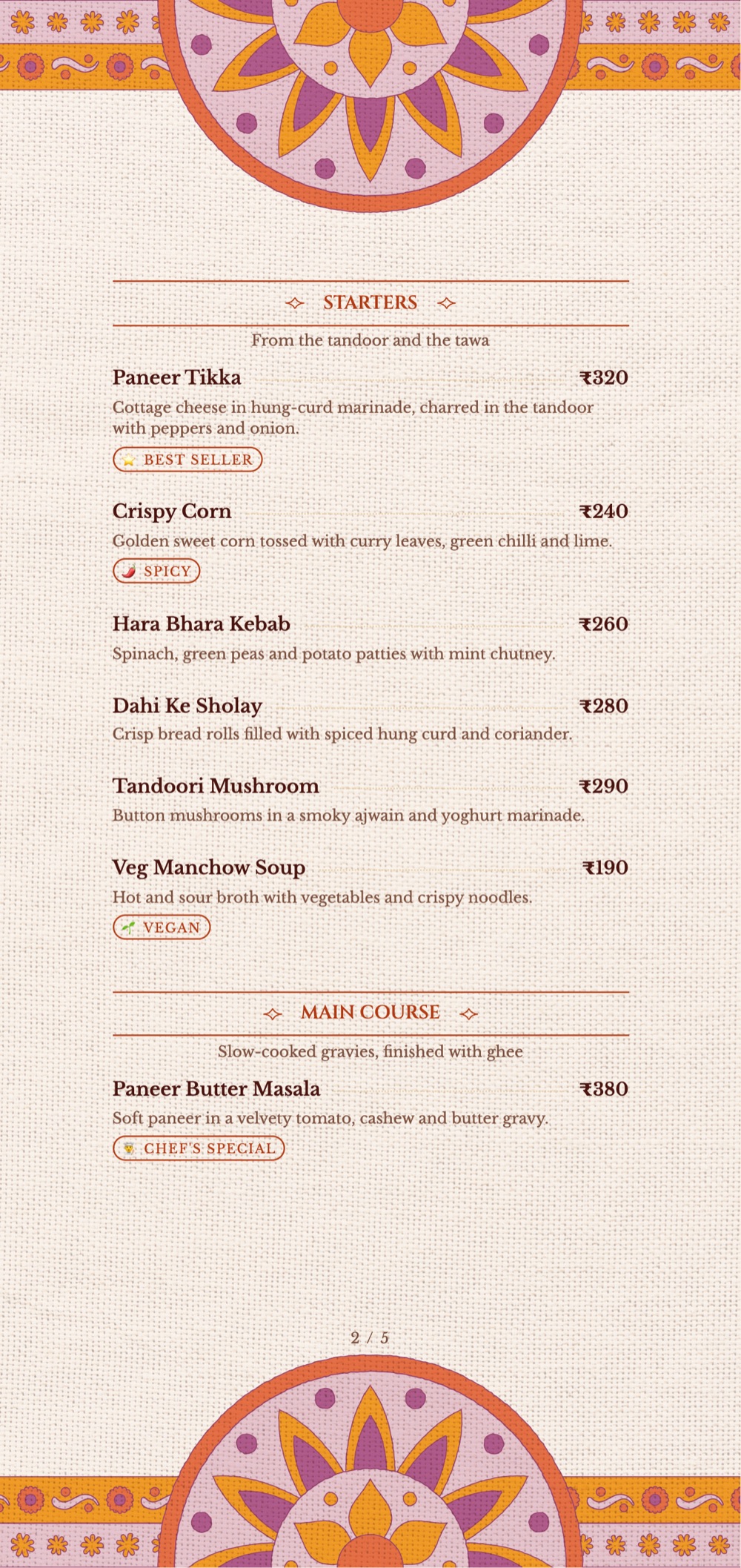
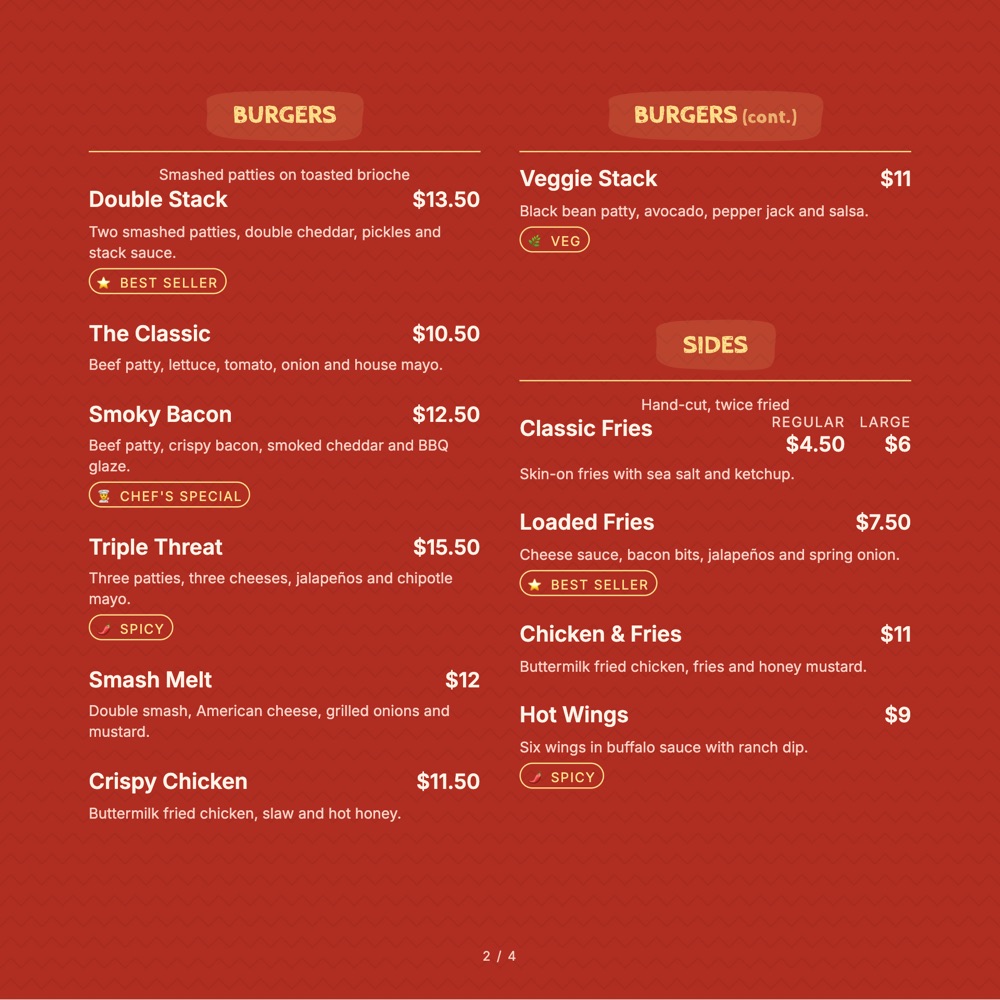
No dining room, no table card, no waiter to explain anything. Every decision a guest makes happens on a screen — so the menu has to do the entire job on its own.
Pick the one closest to your room. Everything about it can change afterwards.
Use this template
Use this template
Use this template
Use this template
Use this template
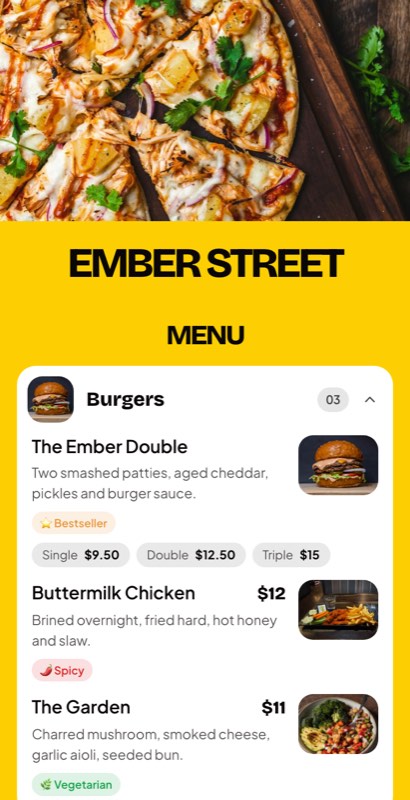
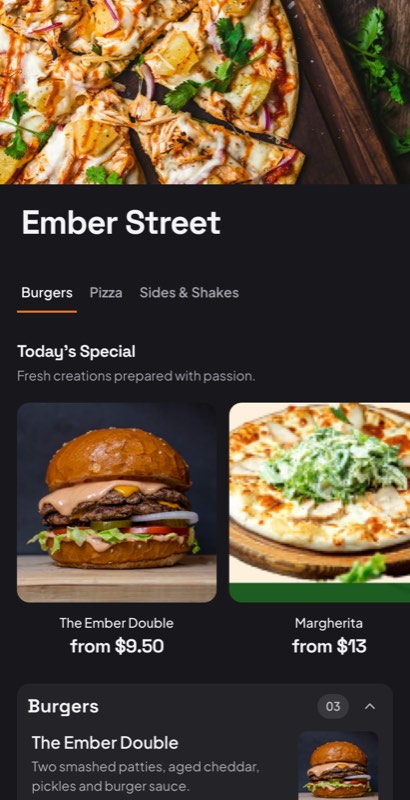
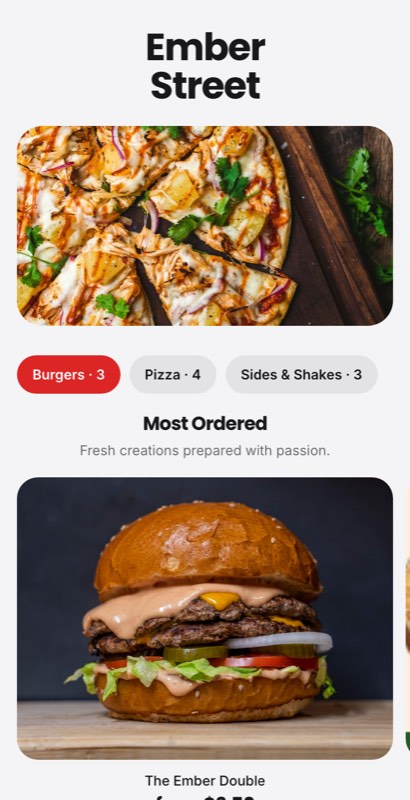
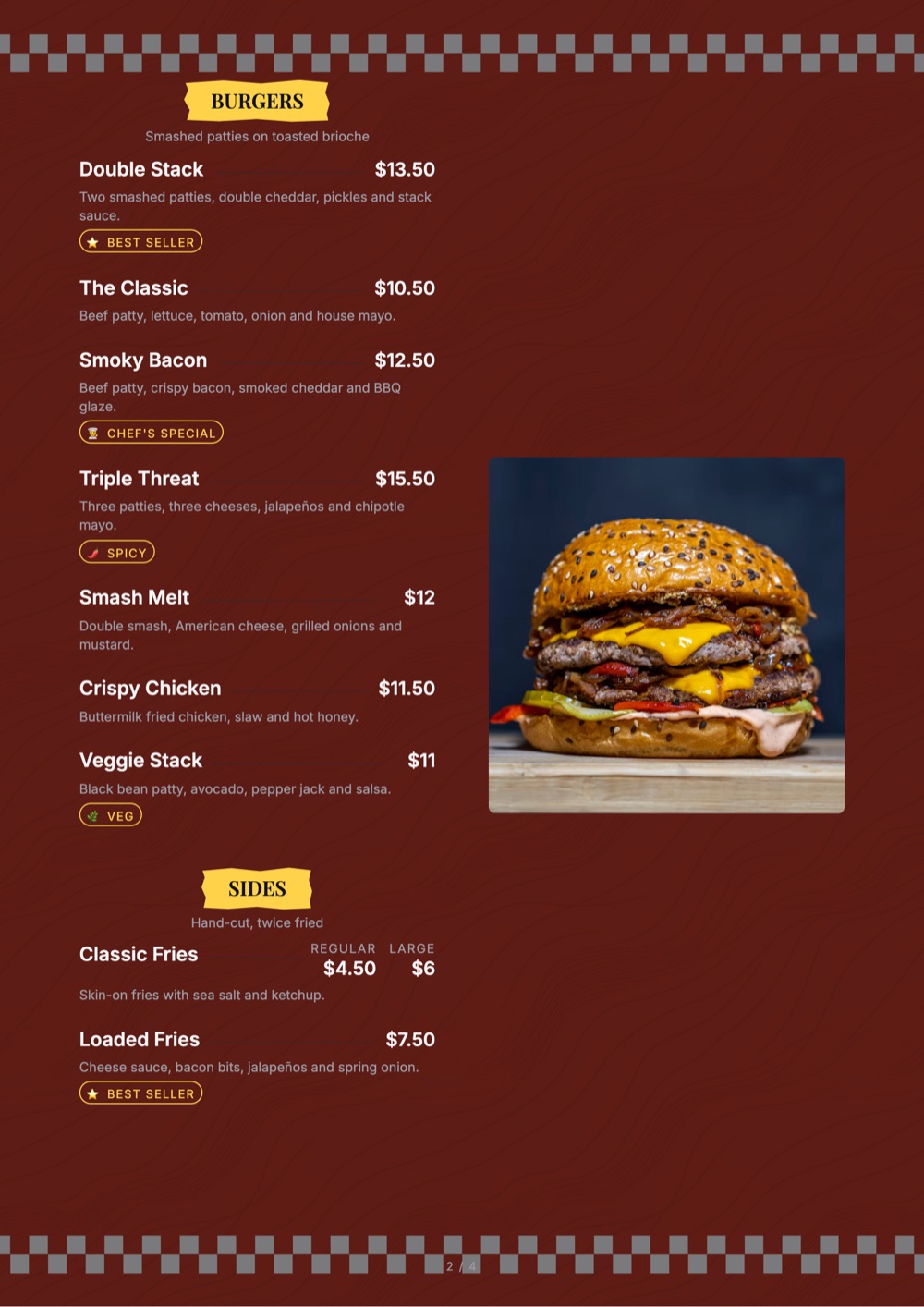
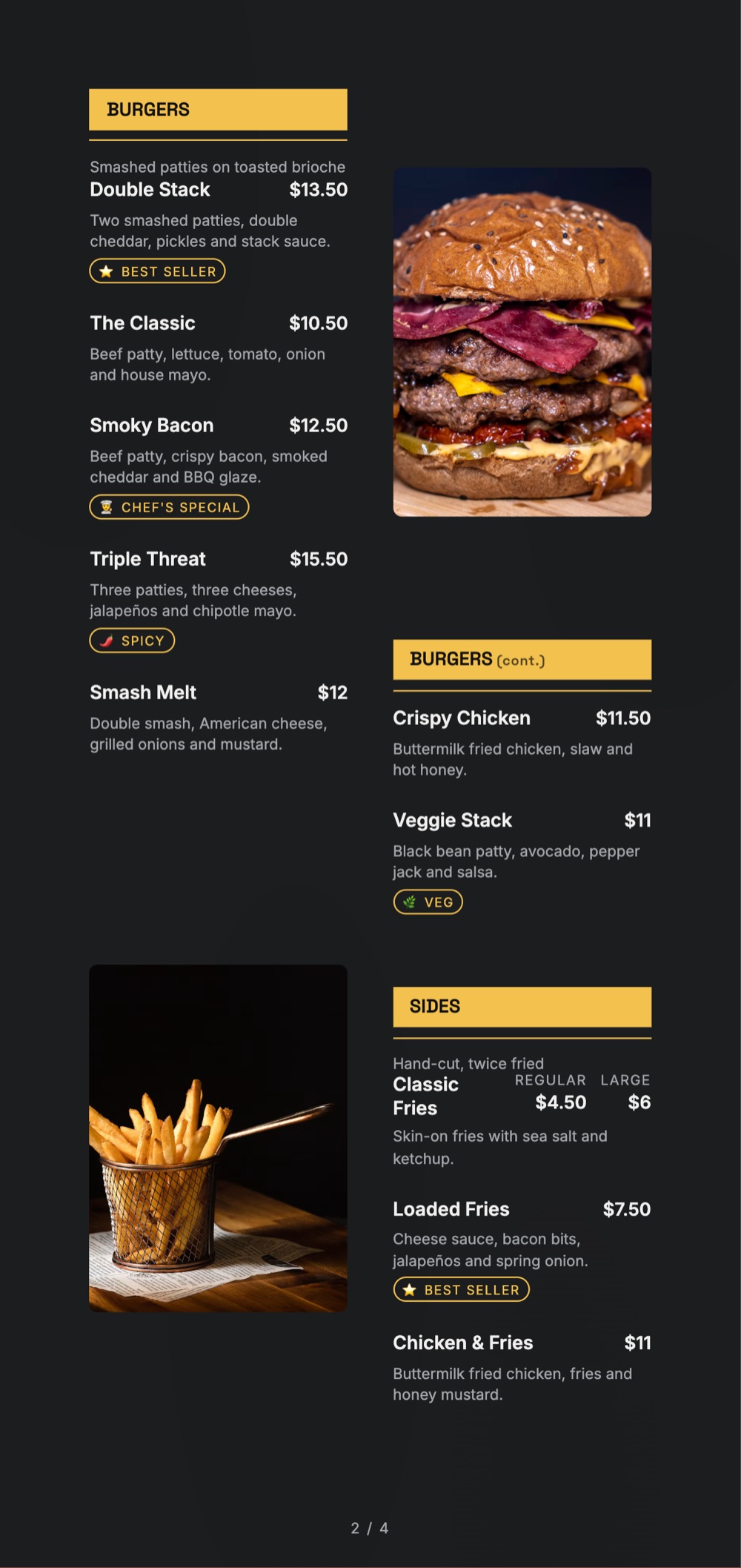
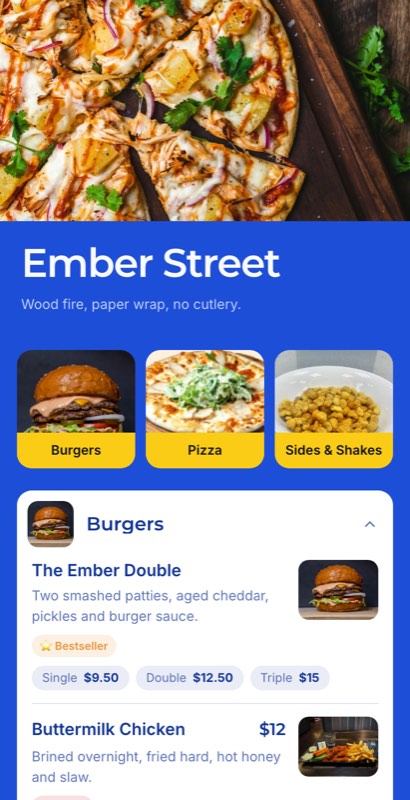
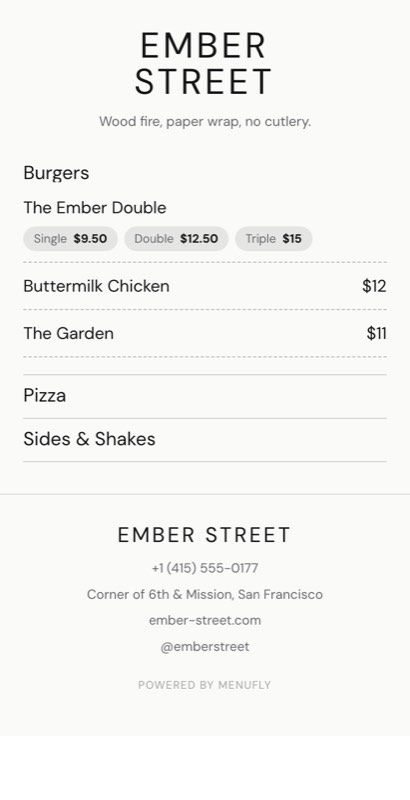
A dine-in menu can be terse because the room fills in the rest. A delivery menu cannot. These templates lean on photography, portion sizes and honest prep times, because that is what converts a scroll into an order.
A template is a starting point, not a cage.
Photos on everything, because there is no room to look at and no waiter to ask.
Serves one, serves two, family pack — the question delivery guests always ask.
Honest per-section prep times, so a biryani that takes forty minutes says so.
Run three delivery brands off one kitchen and one item library, each with its own look.
Cutlery, spice on the side, no onion — captured as order notes, not as dishes.
Change a photo or a name and watch what it does — delivery menus are meant to be iterated.
Photo-heavy and scrollable, built for a thumb rather than a table.
Serves-one or serves-two, and the honest wait. Both reduce complaints more than anything else.
One kitchen can carry several brands, each with its own template and colours.
Push it live, watch what gets opened and swap the photos that are not working.
In a dining room the food arrives and speaks for itself. On delivery, the photo is the only thing the guest ever sees before paying. A text-led template that would look elegant on a table is the wrong choice for a kitchen with no tables.
The single largest source of delivery complaints is a wait the guest did not expect. Putting a prep time on the biryani section costs you nothing and removes an entire category of one-star reviews.
If three of your delivery labels share one visual identity, guests notice, and it reads as a ghost kitchen rather than three restaurants. One item library is fine; one look is not.
A delivery menu is closer to a product page than a printed card. Change one photo a week, watch analytics, and keep the version that sells.
Yes. Each brand gets its own template, colours and menu while sharing a single item library behind the scenes.
Yes, per section, so a slow-cooked dish can state its wait without slowing down the rest of the menu.
Yes. Serves-one, serves-two and family-pack marks sit on the line where delivery guests look for them.
Yes. Cutlery, spice on the side and similar requests are captured as order notes rather than as menu items.
Yes, in seconds, and the change is live for anyone who opens the menu next.
Yes, on every plan including the free one. Paid plans add print-ready export and custom fonts.
Sixteen collections, all editable, all free to start from.
Fine dining to casual, ready to edit
See templatesDrinks-first layouts and day parts
See templatesEspresso boards, sizes and milk options
See templatesCounter lists, boxes and daily bakes
See templatesCocktails, pours, tabs and late hours
See templatesSizes, crusts and build-your-own toppings
See templatesCombos, value boards and quick ordering
See templatesShort menus that read from two metres away
See templatesRoom service, lounge, breakfast and banquets
See templatesDelivery-first layouts for multiple brands
You are hereThalis, tandoor, spice levels and Jain marks
See templatesTasting menus, courses and wine pairings
See templatesPatisserie, gelato and dessert-only lists
See templatesEgg builds, all-day brunch and clock rules
See templatesJuices, teas, mocktails and cold cabinets
See templatesCollection, packing notes and family packs
See templatesPick a delivery template, photograph your best sellers and publish a menu that converts a scroll.
No credit card required · Set up in 5 minutes
Tell us two numbers. We’ll estimate the opportunity for your restaurant.
Estimates based on your inputs. Actual results vary.