Home / Menu PDF Maker
Print PDF

Menu PDF Maker: Design and Export Print-Ready Restaurant Menus

Design your menu in the MenuFly print studio, then download a PDF for your printer: 300 DPI, bleed, crop marks and embedded fonts.

  • 100+ print templates
  • 30+ page layouts
  • 31 colour themes
  • 24 border styles
  • 300 DPI PDF
At a glance

What you can do in the menu PDF maker

A menu PDF is a print file of your restaurant menu: cover, dishes, prices and back page, laid out at a fixed paper size. MenuFly builds it from the same menu data as your digital menu, so you design it once and download it when you need to print.

MenuFly print studio features
Templates100+ print templates, filtered by style, business type, layout and images
PagesCover, menu pages and back page; add, duplicate, reorder or delete pages
Layouts30+ page layouts: one, two or three columns, pictures above, beside or below
Design31 colour themes, 24 border styles, backgrounds and textures, 1,000+ food images
Page sizesA4, A5, A3, US Letter, 8 × 8 in and 5.2 × 11 in; portrait or landscape
Export qualityScreen (150 DPI) or Print Ready (300 DPI)
Print marksBleed of 0, 3 or 5 mm, crop marks and embedded fonts
Other filesDownload pages as PNG or JPG images
Design

Design your menu PDF, page by page

Real screens from the MenuFly print studio.

MenuFly print template library with filters for style, business, layout, images and page, and template cards such as Your Colours, Pure Minimal and Soft Minimal.

Start from a print template

Filter by style, business type, layout and images, preview a design, then use it. Your dishes flow into the new template, and switching later restyles the menu in place.

Browse menu templates
Editing a dish on the printed menu page: name The Ember Double, price, optional variants and description, with Edit, Add item and Add variant tools on the page.

Edit dishes and prices on the page

Click a dish to change its name, price, description or size variants, or add items and categories in place. Style every dish name at once with one font, weight and size.

Content page layouts panel: picture above, picture below, three at the side, picture at the right or left and picture down the edge, beside a yellow burger menu page.

Choose a layout for every page

30+ layouts: one, two or three columns, a picture above, beside or down the edge, four in a grid, menu only or a blank page for house rules and notes.

Colours panel with 31 colour themes such as Ivory Classic, Midnight, Terracotta, Sage Garden and Coastal Blue, next to a yellow back page with a QR code.

Apply a colour theme in one click

31 colour themes set paper, text, accent and price colours together. Or pick each colour yourself to match your brand.

Borders panel with ornaments for the top and bottom and lines and frames, applied to an orange menu cover with a gold border.

Add backgrounds, textures and borders

24 border styles, from single lines to frames and ornaments. Set a background image or texture on one page or every page, and adjust its size, position and opacity.

Page settings: keep categories together, show descriptions, prices, sizes as columns, currency symbol, currency, item images, item tags and page numbers.

Control what prints

  • Keep categories together across pages
  • Show or hide descriptions, prices, item images and tags
  • Print sizes as columns, e.g. Small · Large
  • Currency symbol and page numbers
Export Print PDF dialog: A4 paper in portrait, Print Ready 300 DPI quality, bleed of 0, 3 or 5 mm, crop marks and embed fonts switched on, with Preview PDF and Download PDF buttons.
Export

Export a print-ready menu PDF

The Export Print PDF window gives you the settings a print shop asks for.

Paper
Size and orientation
Quality
Screen 150 DPI or Print Ready 300 DPI
Bleed
0, 3 or 5 mm
Crop marks
Trim guides at each corner
Fonts
Embedded in the PDF
Also
Preview, PNG and JPG

Every export uses your latest menu data. Files are RGB; if your printer works in CMYK, ask them to convert the file and check a proof.

Page sizes

Menu PDF sizes

Pick the size that fits your tables and folders.

A4210 × 297 mm

Full menus, leather folders

A5148 × 210 mm

Cafés, short table menus

US Letter8.5 × 11 in

US and Canada printers

A3297 × 420 mm

Large single-page menus

8 × 8 inSquare

Modern and bar menus

5.2 × 11 inTall card

Narrow tables, bistro cards

Custom print sizes are available on Growth and Pro where supported. Not sure what size to use? Read our guide to menu formats.

Digital + print

One menu for your PDF, digital menu and QR code

Dishes and prices live in Menu Data. The print PDF, the digital menu and the QR code menu all read from it.

  • ✓Change a price once, then re-export the PDF
  • ✓Print your QR code on the back page
  • ✓Save print versions, e.g. an A4 dine-in and an A5 café menu
How the digital menu works
One menu's data feeding a print-ready A4 PDF at 300 DPI with crop marks, a digital menu on a phone and a QR code that points to the live menu.
Step by step

How to make a menu PDF with MenuFly

  1. 1

    Open the Print view

    In the menu maker, switch from Menu Data to Print.

  2. 2

    Choose a print template

    Your dishes flow into the design.

  3. 3

    Edit dishes on the page

    Names, prices, variants and descriptions.

  4. 4

    Style the pages

    Layouts, colours, borders and backgrounds.

  5. 5

    Set the export

    Paper, 300 DPI, bleed, crop marks.

  6. 6

    Preview and download

    Check every page, then download the PDF.

Plans

PDF export by plan

Every plan includes an A4 PDF. Larger plans add sizes, templates and print versions.

Print and PDF features on each MenuFly plan
FeatureFreeStarterGrowthPro
A4 PDF✓✓✓✓
A5 PDF—✓✓✓
Letter PDF——✓✓
Booklet PDF——✓✓
Custom sizes (where supported)——✓✓
Print templatesLimited50+100+100+
Saved print versions2335
Brand fonts——✓✓

Compare all plans

Printing

Print it yourself, or let us print it

Send the PDF to any printer, or order printed menus from MenuFly with design and printing included.

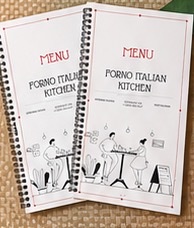
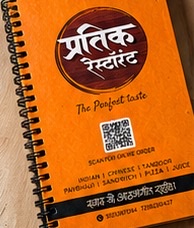
Standard printed menu with wiro binding
Standardfrom ₹120
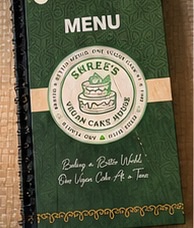
Cardboard hard cover menu with wiro binding
Hard coverfrom ₹280
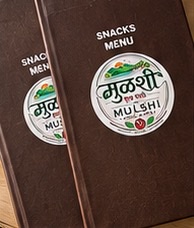
Book binding menu with a printed cover
Book bindingfrom ₹400
Leather book binding menu
Leatherfrom ₹480
Non-tearable, water-resistant printed menu
Non-tearablefrom ₹240

Prices per 5.2 × 11 in menu, design and printing included; final price depends on pages, material and quantity.

Sending the PDF to your own printer?

  • Ask which bleed they need (3 mm is common) and export with it
  • Choose Print Ready (300 DPI) and turn on crop marks
  • Print one proof and check prices, photos and margins
FAQ

Menu PDF questions

How do I make a menu PDF?

Open the MenuFly menu maker and switch to the Print view. Choose a print template, edit your dishes and prices on the page, and style it with layouts, colours and borders. Then open Export Print PDF, choose the paper size, quality, bleed and crop marks, and download the PDF.

Is the menu PDF print-ready?

Yes. In the export window choose Print Ready (300 DPI), add 3 mm or 5 mm bleed, and turn on crop marks and embedded fonts. Print-ready PDF export is part of the Growth and Pro plans; every plan includes a basic A4 PDF.

What sizes can I export my menu PDF in?

The menu maker has A4, A5, A3, US Letter, 8 × 8 in and 5.2 × 11 in page sizes, in portrait or landscape. A4 is on every plan, A5 starts on Starter, Letter and booklet PDFs on Growth, and custom sizes are supported on Growth and Pro. See pricing.

What bleed should I use for a printed menu?

Many printers ask for 3 mm bleed. MenuFly lets you export with 0, 3 or 5 mm, so ask your printer what they need. Use 0 mm when you print at the restaurant on an office printer.

Can I download my menu as an image instead of a PDF?

Yes. The export window also has Download PNG and Download JPG, which are handy for WhatsApp, social media or a screen at the counter.

Does my PDF update when I change a price?

A downloaded PDF is a fixed file, so export it again after you change prices. Each export uses your latest menu data, so you don’t rebuild the design. Your digital menu updates when you publish.

Can I make a multi-page or booklet menu?

Yes. A print menu can have a cover, as many menu pages as you need and a back page, and you can add, duplicate, reorder or delete pages. Booklet PDF export is on Growth and Pro.

Can I use my brand colours and fonts?

Yes. Pick one of 31 colour themes or set paper, text, accent and price colours yourself, and choose fonts for dish names, prices and headings. Brand fonts are included on Growth and Pro.

Can I add a QR code to my printed menu?

Yes. Templates include a back page where your QR code can sit, and the QR code points to your live digital menu, so it stays correct after price changes.

Is the exported PDF CMYK?

Exports are RGB. Many digital print shops accept RGB files; if yours needs CMYK, ask them to convert it and check a printed proof before the full run.

Can MenuFly print my menus for me?

Yes. MenuFly prints standard, hard cover, book binding, leather and non-tearable menus, with design and printing included. Use the menu card cost calculator to estimate your cost.

Keep exploring

Related pages

Design your menu. Download the PDF.

Pick a print template, add your dishes and export a menu your printer can use.

Every plan includes an A4 PDF · No credit card required