Home / Hotel Menu Card Templates
Hotel menu card templates

Hotel menu card templates you can edit, publish and print

Start from a professionally designed hotel menu template, add your own dishes and prices, and get two menus from one edit: a QR digital menu for your tables and rooms, and a print-ready PDF for your menu cards. No designer fees, and no full reprint every time a price changes.

Built by a design team with 15 years in the design industry, now designing and printing menus for hotels and restaurants.

  • ✓Templates for family hotels, Indian restaurants, 5 star dining, room service and banquets
  • ✓Change a price once: your digital menu updates instantly and your PDF is ready to reprint
  • ✓Print sizes from A4 to menu-folder formats, plus a QR code for every table or room
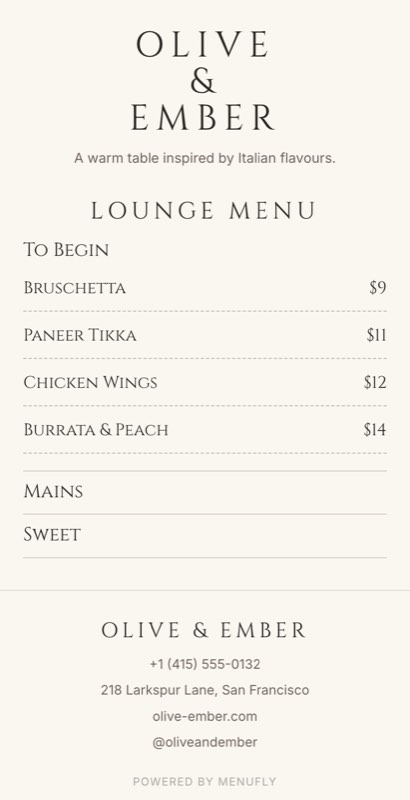
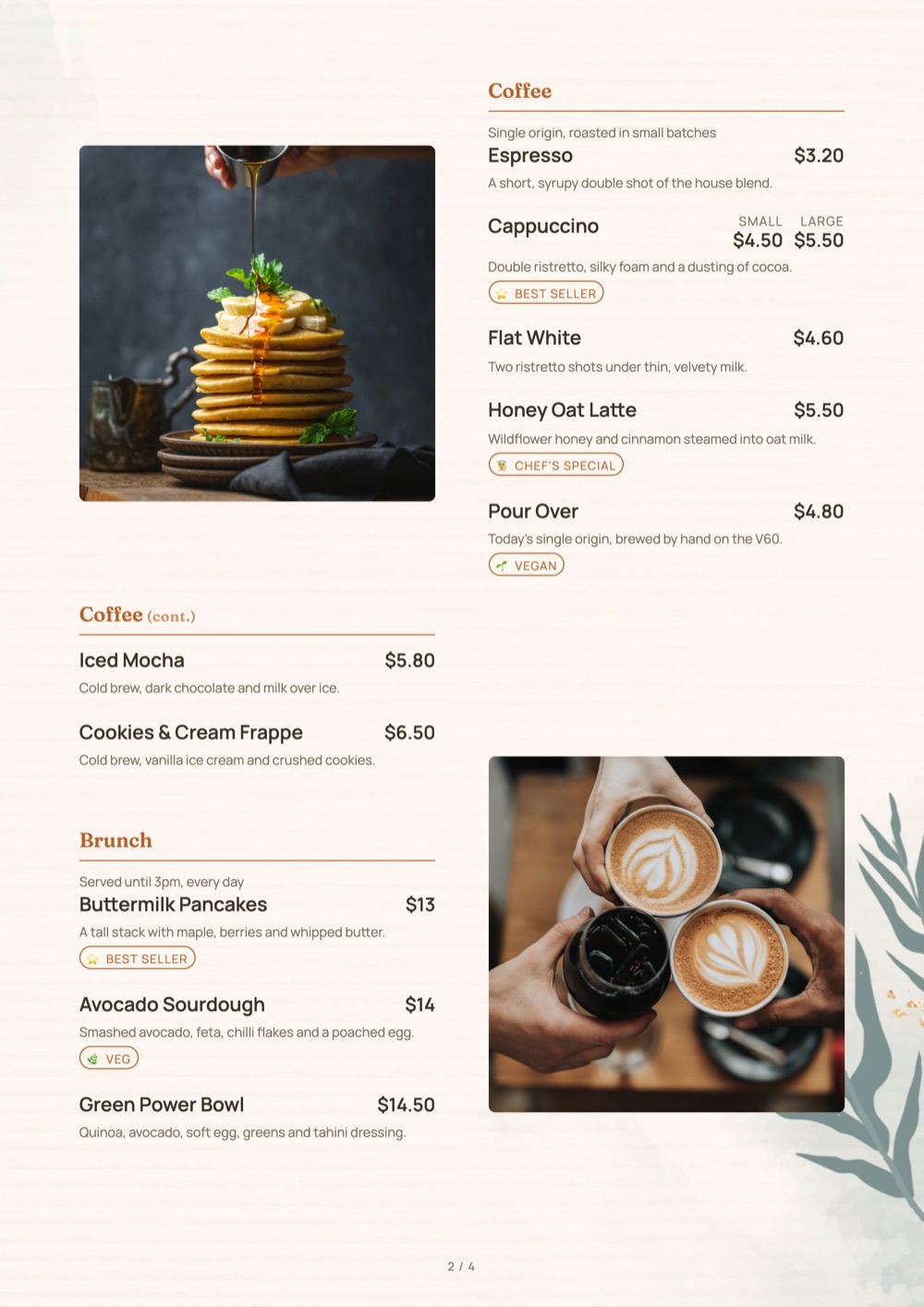
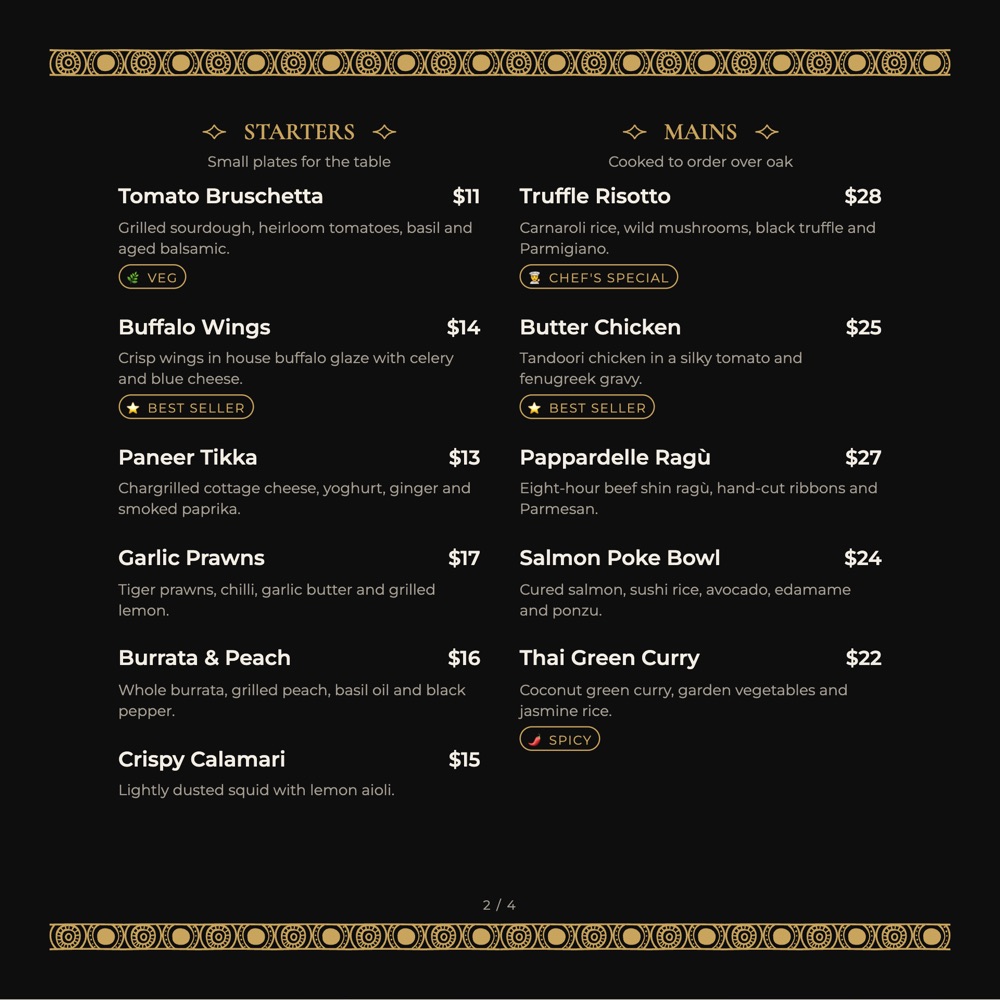
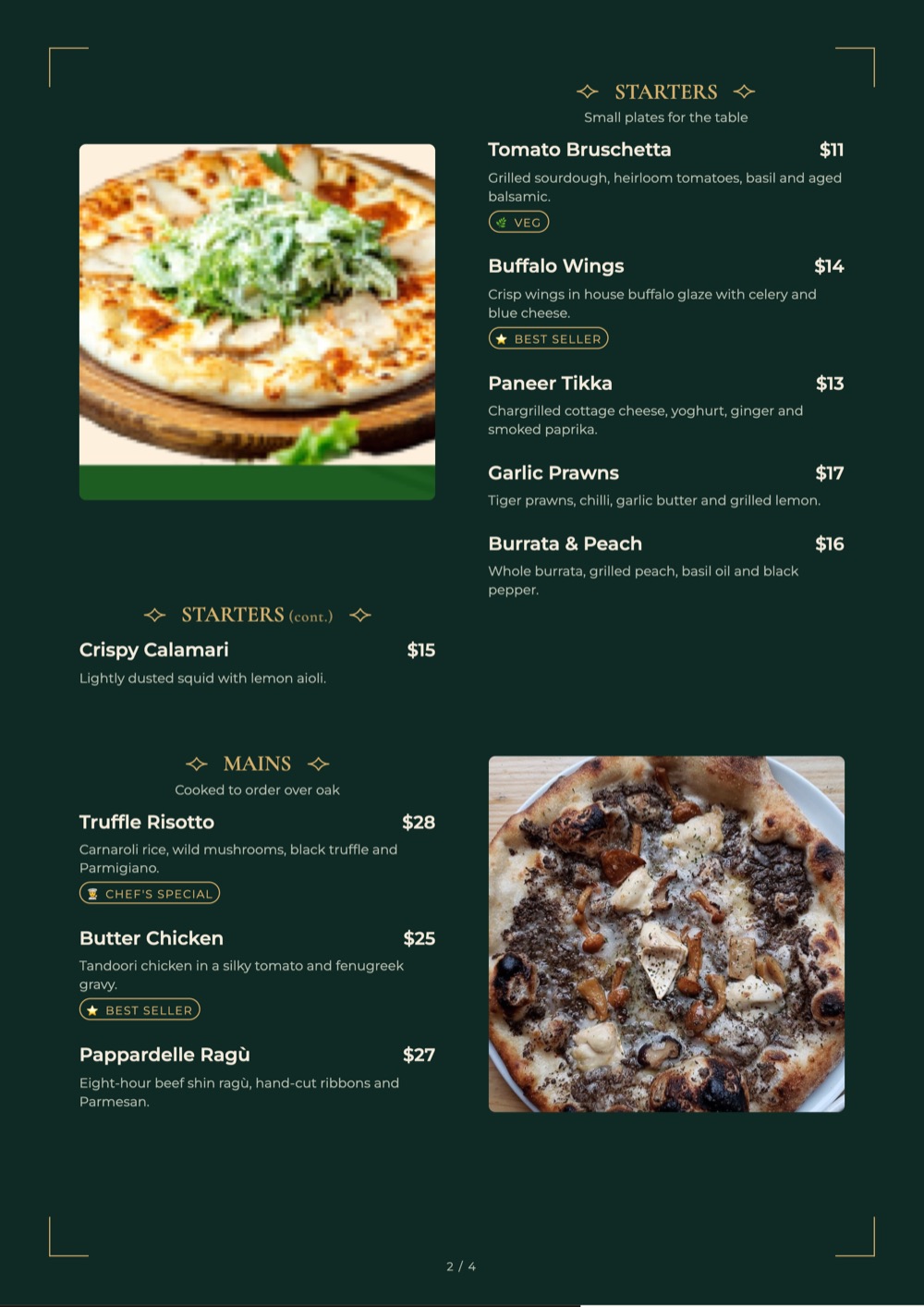
Hotel menu card template printed as an A4 menu: Signature design in deep green and gold
Print PDF · A4
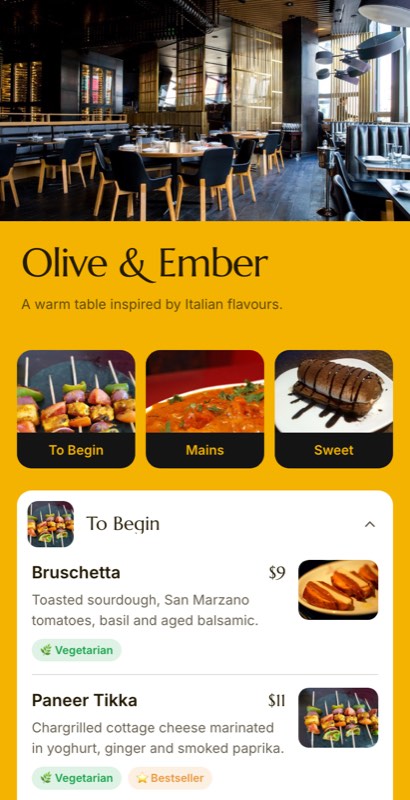
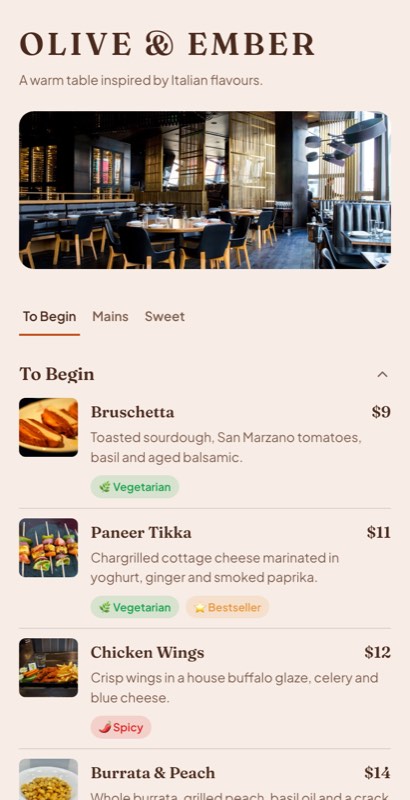
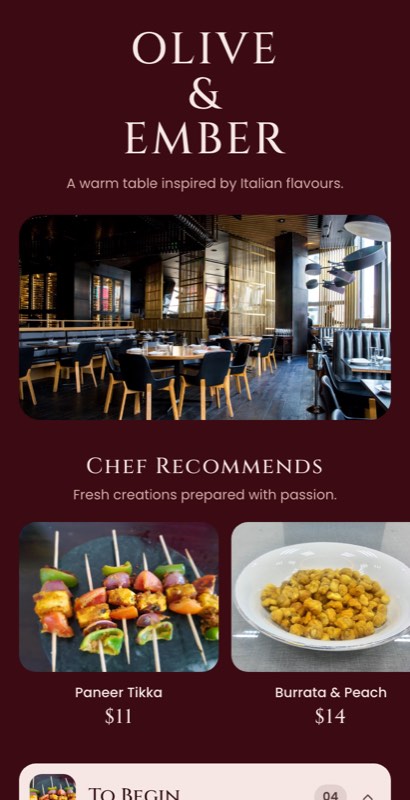
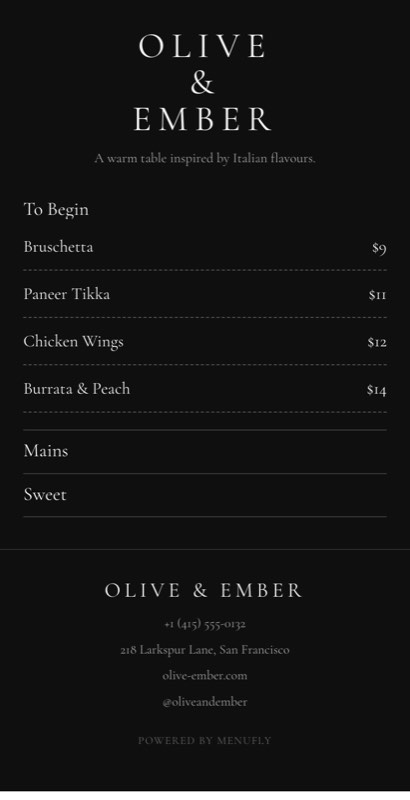
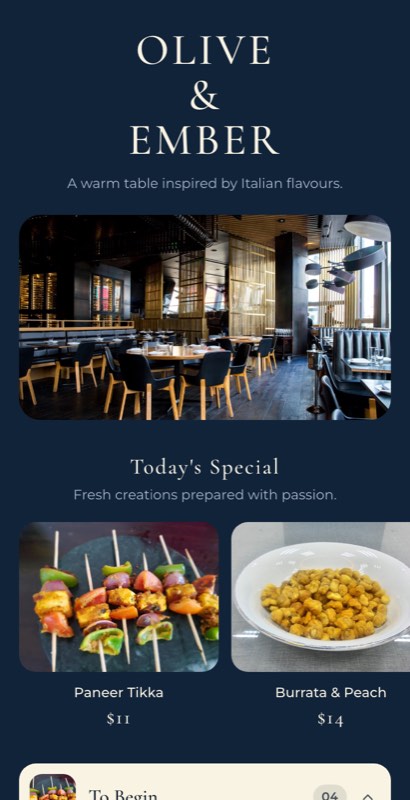
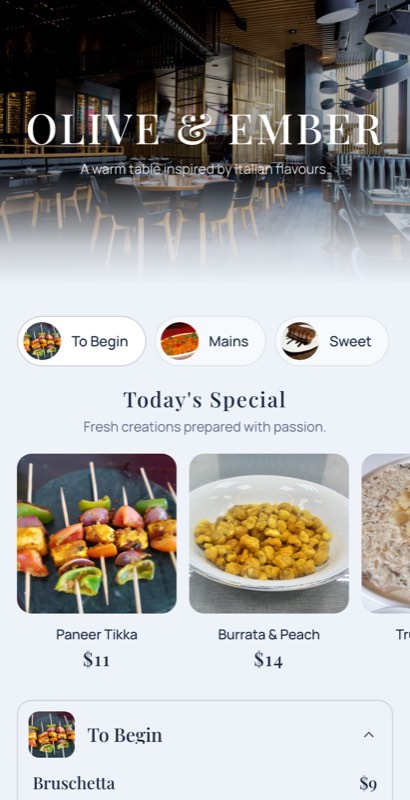
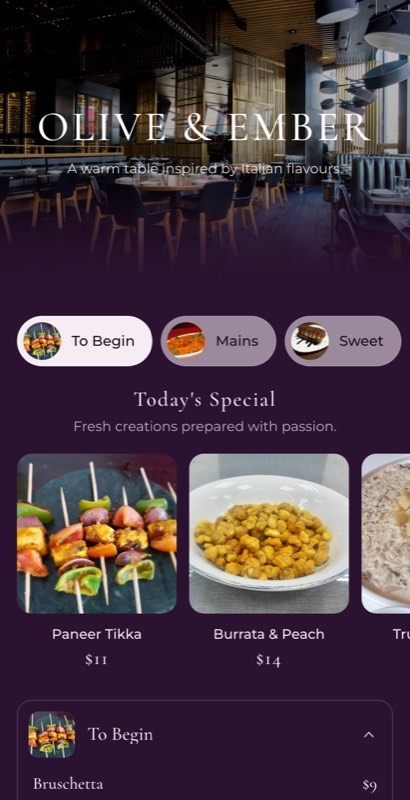
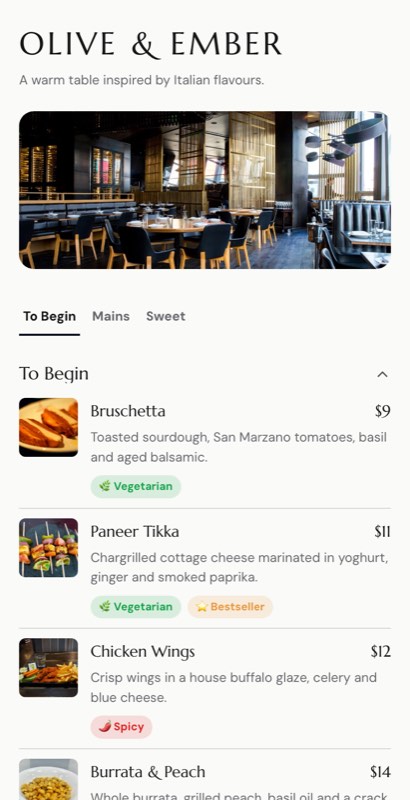
The same hotel menu as a QR digital menu on a phone, in the Room Service template
QR digital menu
1 edit updates both
More than a template

A hotel menu maker, not a one-off file

Our team has 15 years in the design industry, and our agency now designs and prints menus for restaurants and hotels. The pattern we see again and again is simple: owners pay well for a good-looking menu, then pay again for every small change. A new dish, a GST change, a price increase on paneer, and the whole batch goes back to the designer and the printer.

A downloaded template doesn’t fix that. You fill it in once, print it, and you’re back to square one at the next change.

MenuFly works differently. Your menu is kept as one editable list of dishes, prices and sections. The design sits on top of it, and every format you need comes from that same list. You build it in our online menu maker.

🔄

One menu, digital and print

Edit a dish once. Your QR digital menu updates straight away, and your print PDF is ready whenever you need fresh cards. The two never drift apart.

🎨

Make it look like your hotel

Change colours, fonts, layout, photos and logo to match your interiors and signboard. Two hotels can start from the same template and end up with menus that look nothing alike.

🖨

Print-ready when you need it

Export a print-resolution menu PDF in A4, A5 or menu-folder sizes. Hand it to any local printer, or print a few copies in-house when you only need a handful.

🔗

Share it everywhere

Your digital menu has its own link. Put it on your Google Business Profile, Instagram bio and WhatsApp replies, so guests see the same up-to-date menu wherever they find you.
Many outlets, one brand

A hotel isn’t one menu. It’s seven.

Restaurant, room service, lounge, bar, pool, breakfast and banquets usually run on separate menus, often designed at different times by different people. Guests notice. With MenuFly you build them all from one design and one item library, so your hotel looks like one brand from the lobby to the room.

One price change updates every outlet that serves the dish. No more room service charging one price and the restaurant another because one menu was missed.

See how MenuFly works for hotels
What a hotel needs from its menus and how MenuFly handles each one
What you needHow MenuFly handles it
A menu per outletSeparate menus for restaurant, room service, lounge, bar, pool and banquets, all in your house style
Breakfast, all-day and late-night menusSet service hours once; the right menu shows automatically at the right time
Hindi, a regional language or a guest languageAdd a second language from the same item list, so prices always match
GST, service charge and delivery timeShown as clear header lines instead of small print under every dish
A QR code per room or tableGuests scan and land on the menu for where they are
Banquet and event menusFixed-price and per-head menus, with a guest-facing card that shows no prices
Knowing what guests look atMenu analytics, with in-room dining tracked separately
By type of hotel

Hotel menu card designs for every kind of hotel

The right design depends on who you serve and what you charge. Here’s what we recommend for each type of hotel, based on what has worked for the hotels we’ve designed for.

5 star hotel menu card design

Luxury reads as restraint. Use fewer dishes per page, plenty of white space, one or two fonts and a quiet palette such as black, ivory or deep green with a single metallic accent. Skip food photos on fine-dining menus; good descriptions do more. Keep the printed card for the table and use the digital version for room service and the website.

Try: Maison Noir, Signature, Concierge

Maison Noir 5 star hotel menu card design in black with light serif typeSignature 5 star hotel menu card in deep green with gold frame lines

Veg hotel menu card

Guests at a pure veg hotel want reassurance first, so put a clear “100% vegetarian” mark at the top. Group by what people order together: thalis, North Indian, South Indian, Chinese, snacks. If you serve Jain food, give it its own section or icon rather than a note at the bottom.

Try: Curry Leaf, Thali Daily, Indian Heritage

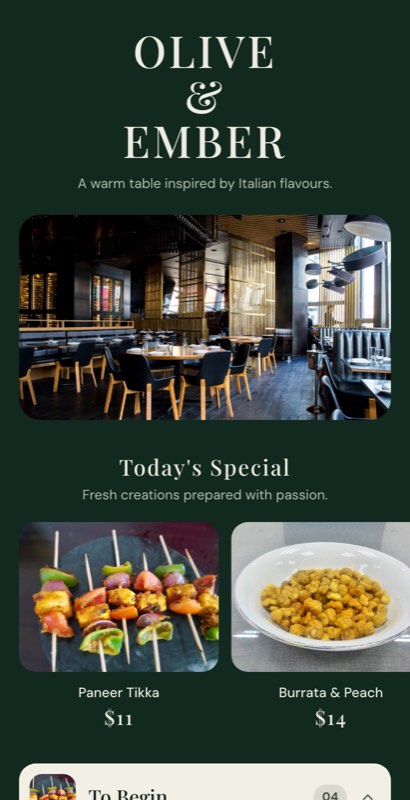
Veg hotel menu card design: Curry Leaf template in deep greenVeg hotel menu card with a featured thali: Thali Daily template

Indian restaurant menu card design

Indian menus are long, so structure matters more than decoration. Follow the order guests eat in (soups, starters, mains, rice, breads, desserts) and split veg and non-veg within each course. Use regional design touches like jaali borders or folk-art dividers sparingly, so they frame the food instead of competing with it.

Try: Royal Kitchen, Masala Table, Spice Route

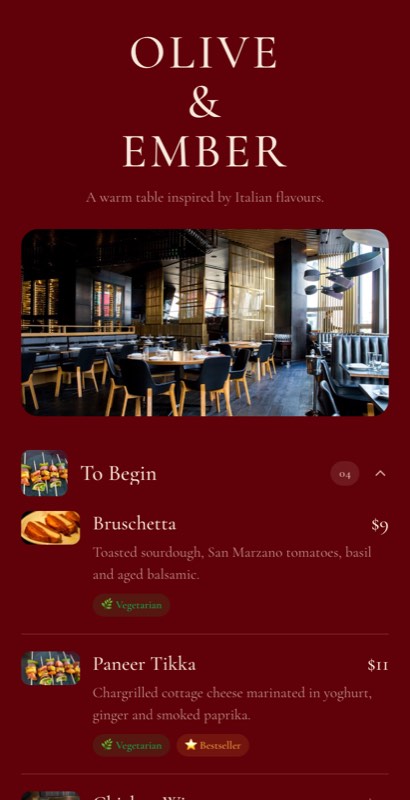
Indian restaurant menu card design: Royal Kitchen template in deep maroonIndian multi-cuisine hotel menu card: Masala Table template with tabbed sections

Family hotel and dhaba menu card

Here the menu has to be fast. Big headings, large prices, and a thali or combo at the top of the page. Bold colours are fine. A laminated A4 or A3 card that survives spills and daily handling will outlast a fancy menu book.

Try: Terracotta House, Tandoor House

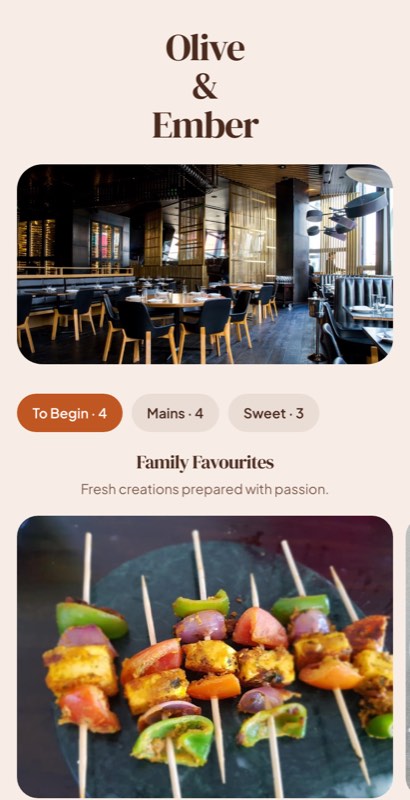
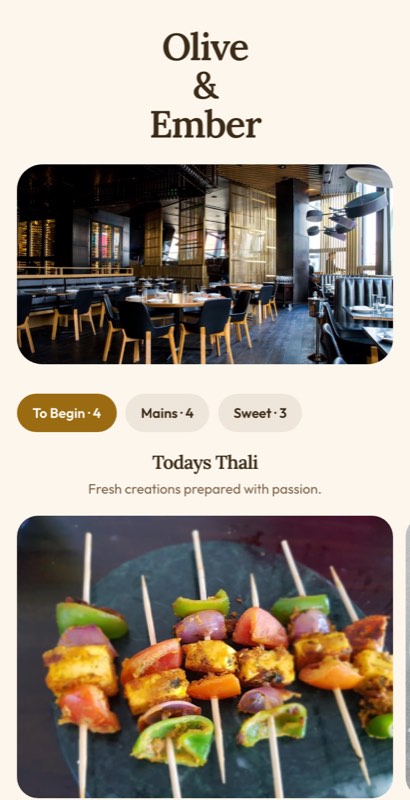
Family hotel menu card: Terracotta House template with Family FavouritesDhaba menu card: Tandoor House template in saffron yellow with photo tiles

Room service menu

Put service hours, the extension number and any delivery charge at the very top. Keep it short; guests in a room don’t want 150 options. A QR code card on the desk lets you update the menu without replacing printed folders in every room.

Try: Room Service, Grand Terrace

Hotel room service menu template: clean white in-room dining menuGrand Terrace all-day dining menu for hotel room service

Banquet and event menu card

One card per table, listing courses in serving order, with no prices. Match the event’s colours and add the couple’s or company’s name at the top. Build it from the same item library as your restaurant so dish names stay consistent.

Try: Meander Border, Signature

Banquet menu card: Meander Border A4 template with ribbon course labelsBanquet menu card: Signature A4 template in deep green and gold
Sample hotel menu card

What to put on a hotel menu, and in what order

Not sure what to put on your menu or in what order? Here’s the structure we use for a typical Indian hotel. Every MenuFly hotel template starts with these sections, so you only need to swap in your own dishes and prices.

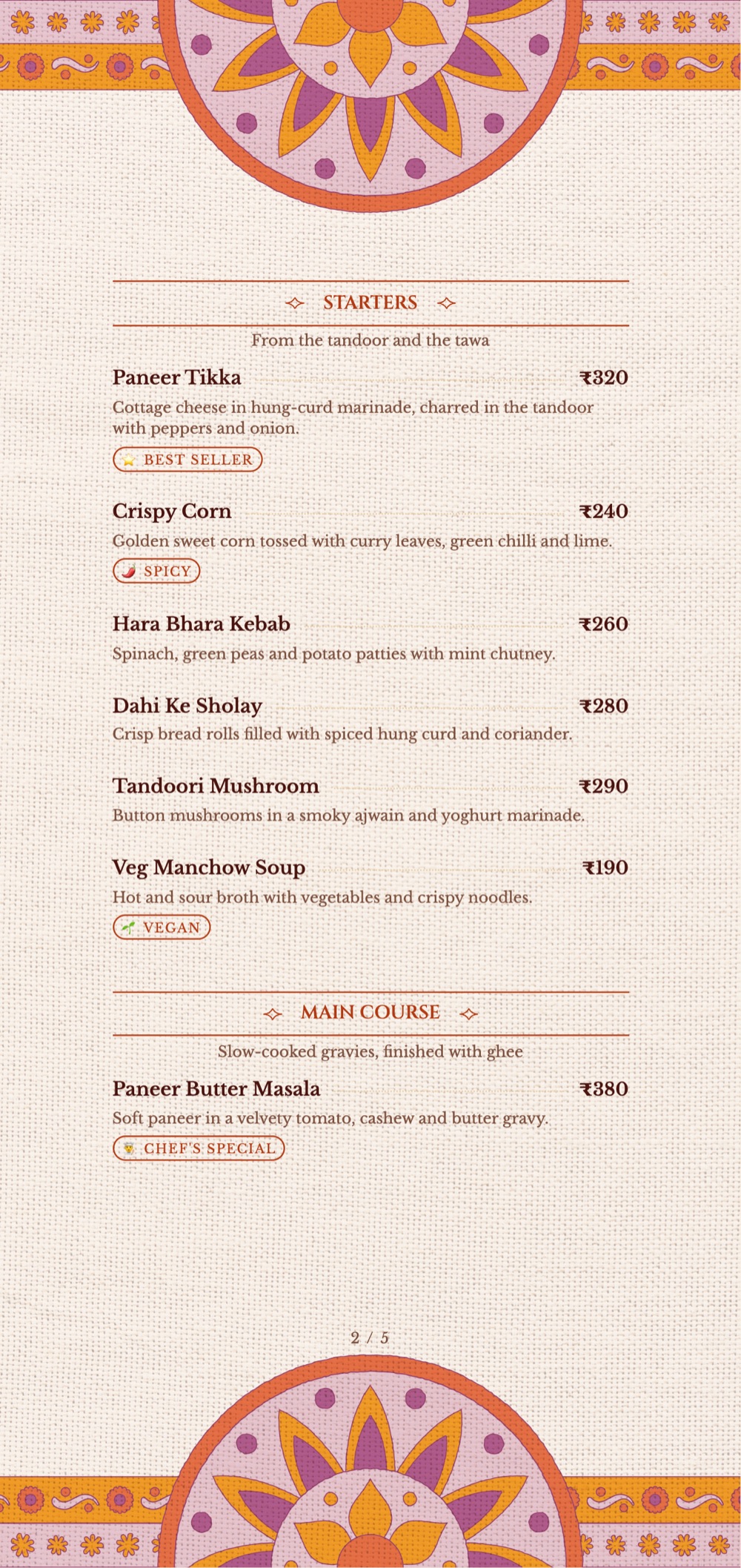
Sample hotel menu card with Indian veg dishes: starters such as Paneer Tikka and Hara Bhara Kebab, and main course, with rupee prices
Sample page in the Indian Heritage template
Sample hotel menu card sections with example dishes
SectionExample dishes
SoupsTomato Shorba, Sweet Corn Soup, Manchow Soup
Veg startersPaneer Tikka, Hara Bhara Kebab, Crispy Corn
Non-veg startersChicken Tikka, Chicken Malai Kebab, Fish Amritsari
Veg main courseDal Makhani, Paneer Butter Masala, Mix Veg
Non-veg main courseButter Chicken, Mutton Rogan Josh, Chicken Kadai
Rice and biryaniJeera Rice, Veg Dum Biryani, Chicken Biryani
BreadsTandoori Roti, Butter Naan, Laccha Paratha
ThalisVeg Thali, Non-Veg Thali
DessertsGulab Jamun, Rasmalai, Ice Cream
BeveragesMasala Chai, Fresh Lime Soda, Sweet Lassi

How to write each dish

Give every dish four things: the name, a short description, a veg or non-veg mark, and the price. For example:

Dal Makhani280

Black lentils simmered overnight, finished with butter and cream.

Keep descriptions under 15 words and say how the dish is made. “Simmered overnight” sells a dal; “delicious and tasty” doesn’t.

Use this sample in a template
How it works

How to make a hotel menu card in MenuFly

From template to a live digital menu and a print-ready PDF in four steps.

  1. 1

    Pick a hotel menu design

    Choose the template closest to your hotel’s style. Nothing is locked in; you can switch designs later without retyping your menu.

  2. 2

    Add your dishes and prices

    Type them in or paste your current list. Mark veg or non-veg, spice level and allergens as you go.

  3. 3

    Make it yours

    Add your logo, colours and photos. If you run more than one outlet, set up each menu, its service hours and any second language.

  4. 4

    Publish and print

    Get a QR code for every table or room, share your menu link online, and download a print-ready PDF for your menu cards.

Design that earns

What makes a hotel menu card sell

A template gives you a good start, but a few decisions make the difference between a menu that looks nice and one that earns money. These are the points we check on every menu we design.

01

Put your best dishes where eyes land first

Guests look at the top of each section and at anything set apart from the rest. Put your most profitable dishes there, or in a simple box. Box one or two items per page at most, or the box stops standing out.

02

Don’t line up prices in a column

A neat column of prices down the right edge turns your menu into a price list, and guests start comparing numbers instead of dishes. Put the price at the end of the description, in the same size as the text, without a currency symbol.

03

Keep sections short

Around seven dishes per section is easy to scan. Long lists slow guests down and push them towards the cheapest dish they recognise. If a section keeps growing, it’s usually time to cut slow sellers.

04

Make it readable in your lighting

Many hotel restaurants are dimly lit. Avoid script fonts for dish names, light grey text and text on busy photos. In print, keep body text at 10–11 pt or larger.

05

Use photos carefully

One professional photo of a signature dish helps. Ten phone photos hurt, because poor food photos lower what guests expect to pay. Fast-food and combo menus are the exception: there, guests really do order by picture.

06

Check spelling twice

“Panner”, “Biriyani” and “Chiken” turn up on menus all the time, and once they’re printed you’re stuck with them. With a digital menu you can fix a typo in seconds, but get two people to proofread before your first print run.

Printing

Print your hotel menu card: sizes, paper and cost

Every MenuFly menu can be downloaded as a print-ready PDF. Here’s how to get the most from it.

Hotel menu card sizes

Hotel menu card sizes, what each is best for, and which plan includes it
SizeBest forAvailable on
A4 (210 × 297 mm)Main restaurant menuAll plans
A5 (148 × 210 mm)Room service, breakfast, dessertsStarter and above
5.2 × 11 inStandard tall hotel menu foldersSee pricing
8 × 8 inSquare cards for lounge and drinks menusSee pricing
Custom sizeFolders you already own, special formatsGrowth and Pro

Paper and finish, in one minute

  • Daily-use table menus: 300–350 gsm card with matte lamination. It resists stains and doesn’t glare under lights.
  • Busy outlets with spills: synthetic waterproof paper, which wipes clean without lamination.
  • Inner pages in a leather folder: 170–250 gsm; the folder protects them.
  • Daily specials: plain 100–130 gsm paper, printed in small batches.

Print only as many copies as you have tables, plus about 20% spare. With your menu in MenuFly, reprinting a small batch takes minutes, so there’s no reason to print hundreds up front.

Design your print menu
Real costs

What traditional design and printing really costs

The expensive part of a printed menu isn’t the first print run. It’s every change after it. Each new dish or price means paying for design edits and reprinting the whole batch.

Traditional hotel menu design and printing compared with MenuFly
ItemTraditional design + printingMenuFly + printing
20 menus, 5.2 × 11 in, design included₹12,000₹2,400
A price changesDesigner edit + full reprintEdit online; digital menu updates instantly
Time to updateDaysMinutes

That’s a saving of ₹9,600 on the first run alone, before counting reprints. Final costs depend on your printer and paper. Enter your own numbers below, or see the full menu card cost calculator and price list.

Choosing well

How to choose the right hotel menu template

Five quick questions narrow it down.

  1. What do your guests pay?

    Higher prices call for calm layouts with more space (Maison Noir, Signature, Concierge). Everyday family dining suits bold, fast-to-scan designs (Terracotta House, Tandoor House).

  2. How long is your menu?

    Under 40 dishes fits on one A4 card. Over 60 needs a structured multi-section layout (Atrium, Masala Table) or a folded or folder menu.

  3. Do you already own menu folders?

    Measure them and pick a template in that size, so you don’t need to buy new ones.

  4. How many outlets do you run?

    If it’s more than one, choose a design that works across all of them and set up each outlet from the same item library.

  5. Will guests mostly read it on paper or on their phones?

    Most hotels need both. Check how a template looks in the phone preview before you commit.

Want the full picture on layout, pricing and common mistakes? Read our menu design guide.

FAQ

Hotel menu template questions

Are these hotel menu card templates free?

Yes, you can start free. The Free plan includes 5 digital menu templates and A4 PDF export. Starter unlocks 50+ menu and print templates, and Growth and Pro include all 100+ templates, print-ready export and custom fonts.

Can I download a hotel menu card PDF?

Yes. Any menu you make can be exported as a print-ready PDF. Send it to your printer, print it in-house, or share it on WhatsApp and your website.

Can I change the design, or only the text?

Both. You can change dishes, prices, sections, colours, fonts, logo and photos. The template is only the starting point.

Do I need a designer to use these templates?

No. The templates follow the layout and print rules our team has built up over 15 years in the design industry. If you already work with a designer, they can use MenuFly to make your updates faster.

Can I make a veg-only or a veg and non-veg hotel menu?

Yes. Mark each dish as veg or non-veg, or start from a veg template and add a 100% vegetarian line at the top.

Can one hotel have several menus?

Yes. Restaurant, room service, lounge, bar, pool, breakfast and banquet menus can share one design and one item list, so a price change applies everywhere the dish appears.

Can my menu be in Hindi or a regional language?

Yes. Add a second language from the same item list, and both versions always show the same prices.

Can I print the menu for my leather menu folders?

Yes. Export at print resolution in a folder size such as 5.2 × 11 in, or set a custom size on Growth and Pro plans.

What size should a hotel menu card be?

A4 for most main menus, A5 for room service and short menus, and a tall 5.2 × 11 in format for standard menu folders.

Will my printed menu and QR menu match?

Yes. Both come from the same menu, so a price change shows on the digital menu at once and appears in your next PDF export.

How is MenuFly different from Canva or a downloaded template?

A design tool or template gives you a one-off file. MenuFly keeps your menu as live data: one edit updates your QR menu, every outlet and your next print PDF together.

Make your hotel menu card today

Pick a template, add your dishes, and get a QR digital menu and a print-ready PDF from one edit. Free to start, no designer needed.

No credit card required · Set up in 5 minutes

Keep exploring

More menu templates