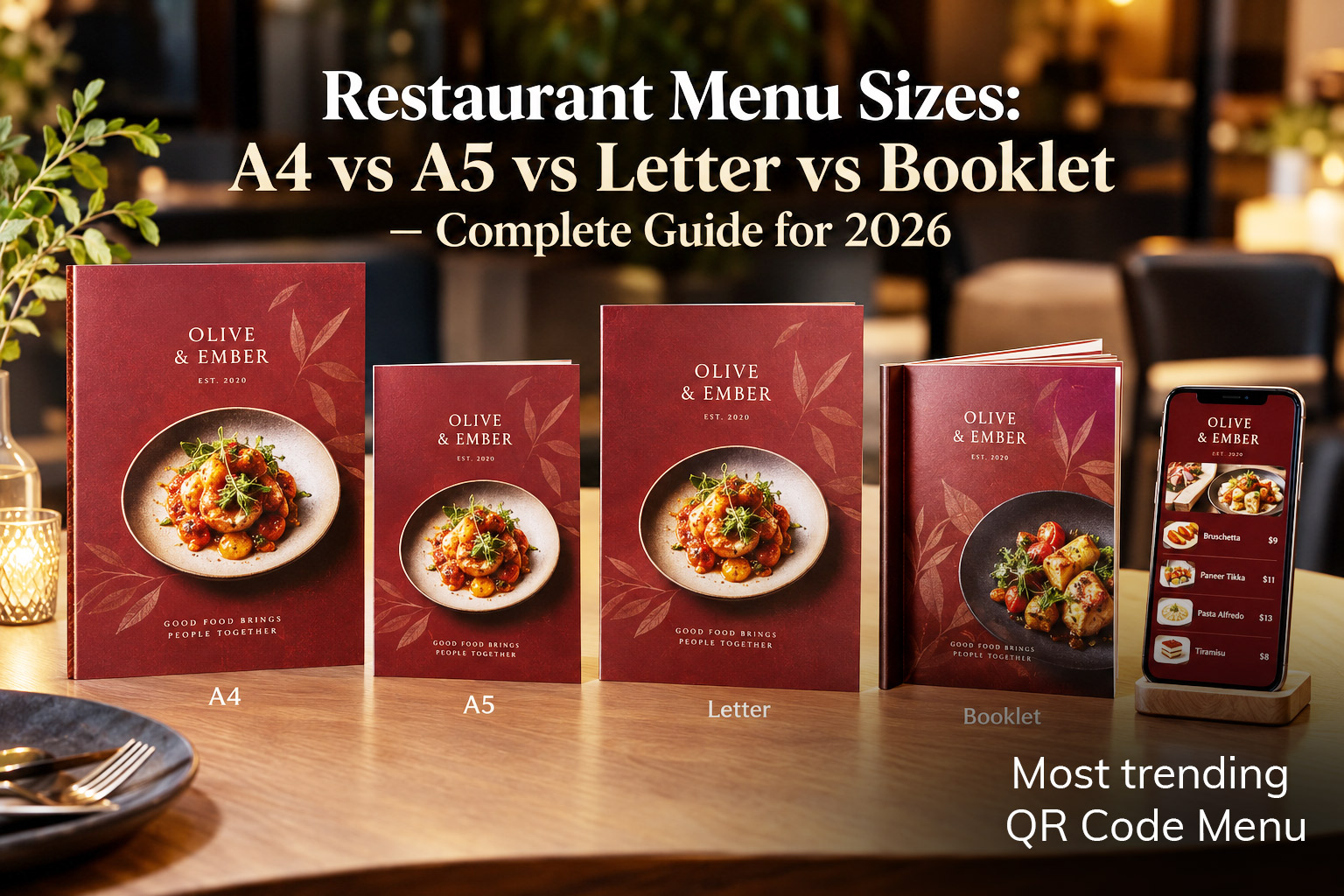
Choosing the right restaurant menu size can make your menu easier to read, easier to print, and easier for customers to use. Learn the standard menu dimensions, when to choose A4, A5, Letter, booklet, table tent or a custom size, plus practical tips for margins, bleed, DPI, typography and printing.
Choosing a restaurant menu size sounds simple.
You might think:
“I have a menu. I just need to put it on a piece of paper.”
But the size of your menu affects much more than the piece of paper.
It affects how many dishes you can show, how easy the menu is to read, how much space your descriptions need, how your food photos look, how much the menu costs to print, how comfortable it feels in a customer’s hands, and even how premium your restaurant looks.
A small café with 20 items doesn’t need the same menu card size as a restaurant with 150 dishes.
A fine-dining restaurant may want a compact, elegant menu.
A family restaurant with a large food selection may need several pages.
A bar may need a narrow drinks menu.
And if you’re using a QR code, your digital menu has completely different requirements from your printed menu.
So, what is the standard restaurant menu size?
There isn’t one.
The right size depends on your restaurant, your menu, your printing method and how you expect customers to use it.
In this guide, we’ll make the decision simple.
Quick Answer: What Is the Best Restaurant Menu Size?
If you don’t want to read the entire guide, here’s the short answer.
| Menu format | Dimensions | Best for |
|---|---|---|
| A4 | 210 × 297 mm / 8.27 × 11.69 in | Large restaurant menus |
| A5 | 148 × 210 mm / 5.83 × 8.27 in | Cafés, casual dining and compact menus |
| US Letter | 216 × 279 mm / 8.5 × 11 in | Restaurants in the United States |
| Half-fold A4 | 148 × 210 mm folded | Casual/family restaurants |
| Booklet | Varies | Large menus with many categories |
| Table tent | Varies | Specials, promotions and QR codes |
| Custom | Varies | Premium or highly branded restaurants |
My general recommendation:
Choose A4 if you have a large menu and need comfortable reading space.
Choose A5 if you have a smaller menu and want something compact.
Choose US Letter if your restaurant primarily serves customers in the United States.
Choose a booklet if your menu has many categories and needs multiple pages.
Choose a custom size if the physical presentation is an important part of your restaurant’s brand.
And remember:
The best restaurant menu size is the smallest size that lets customers comfortably read and understand your menu.
You don’t want a giant menu just because you have space.
And you don’t want to squeeze 80 dishes onto a tiny card just to save paper.
Why Restaurant Menu Size Matters
Your menu is one of the first physical things many customers interact with after sitting down.
Before they taste your food, they see your menu.
That means the menu needs to do several jobs at once.
It needs to:
- Show what you sell
- Make prices easy to understand
- Help customers decide what to order
- Communicate your restaurant’s personality
- Highlight important dishes
- Give enough room for descriptions
- Work well with food photography
- Be comfortable to hold
- Be easy to print
- Be easy to update
The wrong size can make all of these things harder.
For example, imagine a 12-page menu printed on a very small sheet.
The restaurant may have beautiful food and excellent branding, but customers are staring at tiny text.
On the other hand, imagine a café with only 18 items using a huge A4 booklet.
It may feel unnecessarily complicated.
The goal isn’t to find the biggest or smallest menu.
The goal is to find the right balance between content and comfort.
Standard Restaurant Menu Size: Is There One?
No.
There is no universal restaurant menu size that every restaurant should use.
However, some sizes are used much more frequently because they are practical and easy to print.
The most common choices are:
- A4
- A5
- US Letter
- Half-fold
- Booklet
- Table tent
- Custom sizes
The best choice depends on your menu.
A restaurant with 30 dishes may need one page.
Another restaurant with 100 dishes may need six pages.
Both can be correct.
A4 Menu Size
210 × 297 mm
8.27 × 11.69 inches
A4 is one of the most practical choices for restaurant menus.
It gives you enough space for categories, descriptions, prices and selected food photography without becoming unnecessarily large.
A4 works particularly well when you have a medium-to-large menu.
A4 is a good choice for:
- Full-service restaurants
- Indian restaurants
- Family restaurants
- Fine-dining restaurants
- Large lunch menus
- Dinner menus
- Multi-category menus
- Restaurants with food photography
- Menus with detailed descriptions
You can use A4 in:
Portrait
or
Landscape
depending on your design.
A4 Portrait
A4 portrait is probably the easiest format to work with.
It feels natural because people are already familiar with the shape from documents, menus and printed material.
It works well for:
Starters
Main Course
Desserts
Drinks
and similar vertical sections.
It’s also a good option when your menu needs several pages.
A4 Landscape
Landscape gives you more horizontal space.
This can work well for:
- Photo-heavy menus
- Modern restaurant designs
- Wide food photography
- Sharing menus
- Two-column layouts
- Premium editorial designs
However, landscape menus can sometimes feel less natural to hold.
Use it because it improves the design—not simply because it’s different.
How Many Dishes Can Fit on an A4 Menu?
There is no exact number.
It depends on:
- Font size
- Description length
- Number of columns
- Food photos
- Spacing
- Category headings
- Price formatting
As a rough practical guide, an A4 page might comfortably accommodate around 20–40 simple menu items, depending heavily on the design.
If every item has a large photograph and a two-line description, you’ll fit far fewer.
If your menu is primarily text and prices, you’ll fit more.
Don’t try to hit a specific number.
Instead ask:
Can my customer quickly scan this page without feeling overwhelmed?
That’s the real test.
A5 Menu Size
148 × 210 mm
5.83 × 8.27 inches
A5 is half the size of A4 when A4 is folded in half.
It is compact, comfortable and often feels more like a traditional menu card.
A5 works especially well for:
- Cafés
- Small restaurants
- Dessert shops
- Bars
- Breakfast menus
- Brunch menus
- Short menus
- Table menus
- Takeaway menus
- Seasonal menus
If your restaurant has a relatively focused menu, A5 can be an excellent choice.
Why Choose A5?
The biggest advantage is simplicity.
An A5 menu doesn’t give you unlimited space.
That’s actually a good thing.
It encourages you to ask:
Do I really need this item on the menu?
Instead of filling every available space, you naturally create a more focused menu.
A well-designed A5 menu can feel:
- Clean
- Modern
- Easy to hold
- Less intimidating
- Less cluttered
- More premium
For a café with:
Coffee
Tea
Breakfast
Sandwiches
Pastries
Desserts
A5 may be all you need.
A4 vs A5: Which Should You Choose?
Here’s the simple comparison.
| A4 | A5 | |
|---|---|---|
| Size | Larger | Smaller |
| Space | More | Less |
| Best for | Large menus | Compact menus |
| Photos | More room | Limited |
| Holding | Larger | Easier |
| Printing | Widely available | Widely available |
| Best for | Restaurants | Cafés/small menus |
Choose A4 if:
You have lots of dishes, descriptions or photography.
Choose A5 if:
Your menu is relatively short and you want something compact.
US Letter Menu Size
8.5 × 11 inches
215.9 × 279.4 mm
If your restaurant operates primarily in the United States, US Letter is a practical choice.
It is slightly different from A4.
The difference isn’t huge, but it matters when you’re designing a menu specifically for a printer or print shop.
US Letter works well for:
- American restaurants
- Diners
- Family restaurants
- Casual restaurants
- Café menus
- Bar menus
- Multi-page menus
If your printer works with standard US paper sizes, Letter can be easier than converting everything to A4.
A4 vs US Letter
The two sizes are very similar.
| A4 | US Letter | |
|---|---|---|
| Width | 210 mm | 215.9 mm |
| Height | 297 mm | 279.4 mm |
| Inches | 8.27 × 11.69 | 8.5 × 11 |
| Common use | Most international markets | United States |
Don’t worry about the difference for everyday menu browsing.
But when you’re preparing files for professional printing, use the exact size your printer requests.
Half-Fold Menu Size
A half-fold menu is exactly what it sounds like.
You start with a larger sheet and fold it in half.
For example:
A4 → A5 folded
This gives you a compact menu while allowing more space overall.
A folded menu can provide:
- Front cover
- Inside-left page
- Inside-right page
- Back cover
That gives you more design flexibility than a single sheet.
When Should You Use a Half-Fold Menu?
Half-fold menus are particularly useful for:
- Family restaurants
- Casual dining
- Pizza restaurants
- Takeaway menus
- Lunch menus
- Bistro menus
- Restaurants with several categories
You can put:
Restaurant logo + signature dish
on the front.
Then:
Food categories
inside.
And:
Contact information + QR code
on the back.
Booklet Menu Size
A booklet gives you several pages instead of trying to fit everything onto one or two sheets.
This is useful when your restaurant has a large menu.
For example:
Page 1: Cover
Page 2: Starters
Page 3: Soups & Salads
Page 4: Main Course
Page 5: Pizza
Page 6: Pasta
Page 7: Desserts
Page 8: Drinks
This is much easier to understand than squeezing all eight categories onto one page.
When Should You Choose a Booklet?
Consider a booklet when you have:
- More than 50–60 menu items
- Multiple major categories
- Extensive drinks selection
- Wine list
- Children’s menu
- Dessert menu
- Multiple cuisines
- Long descriptions
- Lots of photography
A booklet doesn’t necessarily mean your menu needs to be enormous.
It means you’re giving each section enough space to breathe.
Don’t Put Everything on One Menu
This is one of the most common restaurant menu mistakes.
Restaurant owners often think:
“I need to show everything.”
So they add:
- Every dish
- Every variation
- Every ingredient
- Every promotion
- Every photo
- Every possible size
- Every add-on
The result?
A menu customers don’t want to read.
Your menu isn’t an inventory database.
It is a decision-making tool.
Customers should be able to quickly answer:
What looks good?
How much is it?
What should I order?
What goes well with it?
A good menu size gives you enough space to answer those questions without overwhelming the customer.
Table Tent Size
Table tents are different from traditional menus.
They are usually small, folded displays placed directly on a table.
Their job isn’t necessarily to show your entire menu.
They are excellent for:
- QR codes
- Specials
- Promotions
- New dishes
- Desserts
- Drinks
- Happy hour
- Chef’s recommendations
- Loyalty programs
For example:
SCAN TO VIEW OUR MENU
Then place your QR code underneath.
This is often much more effective than printing an entire menu onto a tiny card.
Your QR Menu Doesn’t Need to Use the Same Size as Your Printed Menu
This is important.
Your printed menu might be:
A4
Your QR table tent might be:
A6 or custom
Your digital menu is:
Mobile screen
These don’t need to look exactly the same physically.
They should share the same:
- Logo
- Colors
- Typography
- Photography
- Brand personality
But the layout should be optimized for each format.
That’s one of the advantages of maintaining your menu digitally.
Portrait vs Landscape: Which Is Better?
There’s no universal winner.
Choose portrait when:
- You have a traditional menu
- You have many categories
- You want easy scanning
- You use one or two columns
- You want a familiar format
Choose landscape when:
- Photography is important
- You have wide images
- You want an editorial look
- You want more horizontal space
- Your brand is modern or premium
My general recommendation
If you’re unsure:
Start with portrait.
It’s easier to read, easier to print and easier to adapt into multiple pages.
How Many Columns Should a Restaurant Menu Have?
This depends on your menu size.
One column
Best for:
- Short menus
- Fine dining
- Premium restaurants
- Minimalist designs
Two columns
Best for:
- Most restaurants
- A4 menus
- Medium-sized menus
- Menus with moderate descriptions
Three columns
Can work for:
- Large menus
- Text-heavy menus
- Compact categories
But don’t automatically add columns just to fit more dishes.
Too many columns can make the menu feel like a newspaper.
Restaurant Menu Margins
Margins are the empty space between your content and the edge of the page.
They’re important.
Without enough margin, your menu can feel cramped.
Worse, important text may get too close to the edge and become difficult to print or trim.
For many restaurant menus, a practical starting point is around:
10–15 mm
of safe internal margin.
You may need more depending on the printing method, binding, folding and design.
Don’t think of margins as wasted space.
Good empty space makes your menu easier to read.
What Is Bleed in Restaurant Menu Printing?
This sounds technical, but it’s easy to understand.
Imagine your menu has a full-page photo that goes all the way to the edge.
A printer needs a little extra image beyond the final paper size so that when the sheet is cut, you don’t accidentally end up with a thin white line around the edge.
That extra area is called:
Bleed.
A common professional print specification is:
3 mm bleed
For example, if your final A4 menu is:
210 × 297 mm
with 3 mm bleed on all sides, the artwork may be prepared at:
216 × 303 mm
The printer trims it back to the final 210 × 297 mm size.
Why Does Bleed Matter?
Without bleed, you might see something like this:
Photo
↓
White line
↓
Paper edge
That thin white line can make an otherwise beautiful menu look poorly finished.
With proper bleed:
Photo extends beyond trim area
↓
Printer cuts the paper
↓
Clean edge
This is one reason you should prepare your restaurant menu as a proper print-ready PDF rather than simply exporting a screenshot.
What Are Crop Marks?
Crop marks show the printer where the final page should be cut.
They’re particularly useful for professional printing.
Your printer may request:
- Bleed
- Crop marks
- Trim size
- CMYK color
- Embedded fonts
- High-resolution images
If you’re working with a professional print shop, ask them for their exact file specifications before exporting.
What DPI Should a Restaurant Menu Use?
DPI means dots per inch.
You don’t need to understand the technical details.
The practical rule is simple:
Use high-resolution images for printing.
For professional menu printing, 300 DPI is a common target for raster images at their final printed size.
For example, if you want to print an image at:
4 × 4 inches
you would generally want an image around:
1200 × 1200 pixels
for a 300 DPI output.
Don’t take a tiny image from WhatsApp and expect it to look beautiful when printed large.
It may look fine on your phone.
It may look terrible on paper.
What About Digital Menu Images?
Digital menus are different.
You don’t necessarily need enormous images for a phone screen.
Large files can make your menu slower.
And a slow menu creates a poor customer experience.
So you should optimize images separately for:
and
Digital
A good restaurant menu system should help you manage both without making you manually prepare every image again.
Restaurant Menu Typography: Don’t Make It Too Small
This is where many menu designs go wrong.
The restaurant owner wants to fit everything on one page.
So the designer reduces the font.
Then reduces it again.
Then the menu looks “clean.”
But customers can’t comfortably read it.
Your menu should be readable before it is beautiful.
For body text, many restaurant menus work well around:
10–14 pt
depending on the typeface, layout and viewing distance.
Headings can be significantly larger.
But don’t treat these numbers as a strict law.
A 10 pt font in one typeface can feel much larger or smaller than a 10 pt font in another.
Print the menu.
Put it on a table.
Stand where a customer would sit.
Then read it.
If you have to concentrate to read the descriptions, the type is too small.
Give Prices Enough Space
Prices should be easy to find.
Don’t hide them.
Don’t use tiny text.
Don’t force customers to search for the price.
For example:
Chicken Tikka
Tender grilled chicken with aromatic spices
$16
is easier to scan than:
Chicken Tikka …………….. $16
with long lines connecting every dish to a price.
You want the customer’s eyes to move naturally:
Dish → Description → Price
Don’t Use Too Many Fonts
A restaurant menu doesn’t need six different fonts.
Start with:
One display font
and
One body font
That’s often enough.
For example:
Elegant serif
for headings.
Clean sans-serif
for descriptions and prices.
The goal is hierarchy.
Customers should immediately understand:
Restaurant name
↓
Category
↓
Dish
↓
Description
↓
Price
Typography should make that structure obvious.
Restaurant Menu Paper Size Isn’t the Same as Paper Thickness
Another common confusion:
Menu size tells you the dimensions.
Paper weight tells you how thick/sturdy the paper is.
They’re different decisions.
For example, you could have:
A5 size
printed on:
- Lightweight paper
- Thick cardstock
- Laminated stock
- Textured paper
The right choice depends on how the menu will be used.
Consider How the Menu Will Be Used
Ask yourself:
Will customers hold it?
Choose a comfortable size and weight.
Will it stay on the table?
A slightly larger or sturdier format may work.
Will it be used outdoors?
Durability becomes more important.
Will customers take it home?
Consider size and weight.
Will it be wiped frequently?
Choose materials accordingly.
Will it be replaced often?
Keep printing costs and production time in mind.
The menu isn’t just a design.
It’s a physical product that lives inside your restaurant.
What Menu Size Is Best for Fine Dining?
Fine-dining restaurants often benefit from a more restrained menu.
You don’t need to fill every inch.
Good choices can include:
A4 portrait
A5
Custom premium format
or a small multi-page menu.
The important thing is generous spacing and typography.
A fine-dining menu should feel intentional.
You don’t want 70 dishes squeezed into tiny text.
What Menu Size Is Best for a Café?
For cafés, I’d usually start by considering:
A5
or
A4
depending on the number of items.
If you have:
Coffee
Tea
Breakfast
Sandwiches
Pastries
Desserts
A5 may be perfect.
If you also have:
Pizza
Pasta
Burgers
Large lunch selection
Cocktails
Wine
you may want A4 or a multi-page format.
What Menu Size Is Best for a Bar?
Bars often benefit from a combination.
For example:
A5 drinks menu
plus:
small table tent for QR
or a larger menu if there are many cocktails, wines and spirits.
A narrow custom menu can also look very good for a cocktail-focused bar.
What Menu Size Is Best for an Indian Restaurant?
Indian restaurants can have particularly large menus.
You might have:
- Starters
- Tandoor
- Vegetarian
- Non-vegetarian
- Breads
- Rice
- Biryani
- Thali
- Indo-Chinese
- Desserts
- Drinks
Trying to fit all of that onto one small page can make the menu difficult to use.
For many Indian restaurants, A4 or a multi-page booklet is a better starting point.
You can organize categories clearly and give enough room for:
- Vegetarian indicators
- Spice levels
- Half/full portions
- Different sizes
- Dish descriptions
- Prices
What Menu Size Is Best for a Pizza Restaurant?
Pizza restaurants often need space for:
- Pizza names
- Sizes
- Crust options
- Toppings
- Prices
- Combos
- Add-ons
A4 works well for a larger pizza menu.
A5 can work for a compact menu.
A booklet becomes useful when you also offer:
- Pasta
- Starters
- Burgers
- Desserts
- Drinks
- Kids’ meals
How to Choose Your Restaurant Menu Size
Here’s a simple process.
Step 1: Count your menu categories
Write them down.
For example:
- Starters
- Soups
- Salads
- Mains
- Pizza
- Pasta
- Desserts
- Drinks
Now you know your menu is fairly large.
Step 2: Count your dishes
Don’t just count categories.
Count actual items.
If you have:
20 dishes
you probably don’t need a large booklet.
If you have:
120 dishes
you probably shouldn’t force everything onto two pages.
Step 3: Look at your descriptions
Short descriptions take little space.
Long descriptions take much more.
If every dish has:
Two lines of description
your menu will grow quickly.
Step 4: Decide whether photography matters
Photography uses space.
A photo-heavy menu will need more room than a text-focused menu.
Step 5: Decide how customers will use it
Will they:
- Hold it?
- Leave it on the table?
- Scan a QR code?
- Browse on a phone?
- Take it home?
This affects your format.
Step 6: Ask your printer
Before finalizing the design, ask:
“What menu sizes and file specifications do you recommend?”
Your printer may have preferred sizes, paper stocks and finishing options.
A Simple Restaurant Menu Size Decision Tree
Still unsure?
Use this:
Under 30 items
A5 is a good starting point.
30–60 items
Consider A5 or A4, depending on descriptions and photography.
60–100 items
A4 or multi-page is usually more comfortable.
100+ items
Consider a booklet or multiple menus.
Large drinks/wine list
Consider a separate drinks menu.
Specials/QR
Use a table tent or small card.
Again, these are starting points—not strict rules.
A well-designed 60-item menu can be easier to use than a poorly designed 30-item menu.
One Restaurant Doesn’t Need One Physical Menu
This is a useful way to think about your menu strategy.
You can have:
Main menu
A4 or A5
Drinks menu
A5
Dessert menu
A5 or small card
Specials
Table tent
QR menu
Digital
Takeaway menu
Folded or booklet
You don’t have to force every piece of information into one giant menu.
What About Digital Menu Size?
This is where things get interesting.
A digital menu doesn’t have an A4 or A5 paper size.
Your customer is looking at a phone.
So instead of asking:
“What size should my digital menu be?”
ask:
“How easy is my menu to use on a phone?”
A good digital menu should:
- Fit the phone screen
- Use readable text
- Have clear categories
- Make prices obvious
- Load images quickly
- Avoid unnecessary scrolling
- Make navigation simple
- Work on different screen sizes
Your printed menu might be A4.
Your digital menu might be viewed on a 6-inch phone.
They don’t need identical layouts.
They need the same menu information and brand identity.
The Best Approach: One Menu, Multiple Formats
This is especially important if you regularly change your menu.
Imagine you have:
Printed A4 menu
QR menu
Website menu
Takeaway PDF
Now you change the price of one dish.
If each version is separate, you have to update all of them.
That’s where things become messy.
Instead, maintain one central menu.
From that menu, you can create:
Digital menu
QR menu
Print-ready PDF
Shareable menu link
Now a price change starts with one update.
Why This Matters for Restaurant Owners
You don’t want to spend your evening worrying about:
“Did we update the QR menu?”
“Did the designer update the PDF?”
“Which version did we send to the printer?”
“Is the old price still showing somewhere?”
Your menu should be easier to manage than that.
A modern restaurant menu workflow should look more like:
Create
↓
Update
↓
Publish
↓
Print when needed
Instead of:
Create PDF
↓
Send to designer
↓
Update design
↓
Export
↓
Upload
↓
Create QR
↓
Replace QR
↓
↓
Discover typo
↓
Start again
What Is a Print-Ready Restaurant Menu PDF?
A print-ready PDF is prepared specifically for professional printing.
It may include:
- Correct page dimensions
- Bleed
- Crop marks
- High-resolution images
- Embedded fonts
- Correct color settings
- Proper page layout
- Safe margins
The exact requirements vary by printer.
So don’t assume every PDF is automatically print-ready.
A PDF that looks good on your laptop isn’t necessarily a professional print file.
Restaurant Menu Printing Checklist
Before sending your menu to the printer, check:
Size
- Correct final dimensions
- Correct orientation
- Correct number of pages
Content
- Every dish is correct
- Prices are correct
- Spelling is checked
- Restaurant contact information is correct
- QR code points to the right destination
Images
- Images are high resolution
- No blurry images
- Images are correctly cropped
- Photos are properly positioned
Design
- Text is readable
- Margins are consistent
- Categories are easy to find
- Prices are easy to read
Printing
- Bleed is included where required
- Crop marks are included if requested
- Fonts are embedded
- Color settings match printer requirements
- Final PDF has been proofread
Don’t Forget the QR Code When Printing
If your printed menu contains a QR code, test it.
Not just the digital version.
Test the actual printed version.
Print one sample.
Put it on a table.
Scan it from the position where a customer would normally sit.
Then ask:
Does it scan quickly?
Does it open the correct menu?
Is the menu readable?
Does the QR code still work after printing?
This five-minute test can prevent a much bigger problem.
7 Restaurant Menu Size Mistakes to Avoid
1. Choosing a size before counting your content
Don’t decide:
“I want A5.”
and then try to force 100 dishes into it.
Start with the content.
Then choose the size.
2. Making the font too small
If customers struggle to read the menu, you’ve saved paper but created a worse customer experience.
3. Using too many photos
Photos are powerful.
Too many photos create clutter.
Use them where they help customers make a decision.
4. Ignoring printing requirements
Don’t finish your design and only then ask your printer about bleed, dimensions and file specifications.
Ask first.
5. Forgetting margins
Important content shouldn’t sit dangerously close to the edge.
Give your design room to breathe.
6. Designing only for the computer
A menu can look beautiful on a large monitor and terrible when printed.
Always review a physical proof.
7. Treating digital and print as completely separate menus
If your restaurant changes frequently, maintaining separate versions creates unnecessary work.
Keep the information centralized wherever possible.
Restaurant Menu Size FAQ
What is the standard restaurant menu size?
There is no single standard restaurant menu size. A4, A5 and US Letter are common choices, while booklets, table tents and custom sizes are also widely used.
What is the best size for a restaurant menu?
A4 is a good general-purpose option for restaurants with medium or large menus. A5 is better for smaller menus, cafés and compact dining concepts.
What is the A4 menu size?
A4 measures 210 × 297 mm, or approximately 8.27 × 11.69 inches.
What is the A5 menu size?
A5 measures 148 × 210 mm, or approximately 5.83 × 8.27 inches.
What is the US Letter menu size?
US Letter measures 8.5 × 11 inches, or 215.9 × 279.4 mm.
Is A4 or A5 better for a restaurant menu?
It depends on your menu. Choose A4 when you need more space for dishes, descriptions and photos. Choose A5 when you have a shorter menu and want a compact format.
How many dishes fit on an A4 menu?
There is no fixed number. A simple A4 page may accommodate roughly 20–40 items, but the actual number depends on typography, descriptions, spacing, columns and photography.
What is the best menu size for a café?
A5 is often a good choice for cafés with a compact menu. A4 may be better if the café serves breakfast, lunch, desserts, drinks and many specialty items.
What is the best menu size for a large restaurant?
A4 or a multi-page booklet is usually more practical for restaurants with many categories and dishes.
What size should a QR code menu be?
A QR code doesn’t need to follow the same dimensions as your restaurant menu. The physical QR display should be large enough to scan comfortably from the intended distance and should have sufficient clear space around it.
What is bleed in menu printing?
Bleed is extra artwork that extends beyond the final trim edge of a printed page. A common professional specification is 3 mm bleed, but you should always follow your printer’s requirements.
What DPI should a restaurant menu be?
For professional printing, 300 DPI is a common target for raster images at their final printed size. Your printer may have different requirements.
Should a restaurant menu be portrait or landscape?
Portrait is a good general-purpose choice because it is familiar and works well for many restaurant layouts. Landscape can work particularly well for photography-heavy or editorial designs.
Can the same menu be used for digital and print?
Yes. Ideally, your menu information can be managed centrally and then presented as a mobile-friendly digital menu and a print-ready PDF. The layouts don’t have to be identical.
Final Recommendation: Choose the Size That Helps Customers Choose
There is no magic restaurant menu size.
A4 isn’t automatically better than A5.
A booklet isn’t automatically more professional.
A custom size isn’t automatically more premium.
The best menu is the one that gives your customers enough information without making the experience feel crowded.
For most restaurants, I’d start with:
A4
when you have a substantial menu.
A5
when you have a compact menu.
US Letter
when you’re designing primarily for US printing.
Booklet
when your menu has enough categories to deserve multiple pages.
Table tent
when the goal is a QR code, special offer or featured dish.
Custom
when the physical menu itself is an important part of your brand experience.
And don’t forget the most important part:
Design the menu around your customer—not around the paper size.
Your customer doesn’t care whether your menu is A4 or A5.
They care whether they can quickly find something they want to eat, understand what it is, see the price and make a decision.
That’s what a good menu should do.
Create One Menu for Digital and Print
Managing separate menu files for your QR menu, website and printed cards can quickly become frustrating.
With MenuFly, you can build and manage your restaurant menu in one place, publish a mobile-friendly digital menu, connect it to a QR code and generate a print-ready PDF when you need physical menus.
So when a dish or price changes, you can update your menu instead of rebuilding every version from scratch.
One menu. Digital + Print.
[Create Your Menu Free]
Leave a Reply