A restaurant menu is one of the first things a customer interacts with after sitting at the table.
For years, that meant handing over a printed menu, waiting for it to be returned, and printing a new batch whenever something changed.
Today, more restaurants are moving to something much simpler: a QR code menu.
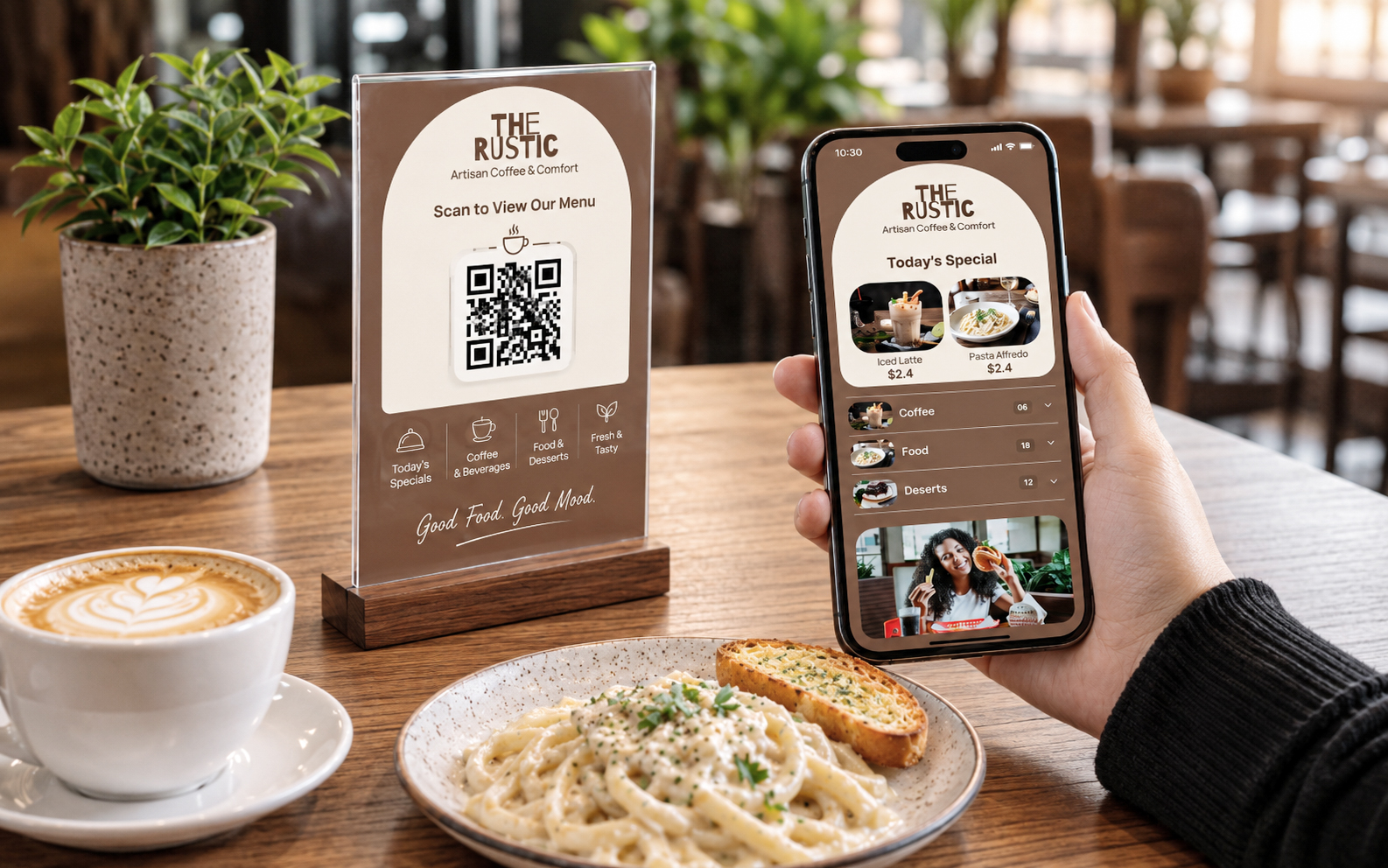
A customer scans a QR code with their phone, and the restaurant menu opens instantly. They can browse dishes, check descriptions, view photos, explore categories, and in some cases even place an order.
But a QR code by itself isn’t what makes a digital menu useful.
The real advantage comes from having a menu that is easy to update, easy to browse, mobile-friendly, and designed around the way customers actually choose food.
That’s where a digital QR menu such as MenuFly can make a difference.
What Is a QR Code Menu?
A QR code menu is a digital version of a restaurant’s menu that customers can access by scanning a QR code using their smartphone.
Instead of reading a printed menu, the customer scans the QR code placed on the table, counter, tent card, bill folder, or restaurant entrance.
The menu opens on their phone without requiring them to download an app.
For a restaurant, this creates a simple system:
Print the QR code once → update the digital menu whenever needed → customers always see the latest menu.
This is particularly useful for restaurants where dishes, prices, availability, or daily specials change regularly.
Why Are Restaurants Moving to QR Code Menus?
The biggest reason isn’t technology.
It’s convenience.
Restaurant owners don’t want to redesign and reprint menus every time a dish changes. Customers don’t want to search through a complicated website just to find today’s menu.
A good QR menu solves both problems.
1. Update Your Menu Without Reprinting
Imagine your restaurant changes the price of five dishes.
With a traditional printed menu, you either continue using the old menu, manually replace the affected pages, or print everything again.
With a digital menu, you simply update the information online.
The QR code printed on the table can remain the same.
That’s one of the biggest practical advantages of a QR code menu.
2. Customers Can See the Menu on Their Own Phone
Customers are already comfortable using their phones.
When they scan a QR code, the menu opens on the device they’re already holding.
They don’t need to wait for a waiter to bring another menu.
This can be especially helpful during busy lunch hours, weekends, and peak dinner service.
3. Make Your Food Look Better
A printed menu has limited space.
A digital menu can give every dish more room.
You can include:
- Food photographs
- Dish descriptions
- Vegetarian and non-vegetarian indicators
- Spice indicators
- Ingredients
- Allergen information
- Recommended dishes
- Special offers
- Multiple menu categories
Good food photography can also help customers make decisions faster.
If someone is deciding between two dishes, seeing the actual food can be more useful than reading two lines of text.
What Makes a Good QR Code Menu?
Not every QR menu provides the same experience.
A QR code simply opens a link. What happens after the scan is what matters.
A good restaurant digital menu should be:
Fast.
Customers shouldn’t stare at a loading screen.
Mobile-friendly.
The menu should look good on a phone, not like a desktop website squeezed onto a small screen.
Easy to navigate.
Customers should be able to move between starters, main course, beverages, desserts, and other categories without getting lost.
Easy for the restaurant to manage.
Changing a price or marking an item unavailable shouldn’t require technical knowledge.
Visually attractive.
A menu is part of your restaurant’s brand.
QR Code Menu vs Printed Menu
This doesn’t necessarily have to be an either-or decision.
Many restaurants use both.
A printed menu can still be useful, especially for customers who prefer physical menus.
A QR menu adds flexibility.
| Feature | Printed Menu | QR Code Menu |
|---|---|---|
| Update prices | Requires reprinting | Update instantly |
| Food photos | Limited | Easy to add |
| Daily specials | Difficult | Easy to update |
| Multiple languages | Requires additional printing | Can be supported digitally |
| Menu availability | Fixed | Can change anytime |
| Long descriptions | Limited space | More flexible |
| Cost of future updates | Printing cost | No menu reprinting |
For many restaurants, the best approach is a hybrid menu: keep a physical menu available while giving customers the option to scan the QR code.
Where Should You Place Your Restaurant QR Code?
The QR code should be somewhere customers naturally look.
Common locations include:
- Restaurant tables
- Table tents
- Countertops
- Reception desks
- Menu covers
- Bill folders
- Takeaway packaging
- Restaurant entrance
- Hotel rooms
- Outdoor seating
The QR code should also have a simple instruction next to it.
Instead of displaying only a QR code, write something like:
Scan to View Menu
or
Scan. Browse. Choose. Enjoy.
This makes the purpose immediately obvious.
A QR Menu Shouldn’t Feel Like a PDF
This is one of the most common mistakes restaurants make.
They take their existing printed menu, save it as a PDF, upload it somewhere, and put a QR code in front of it.
Technically, that’s a QR menu.
But it’s not necessarily a good digital menu experience.
On a phone, a PDF can require customers to zoom in, scroll sideways, wait for pages to load, and search for the section they want.
A proper digital restaurant menu should be designed for the phone first.
Categories should be easy to access.
Dish names should be readable.
Descriptions shouldn’t be too long.
Images should load quickly.
And customers should be able to find what they want with minimal effort.
QR Code Menus Can Help Restaurants Reduce Menu Waste
Menus get damaged.
Pages become outdated.
Prices change.
New dishes are introduced.
Old dishes disappear.
Restaurants can end up printing menus repeatedly throughout the year.
A digital QR menu reduces the need to constantly replace the entire menu.
The physical QR stand or table card can stay in place while the digital content changes behind it.
For restaurants with frequently changing menus, this can be particularly useful.
Add More Than Just Food Items
Your digital menu doesn’t have to stop at dishes.
A restaurant can use the digital menu to introduce customers to the experience behind the food.
For example:
Chef’s Specials
Highlight dishes the kitchen wants customers to try.
Today’s Recommendations
Show seasonal or limited-time dishes.
About the Restaurant
Tell customers your story in a few sentences.
Special Events
Promote live music, brunches, tasting menus, or festive offers.
Contact & Location
Make it easy for customers to find or contact the restaurant.
The menu becomes more than a list of dishes.
It becomes a small digital touchpoint for the restaurant.
QR Code Menu for Indian Restaurants
QR menus can be particularly useful for Indian restaurants because menus can become quite extensive.
A typical restaurant might have separate sections for:
- South Indian
- North Indian
- Chinese
- Tandoor
- Snacks
- Main Course
- Breads
- Rice
- Beverages
- Desserts
Trying to fit everything into a small printed menu can make it difficult to browse.
A digital menu can organize these categories much more clearly.
Restaurants can also display menus in multiple languages where needed.
For example:
Paneer Tikka
पनीर टिक्का
This can make the menu more accessible to local customers while keeping English as the primary language.
How MenuFly Helps Restaurants Create a QR Code Menu
MenuFly is built around a simple idea:
Your restaurant menu should be easy for customers to use and easy for you to manage.
With MenuFly, restaurants can create a digital menu and connect it to a QR code.
Instead of changing printed menus every time something changes, restaurant owners can manage their digital menu from one place.
You can organize dishes into categories, add descriptions and images, update menu information, and give customers a simple QR-based way to access it.
The QR code can then be placed on your restaurant tables, stands, packaging, or printed materials.
Is a QR Code Menu Worth It for a Restaurant?
For most restaurants, the answer depends on how they operate.
If your menu rarely changes and your customers strongly prefer printed menus, there may be little reason to completely replace your existing menu.
But if you regularly change prices, add dishes, introduce specials, operate multiple locations, or want to provide a better mobile experience, a digital QR menu can be extremely useful.
And you don’t necessarily need to choose between digital and printed.
You can use both.
Keep the physical menu for customers who prefer it.
Use the QR menu for customers who want to browse digitally.
The Future of Restaurant Menus Is More Flexible
The restaurant menu is changing.
But the goal isn’t to make restaurants more complicated with technology.
It’s actually the opposite.
The best technology should make everyday restaurant operations simpler.
A QR code menu gives restaurants the ability to change their menu without constantly printing new copies, while giving customers a fast way to browse food from their own phones.
The QR code is only the starting point.
What matters is the experience behind it.
A fast, attractive, well-organized digital menu can become a useful part of the restaurant experience—from the moment a customer scans the code to the moment they decide what they want to order.
That’s the real value of a QR code menu.
And with MenuFly, restaurants can make that transition without making their menu management complicated.
Leave a Reply